
ViceBounce
Make Vice City bounce to your music.
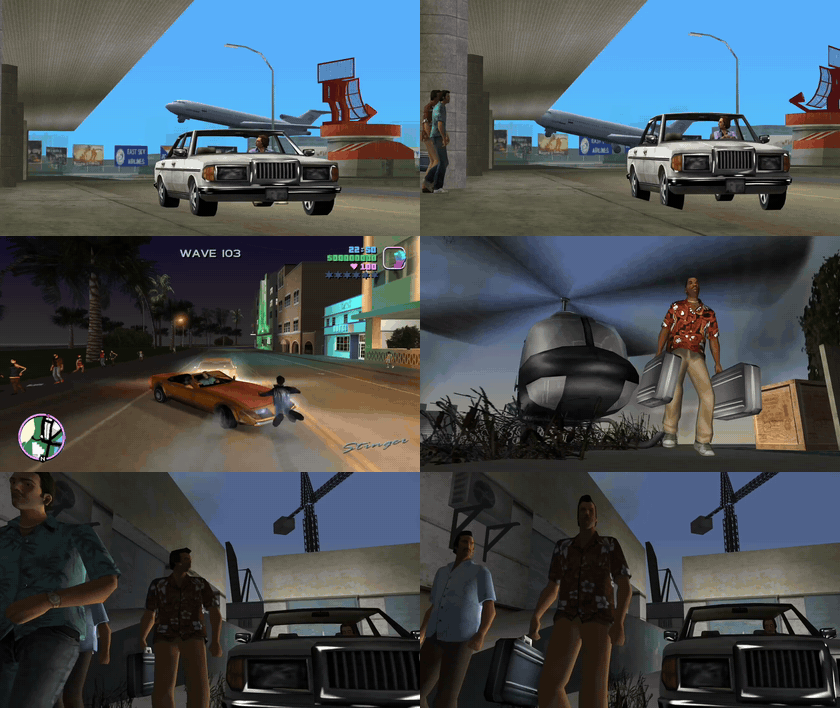
▶ Sound on: watch the full clip on Instagram
Squash and stretch cars, bikes, boats, aircraft and people — including Tommy, passengers and cutscene actors.
Install
Requires classic GTA Vice City Steam, Windows 10/11 x64 and an ASI loader that loads plugins from scripts.
Download the ZIP from Releases, close the game and copy its scripts contents into the game's scripts folder. Keep your existing ViceBounce.ini when updating.
Other game versions are currently unsupported.
Music
Press F11 during gameplay and select your own MP3, FLAC, WAV or OGG. The importer analyzes the beat and prepares looping playback locally. No Python installation needed. Music is not included or uploaded. The game minimizes while you choose a file and returns when the importer closes.
Use F9 to adjust alignment by ear. Automatic beat detection can make mistakes.
Controls
| Key | Action |
|---|---|
| F6 | Cars and cutscenes |
| F8 | Bikes, boats and aircraft |
| F10 | Everyone, including Tommy |
| F11 | Import music |
| F7 | Reload settings |
| F9 | Align the beat |
| Page Up / Down | Manual BPM ±5; disables beat map |
| Home / End | Amplitude ±0.025 |
Settings save automatically. Ctrl+Shift+F11 stays available for OBS.
Support me
Buy me a coffee · Support from Russia · CloudTips
More of my stuff: tek-95.com · Instagram
Credits
Inspired by CarbonBounce. Built with Plugin-SDK.
MIT license. Dependencies retain their own licenses. Importer build instructions.