

Exploded
Take a real UI component apart. A skill for Claude Code, plus the runtime it uses.
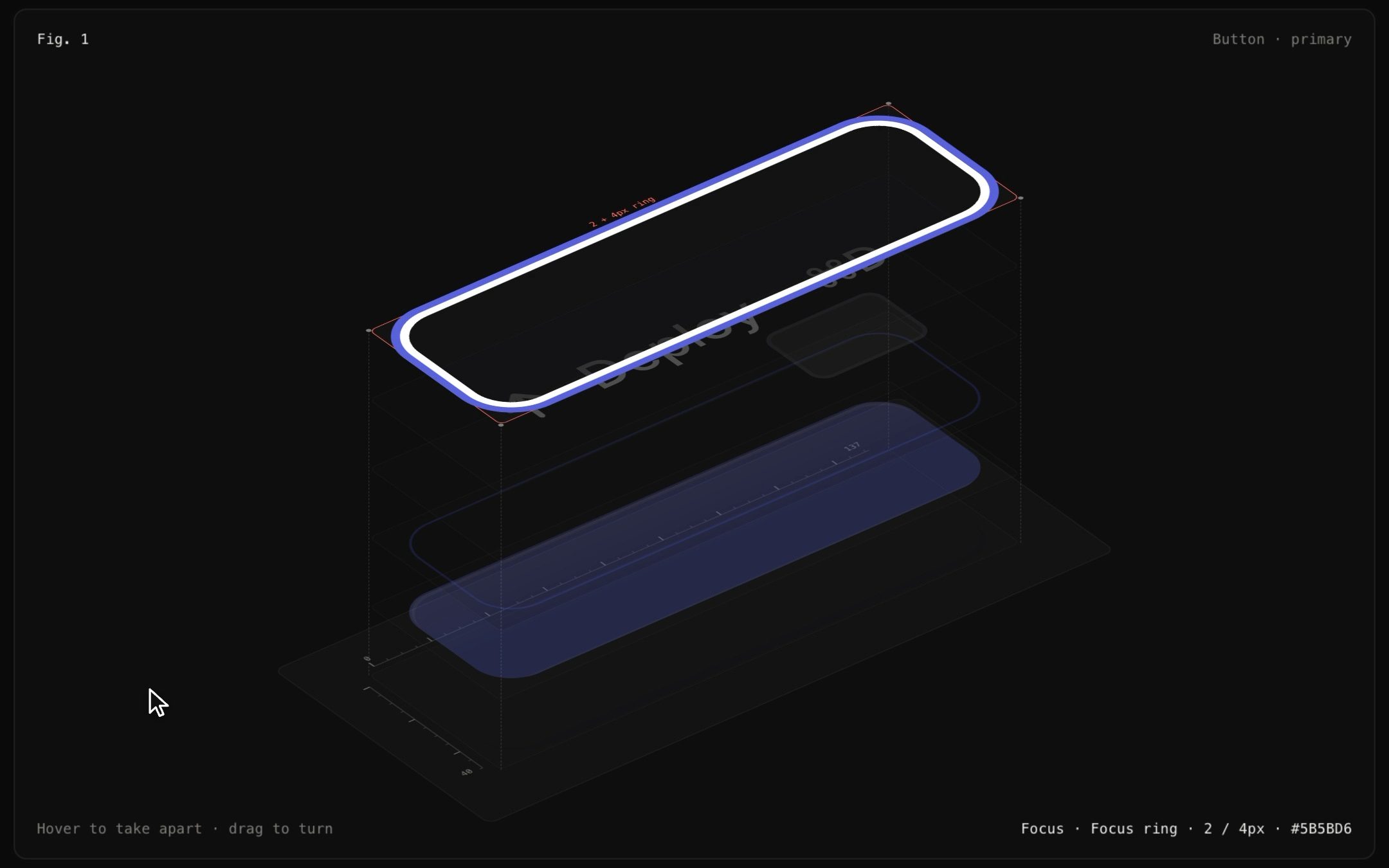
Name a component and Claude renders it, then pulls it apart in isometric into its paint layers: elevation, surface, stroke, inner surfaces, content and focus ring. You can switch its states and read every measurement and design token right off the layers.
The rule
Nothing is redrawn, and no number is typed.
- Every layer is the live component, cloned with the browser's own computed styles. Any paint that belongs to another layer is made transparent.
- Every number comes from
getComputedStyle, layout boxes and text ranges. - Every token name comes from the CSS rule the author actually wrote.
So the spec sheet can't drift from what ships.
What you get
- Layers, found automatically. Elevation, Surface, Stroke, inner surfaces (chips, thumbs, avatars), Content and Focus ring. Light paint (like white text) gets a backing in the colour of the surface it really sits on.
- Every state. Hover, focus, pressed, disabled, invalid, on/off, or your own.
:hover/:focus/:activeare forced by rewriting CSS rules, so no pointer is needed. The stack combines every state, so the focus ring layer waits, dashed and empty, at rest. - Redlines. Padding, radius, gap, type and shadow are printed on the layer you hover. Labels stay a fixed size on screen and never cover the glyphs they measure.
- Tokens. Press
Tand every value becomes the token the author wrote:--radius-md,--spacing × 2.5. Hard-coded values stay raw, so drift is obvious. - The live component sits beside it. Hover or press the real component and the figure follows.
- An audit. It checks that every paint lands on exactly one layer, and that every layer's copy lays out within 0.5 px of the live component, in every state.
Install the skill
npx skills add diip3sh/exploded
It works with Claude Code, Cursor, Codex and any other agent that reads skills. Or clone it yourself:
git clone https://github.com/diip3sh/exploded ~/.claude/skills/explodedRestart your agent, then:
/exploded document our Button, all states, for the Next.js docs
/exploded spec sheet for the email field and the switch, dark theme
You don't need the command. Claude uses the skill on its own for component docs, spec sheets, redlines and anatomy diagrams. SKILL.md has the whole workflow.
Use the runtime directly
<link rel="stylesheet" href="runtime/exploded.css">
<script src="runtime/exploded.js"></script>
<script>
  document.fonts.ready.then(() =>
    Exploded.mount(document.querySelector("#fig"), {
      target: document.querySelector(".btn"),
      title: "Button · primary",
      states: "pressable",               // or "field", or your own
      parts: { ".btn-kbd": "Shortcut chip" },
      theme: "dark",
    }));
</script>
React / Next.js:
import { Exploded } from "@/components/exploded/react/Exploded";

<Exploded fig={1} title="Button · primary" states="pressable">
  <Button>Deploy</Button>
</Exploded>
Keys: 1–9 states · E apart · ↑ ↓ layers · ← → turn · T tokens · Esc reset. Hover opens it and dragging turns it.
Audit
node scripts/audit.mjs examples/gallery/index.html --out shots
This runs headless Chrome with no dependencies. It prints the layers for each state, runs the audit, and saves PNGs of each figure apart and together. Set CHROME_PATH if Chrome isn't in a standard place.
Try it locally
python3 -m http.server 8731
open http://127.0.0.1:8731/
Limits
- CSS from another origin can't be read, so its hover/focus rules can't be forced and its tokens can't be traced. Serve CSS from the same origin.
- Shadow DOM, canvas and WebGL components aren't captured. A canvas clones without its pixels.
- Transitions are frozen at their end state. The figure shows states, not motion.
- JS-driven states (spring animations) need an
applystate for now.
Credit
Inspired by Anatomy by Ryan. Same rule: the thing itself is the explanation.
MIT © diip3sh