
JumpStart 3D
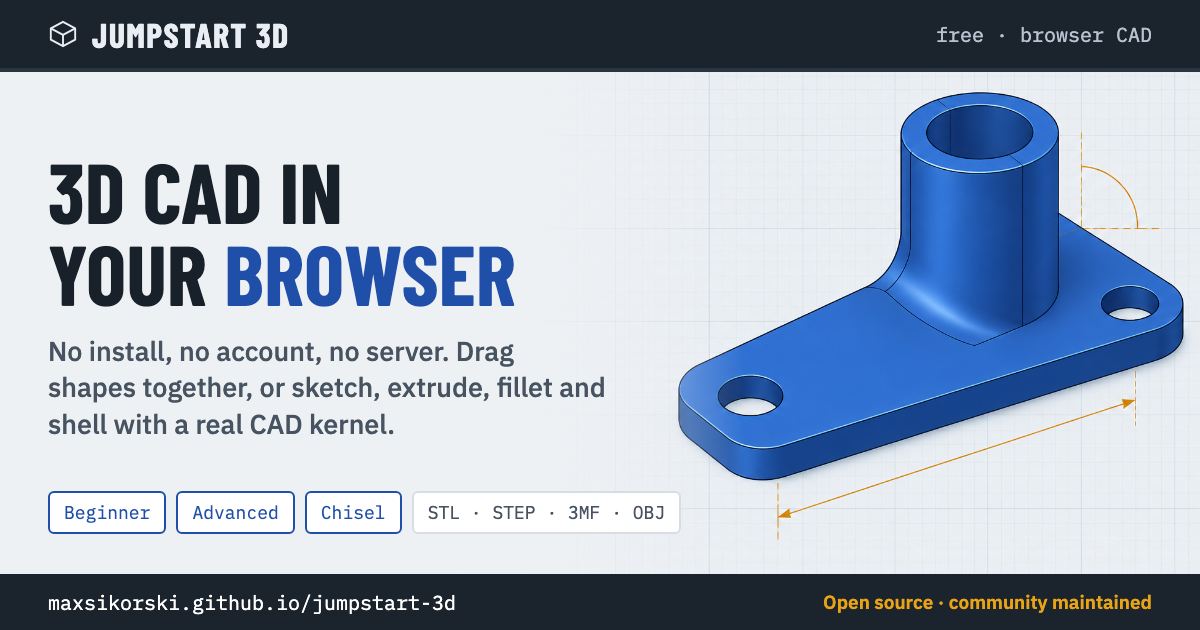
A free 3D CAD tool that runs in your web browser. No install, no account, no server. Somewhere between Tinkercad and a real CAD program: drag shapes together in Beginner mode, or sketch, extrude, fillet and shell in Advanced mode.
Created by J.Siwek. This is a community-maintained copy; see NOTICE.md for credit and licensing.
I just want to use it
Pick one:
- Online: open https://maxsikorski.github.io/jumpstart-3d/
- Offline: download jumpstart-3d.html and double-click it. That one file is the whole app. It works without an internet connection (only the fonts come from the web).
That is all. You do not need anything else in this repository.
What it does
- Beginner mode: drag shapes, group them, cut holes
- Advanced mode: sketches, extrude, revolve, loft, sweep, fillet, chamfer, shell, patterns and a feature timeline, driven by a real CAD kernel (OpenCascade)
- Chisel: clay-style sculpting
- FlexiGen: print-in-place articulated figures
- Mesh to STEP: turn STL or 3MF meshes into editable STEP solids
- Layer-by-layer print preview, section analysis, multi-filament colors
- Export to STL, OBJ, 3MF, STEP and DXF
- Mesh detail setting (Normal, Fine, Extra fine, or a custom level up to 32× with a live triangle count) for smoother curves in the view and in mesh exports
Help improve it
You do not need to write code to help.
- Found a bug? Open an issue: https://github.com/MaxSikorski/jumpstart-3d/issues/new/choose and pick "Bug report". Say which browser you use and what you clicked, and attach a saved project file if you can.
- Want a feature? Same page, pick "Feature request". Describe the problem you are trying to solve; that helps more than a specific design.
- Know the answer to someone else's issue? Reply to it. Helping other users counts.
- Want to change the code? Read on, and see CONTRIBUTING.md for the full guide.
I want to change it or contribute
The app is one big minified JavaScript bundle. Its lines are over a megabyte long, which is why it cannot be edited on the GitHub website: the web editor blanks the file. So the repository keeps the app split into pieces you can work with, and one command puts them back together.
You need Node.js (version 18 or newer). Then:
git clone https://github.com/MaxSikorski/jumpstart-3d.git
cd jumpstart-3d
node build.mjs
That writes two things:
docs/the website (the same files GitHub Pages serves)dist/jumpstart-3d.htmlthe single offline file
To try the website locally, serve the docs/ folder with any static
server, for example:
npx serve docs
Where things are
src/index.html    page shell, CSS and menus (plain HTML, edit freely)
src/app.js        the app bundle (minified; edit only by script)
src/worker.js     geometry worker that runs the CAD kernel
src/occt-gz.wasm  OpenCascade kernel, gzipped
src/tools/        the helper pages: FlexiGen, Mesh to STEP, Chisel
src/vendor/       three.js builds shared by the helper pages
build.mjs         the build
tools/            extract.mjs turns a new upstream file into src/;
                  add-obj-export.mjs re-applies our OBJ export;
                  add-mesh-detail.mjs re-applies the Mesh detail setting;
                  og-card/ renders the link-preview image (src/og-image.png)
docs/             built website, committed so GitHub Pages can serve it
jumpstart_3d_v1.93.8.htm   the untouched upstream file this version came from
Rules of thumb
- Edit
src/index.htmldirectly. Patchsrc/app.jswith a script that checks its anchor text matches exactly once; never open it in a web editor. - After any change run
node build.mjs, then test both outputs: the site in a browser anddist/jumpstart-3d.htmlopened from disk. - Commit the rebuilt
docs/with your change.dist/is not committed; the single file is attached to releases instead. - Keep "Created by J.Siwek" in the About dialog. Our additions are listed below, not claimed as the original.
What this repository adds on top of the original
- OBJ export in the Open/Export menu
- Link previews: when the site address is shared on Discord, Reddit, iMessage,
Slack or X, it shows a title, a description and a 1200×630 card image. The
tags live in
src/index.html; the card is rendered fromtools/og-card/ - Mesh detail in the theme menu: Normal, Fine, Extra fine, or a custom level up to 32× set by a slider or by typing the triangle count you want. It controls how finely curved surfaces are divided into triangles, for the view and for STL, OBJ and 3MF exports, and asks before building more than 500,000 triangles. The original always used the Normal level.
- A split website build: the 7 MB kernel loads as a separate file, so the first page load is about 2 MB instead of 14 MB
- A reproducible way to take a new upstream file and rebuild everything