


Myna Recorder
A macro recorder for Windows that you can actually read and edit.
Record what you do, edit it as a plain script, and run it whenever you like. It finds things on screen by picture, so it keeps working when a window moves.

Every tab, three seconds each. The stills are below.
See it in action
Myna Recorder | AI Assistant, on YouTube
What it does
| Record and replay | Keyboard and mouse, with your original timing. Replay from 0.25× to 10×, or on repeat. |
| Edit as a readable script | The same macro as a step list or as text, kept in sync both ways. Loops, conditions, variables and functions, with a plain-English explanation beside every line. |
| Image anchors | Wait for a picture on screen, or click it. The macro survives a moved window, a new resolution, another machine. |
| Read text from the screen | Pull an order number, a total or a filename into a variable. Two readers run on your computer; a third asks the AI. |
| AI assistant | Describe the macro in plain English and get a script back. Nothing reaches your editor until you approve it. |
| Screen watchdog | Monitors watch for a picture, or ask the AI a question, while a macro runs or on their own. They pop up, message Telegram or Discord, film the screen, run a saved script, or stop the run. |
| Telegram and Discord | Alerts from monitors and from your macros, and control from a chat: run, pause or stop Recorder and get a screenshot. |
| Screen video and screenshots | Film the screen around a monitor event, starting a few seconds before it. Take screenshots or record video from a script or a hotkey: a whole screen, a window, a region, or a box you drag. |
| Color matching | Wait for a color on screen or click it, and match pictures by color, by shape, or through a color mask. |
| Crop burst | Keep photographing an area for a few seconds, then flip through the pictures and crop as many as you need. |
| Auto clicker | One click or one key, over and over, up to 1,000 a second: at the cursor, at a point, in a box, or through a sequence of points you record by clicking them, at the pace you clicked. Jitter, scatter, hold mode, a count or a time limit. |
| Humanized movement | The pointer travels to each click the way a real hand does, in macros and in the clicker. |
| Scheduler | Start a saved macro at a date and time you choose, once or repeating at an interval. Scheduled runs wait their turn, one after another, while Recorder is open. |
| Timed Actions | Key presses, clicks and waits that repeat on a timer, alongside a macro, the clicker or the monitors, or on their own. |
| Window commands | Bring a program's window to the front, wait for it, move, resize, maximize, minimize or close it, found by its title. |
| Export as a program | Write a macro out as one .exe that runs on any Windows PC, with its image crops and the local text readers built in. |
| Your own hotkeys | Key combinations that open a program or a website, or play a macro, from any program. |
| Clipboard history | Keep what you copy, pin the items you reuse, and paste them with a hotkey. |
| Live view | One board for everything that is running: the macro, the monitors, the timers, the hotkeys, the schedule, the clipboard and the log. Arrange it your way, or float any box in a window of its own. |
| Global hotkeys | F2 to record, F4 to run, F5 to pause and F6 to stop, from any program. Run starts whatever the open tab is about: the macro, the clicker, the monitors or the timed actions. Every key can be changed. |
Screens
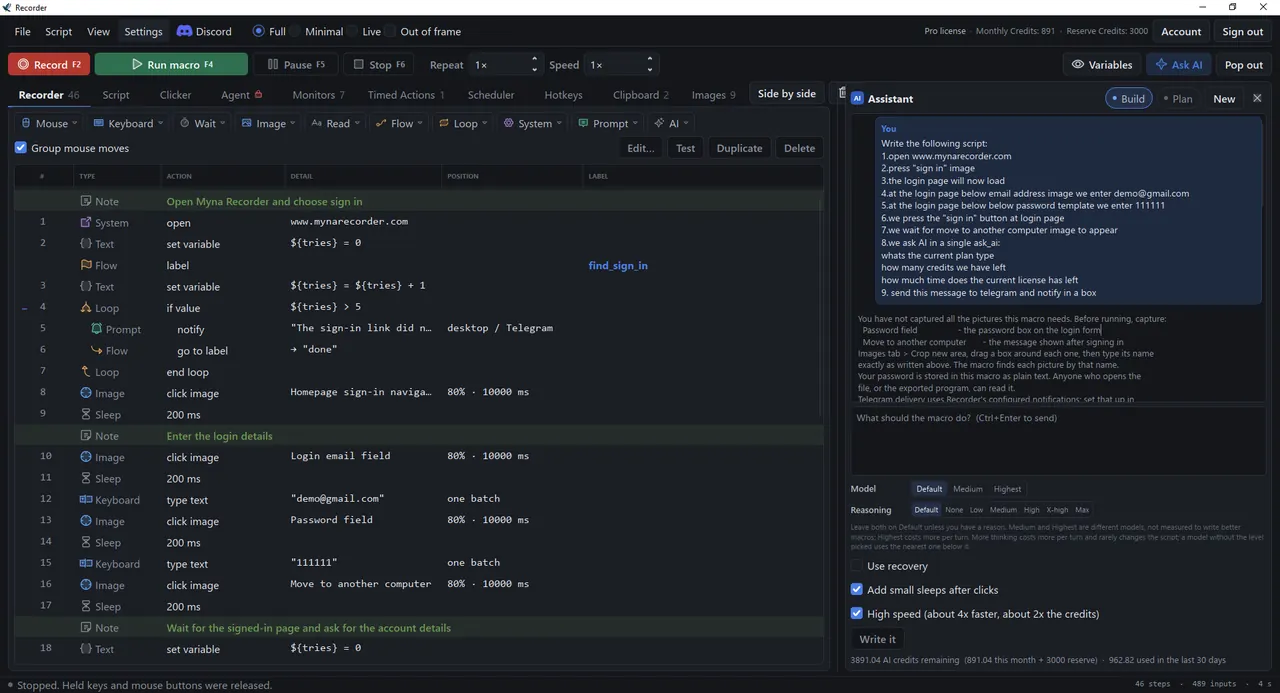 Recorder: every step as a row, in sections |
 Script: the same macro as text, with the AI assistant beside it |
 Auto clicker: one click at a set rate, with jitter on the wait and the hold |
 Sequence of points: clicked in order, each with its own wait |
 Timed Actions: keys and clicks that repeat on a timer |
 Scheduler: saved macros at a date and time, one after another |
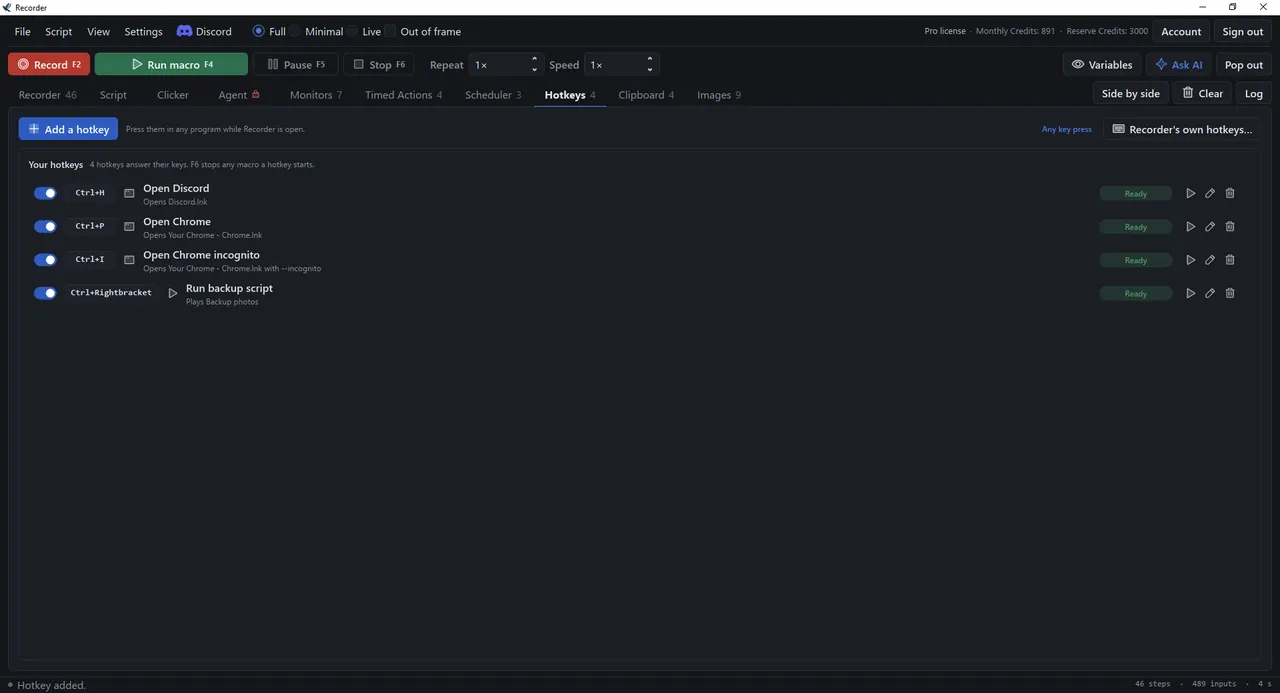 Hotkeys: your own key combinations, from any program |
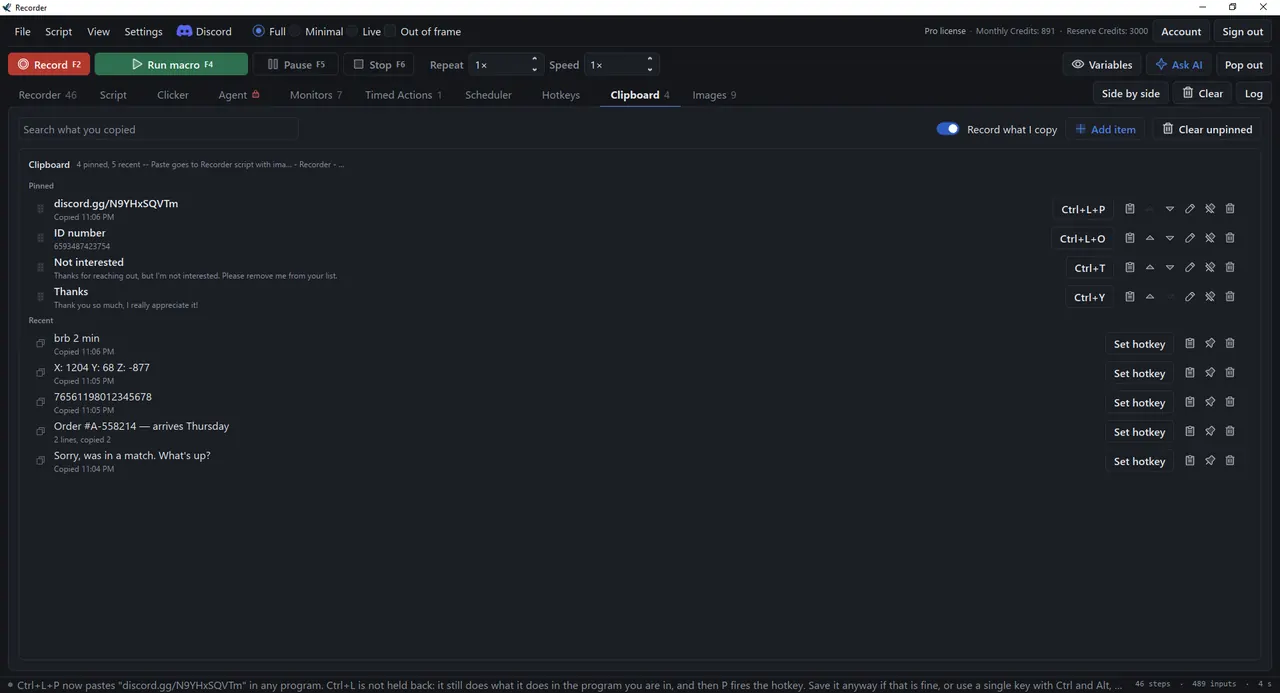 Clipboard: what you copied, with pinned items and hotkeys to paste them |
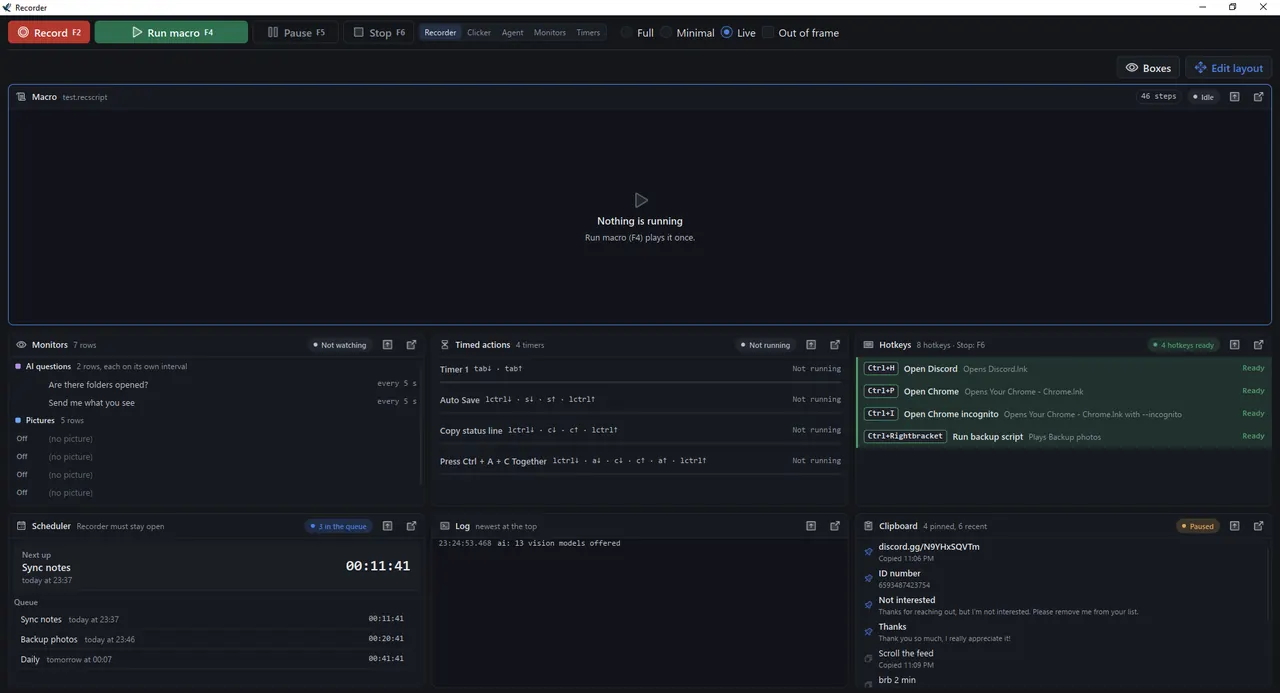 Live view: everything that is running, on one board |
|
 Floating boxes: any Live box in a window of its own, beside your work |
|
 Monitors: rows that fire on a picture or an AI answer and alert Telegram or Discord |
|
Getting started
- Download and install. Get the installer from mynarecorder.com/download, or the standalone
Myna Recorder.exe, which runs from anywhere without installing. - Sign in, or continue without an account. Without an account you can record, edit and replay straight away. A free account adds a 7-day trial of the paid features and keeps you signed in.
- Record something, or describe it. Press record and do the task. With the AI assistant, you can type what you want and let it write the macro.
- Run it. Replay it whenever you need, at the speed and repeat count you choose.
Windows may show "Windows protected your PC" the first time you run it. Choose More info, then Run anyway.
Plans
Recording, editing, replay, image anchors and the auto clicker are free, with no account needed. For everything else, see the pricing page.
Requirements
- Windows 10 or Windows 11, 64-bit
- In 12 languages: English, German, Spanish, French, Italian, Portuguese (Brazil), Polish, Russian, Chinese (Simplified), Japanese, Korean and Arabic. Change it any time in Settings, General.
- An 84 MB installer, or an 82 MB standalone .exe that runs without installing.
- An internet connection for signing in and for the AI features. Recording, playback, image anchors, the local text readers and the auto clicker work offline.
Documentation and help
- User manual: recording, playback, editing, image anchors, screen text, the assistant, monitors, the auto clicker, the Scheduler, Timed Actions, export and settings
- Changelog: what changed in each release
- Discord: help with macros, bug reports and announcements
- Issues: bug reports and feature requests
- support@mynarecorder.com
Myna Recorder is free to download and use on the Free plan. It is not open source; this repository holds the issue tracker. Downloads are on mynarecorder.com.