
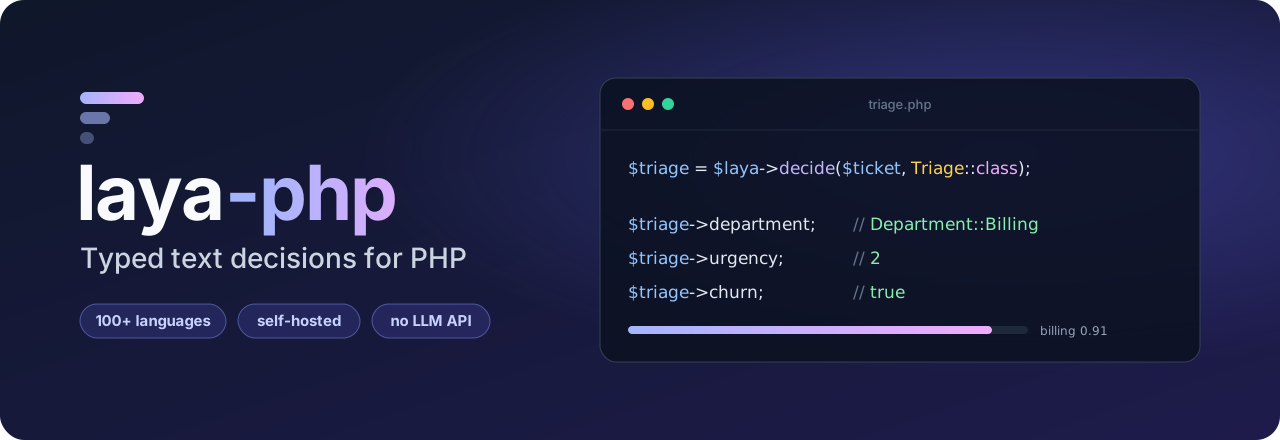
Classify text in PHP without paying for an LLM API. Route support tickets, spot churn risk and score urgency, in 100+ languages, on your own server, and get the answers back as typed enums, ints and bools.
$triage = $laya->decide('Hi, we were billed twice for March. Refund it today or we cancel.', Triage::class);

$triage->department; // Department::Billing
$triage->churn;      // true
- Self-hosted: the text never leaves your infrastructure, and you pay no per-token fees.
- Typed: describe a decision as a readonly class with enums and get an instance back.
- Calibrated: every answer has a confidence you can threshold on to send unsure cases to a human.
- Testable: a built-in fake lets you unit-test without a running server.
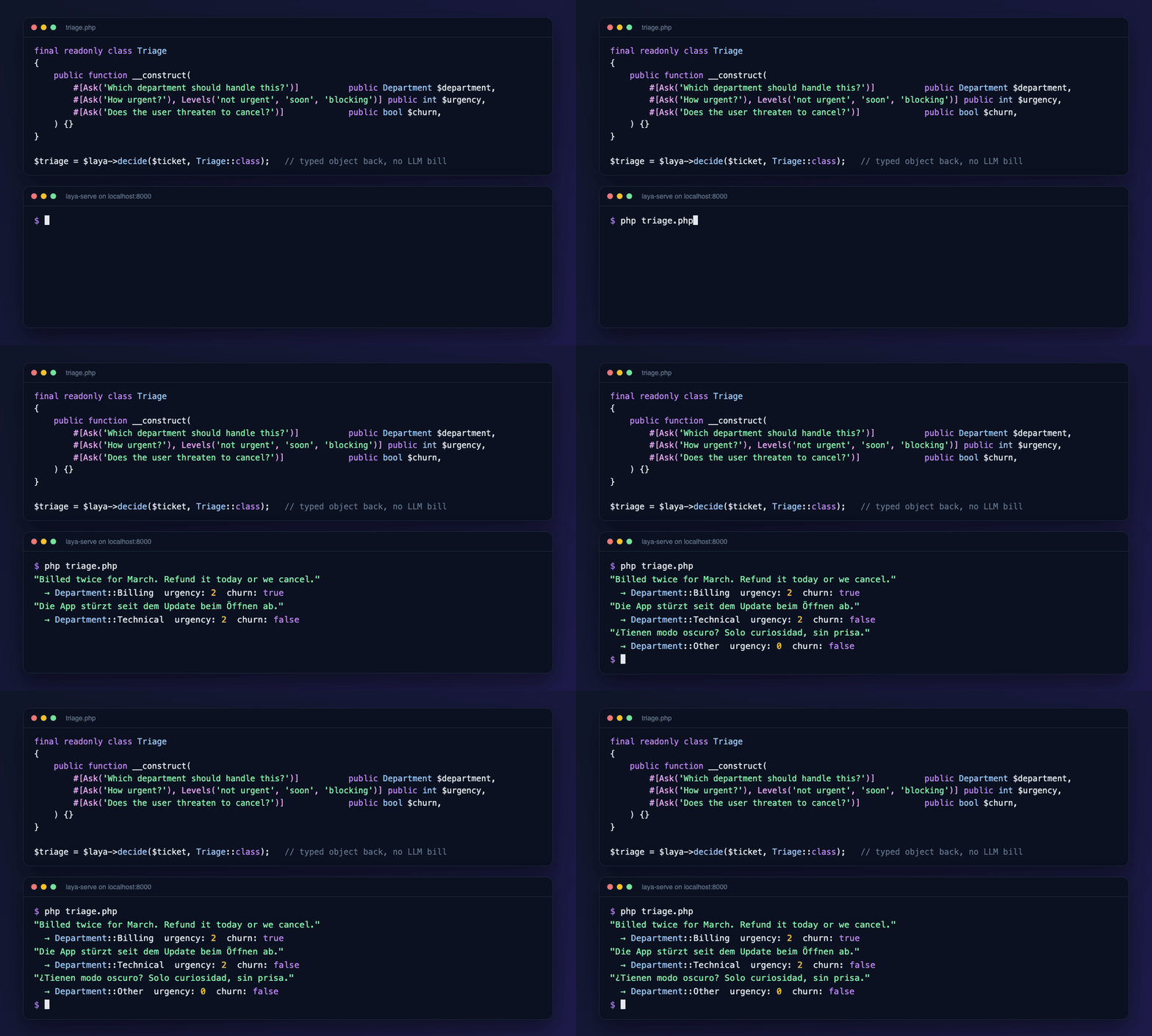
Under the hood this is an SDK for Laya, a multilingual decision engine that answers typed questions (choice, score, yes/no) about any text in a single forward pass. Laya runs in Python, so the SDK talks to laya-serve, Laya's HTTP server, over any PSR-18 client.
Looking for Jev? laya-serve speaks the same POST /v1/systemone protocol as TypeSafe's hosted Jev API, with the same choice/score/noul answers, so this package is also a self-hosted Jev AI alternative for PHP. It targets laya-serve, and CI checks its requests and responses against TypeSafe's OpenAPI spec on every change and weekly, so other /v1/systemone servers such as sys1 work too. It hasn't been tested against the hosted Jev API itself.
Installation
composer require marcreichel/laya-php
PHP 8.4+. You also need a PSR-18 HTTP client (Guzzle, Symfony HttpClient, …). The SDK finds the installed one automatically.
To run laya-serve locally, use the compose.yaml in this repository (it pins upstream Laya to v0.4.6, commit c73908d) or follow Laya's Docker guide:
docker compose up -d --wait # http://localhost:8000Runnable scripts are in examples/. Set LAYA_URL (and LAYA_API_KEY) if your server isn't on localhost:8000. 05-testing-with-fake.php runs without a server.
Laravel
For Laravel 13+, the service provider is auto-discovered. It registers Laya as a singleton, configured from your .env:
LAYA_URL=http://localhost:8000
LAYA_API_KEY=
LAYA_TIMEOUT=       # seconds; needs symfony/http-client (see below)
LAYA_RETRIES=       # retries on 503 and transport errors, with backoff
LAYA_CACHE_STORE=   # e.g. redis, to cache predictions (see Caching)
LAYA_CACHE_TTL=     # seconds
LAYA_CACHE_VERSIONED=false        # add the checkpoint revisions to the cache keys (see Caching)
LAYA_EVENTS=true                  # dispatch PredictionMade/PredictionFailed/CacheFailed (see Events)
LAYA_EVENTS_INCLUDE_STATE=false
LAYA_TIMEOUT and LAYA_RETRIES build the HTTP client with symfony/http-client (composer require symfony/http-client); setting either without it throws. To use your own client instead, bind Psr\Http\Client\ClientInterface in the container or put a service id in laya.http_client; it wins over both settings. With none of these set, the SDK discovers a PSR-18 client as before.
php artisan laya:health prints the server's status and loaded checkpoints (plus the idle-unload window and idle time when laya-serve runs with LAYA_IDLE_UNLOAD_SECONDS, since an idle unload leaves "Loaded: none" on a healthy server), and exits with 1 when it is unreachable or unhealthy, so you can use it in deploy checks.
php artisan laya:try runs a decision class on a piece of text and shows each parameter's question, hydrated value (null below minConfidence), answer confidence and the probability of every option, plus the routed checkpoint and a warning when the text was cut off. Use it to iterate on #[Ask] and #[Describe] wording:
php artisan laya:try "App\Decisions\Triage" "Hi, we were billed twice for March. Refund it today or we cancel."
php artisan laya:try "Decisions\Triage" --file=ticket.txt   # short names resolve under App\
echo "..." | php artisan laya:try "Decisions\Triage" --model=multilingual --json
It takes --model=, --max-len=, --head-max-len= and --json, and exits with 1 for an unknown or invalid class or an unreachable server.
php artisan laya:eval measures a decision class against labelled examples and suggests minConfidence and threshold values; see Evaluating a decision class.
Inject it wherever you need it:
use MarcReichel\Laya\Laya;

final class ClassifyTicket implements ShouldQueue
{
    use Queueable;

    public function __construct(public Ticket $ticket) {}

    public function handle(Laya $laya): void
    {
        $triage = $laya->decide($this->ticket->body, Triage::class);

        $this->ticket->update(['department' => $triage->department]);
    }
}
To store a decision in a JSON column, cast the attribute with AsDecision:
use MarcReichel\Laya\Laravel\AsDecision;

protected function casts(): array
{
    return ['triage' => AsDecision::of(Triage::class)]; // or AsDecision::class.':'.Triage::class
}
$ticket->triage = $laya->decide($ticket->body, Triage::class);
$ticket->save();

$ticket->triage->department; // Department::Billing
It stores the constructor arguments by name, enums by backing value ({"department":"billing","urgency":2,"churn":true}), and reads them back through the constructor, so readonly classes work. Lists (#[Of]), floats and null (below minConfidence) round-trip; a null column is a null attribute. Assigning anything but an instance of the class, or reading JSON with a missing key or an unknown enum value, throws an InvalidDecisionCastException that names the model attribute.
To change the config file, publish it with php artisan vendor:publish --tag=laya-config. In tests, Laya::fake([...]) also replaces the container's instance, so injected code gets the fake (see Testing your code):
$laya = Laya::fake(['department' => Department::Billing, 'urgency' => 2, 'churn' => true]);

ClassifyTicket::dispatchSync($ticket);

$laya->assertPredictedCount(1);
Validation rule
Decides is a validation rule backed by a decision. It resolves Laya from the container, so Laya::fake() works in tests.
use MarcReichel\Laya\Laravel\Rules\Decides;

$request->validate([
    'body' => ['required', 'string', Decides::that(Moderation::class, fn (Moderation $m) => ! $m->abusive && ! $m->spam)
        ->message('Please keep reviews friendly and on topic.')],

    // Single yes/no question: not() passes on "no", yes() on "yes"
    'comment' => [Decides::not('Does the text contain insults, hate speech or threats?')],
]);
The callback returns true when the value passes. Non-strings fail without a request. The default message is validation.laya (:attribute available); the package ships English, German, French, Spanish, Italian, Dutch, Portuguese, Polish, Turkish, Russian, Japanese and Chinese (zh_CN), and your app's own validation.laya wins. If laya-serve is unreachable or busy, the validation fails; add ->passWhenUnavailable() to let the value pass instead. Other errors are thrown.
In tests, Laya::fake(['answer' => true]) answers the not()/yes() question.
Asking questions
use MarcReichel\Laya\Laya;
use MarcReichel\Laya\Question;

$laya = new Laya('http://localhost:8000', apiKey: getenv('LAYA_API_KEY') ?: null);

$result = $laya->predict($ticketText, [
    'department' => Question::choice('Which department should handle this?', [
        'billing'   => 'invoices, payments, refunds',
        'technical' => 'bugs, outages, system errors',
        'other'     => 'everything else',
    ]),
    'urgency'    => Question::score('How urgent is this?', ['not urgent', 'soon', 'blocking']),
    'churn_risk' => Question::yesNo('Does the user threaten to cancel or leave?'),
]);

$result->choice('department')->choice;        // 'billing'
$result->choice('department')->probabilities; // ['billing' => 0.91, 'technical' => 0.06, 'other' => 0.03]
$result->score('urgency')->level();           // 2: the most likely level
$result->score('urgency')->label();           // 'blocking'
$result->score('urgency')->score;             // 1.74: the expected level
$result->yesNo('churn_risk')->yes();          // true
$result->yesNo('churn_risk')->probability;    // 0.83

$result['department'];  // ArrayAccess works too (returns the base Answer type)
$result->routedModel;   // 'english': the checkpoint laya picked
The three question types:
| Factory | Options | Answer |
|---|---|---|
Question::choice($instructions, $options) |
a list of labels, or label => description |
ChoiceAnswer: choice, probabilities, is($label) |
Question::score($instructions, $levels) |
level descriptions, lowest first | ScoreAnswer: score, level(), label(), probabilities, legend |
Question::yesNo($instructions, yes: …, no: …) |
optional descriptions of yes and no | YesNoAnswer: probability, yes($threshold = 0.5), no() |
Every answer also has confidence and answerConfidence. answerConfidence is the calibrated one and is comparable across question types, so use it to decide when to trust an answer:
if ($result->choice('department')->answerConfidence < 0.7) {
    $ticket->sendToHumanTriage();
}
Servers that only follow TypeSafe's OpenAPI spec, such as sys1, don't send an answer_confidence. Then answerConfidence falls back to confidence, and a yes/no answer without a confidence gets laya's own max(P(yes), P(no)). Thresholds and minConfidence keep working, though confidence is stricter than the calibrated value for choice and score answers. The same applies to laya-serve 0.3.24 or later started with LAYA_JEV_STRICT=1, which strips answer_confidence, routing and the truncation report from its responses, so routedModel is null, truncated is always false and the rest of the usage report is empty there.
Abstention on the server
laya-serve can gate answers itself. Pass minConfidence, and every answer reports how the gate decided it, measured on answerConfidence:
use MarcReichel\Laya\Abstention;

$result = $laya->predict($ticket, $questions, minConfidence: 0.7);

$result->choice('department')->abstention;          // Abstention::Abstained
$result->choice('department')->abstentionThreshold; // 0.7
$result->choice('department')->lowConfidence;       // true: below the threshold
$result->choice('department')->choice;              // 'billing': laya keeps the answer either way
abstention is Passed, Abstained, or Unevaluated when the answer carried no usable confidence. Without minConfidence, it and abstentionThreshold are null and lowConfidence is false.
One threshold doesn't transfer across option counts, so laya-serve 0.3.25 and later also take a threshold per type and option count (2, 3-5, 6-10 or 11+), with default for the rest. Fit one with laya.calibrate.fit_abstention_thresholds:
$laya->predict($ticket, $questions, minConfidence: ['choice:3-5' => 0.6, 'noul:2' => 0.8, 'default' => 0.7]);
predictMany(), decide() and decideMany() take minConfidence too. A threshold outside 0 to 1, an empty map or a bucket laya doesn't know throws an InvalidOptionException before anything is sent. #[Ask(minConfidence: ...)] on a decision class is a separate gate, on the client: it turns the parameter into null.
State
state can be a string, an array (a JSON document, or a list of conversation turns), or any JsonSerializable, such as your own models:
$laya->predict(['subject' => $mail->subject, 'body' => $mail->body], $questions);
Picking a checkpoint
By default, laya's router picks a checkpoint by language: text identified as English goes to the english checkpoint, everything else to multilingual. Since Laya 0.4.0 that includes text whose language it can't identify, such as very short text, text without letters ("12345 !!!") or a few Latin-script content words ("Quero cancelar"); before, those went to english. For mostly-English traffic, start laya-serve with LAYA_DEFAULT_MODEL=english to restore the old behaviour (upstream puts the break-even at about 62% English). The request carries "model": "jev-latest", since TypeSafe's spec requires a model name: laya-serve routes for names it doesn't know, and sys1 reads it as the model it serves. To pin one:
use MarcReichel\Laya\Model;

$laya->predict($text, $questions, model: Model::Multilingual);
Long documents
Laya cuts the state off at the checkpoint's default length (512 or 1,024 tokens). With laya-serve 0.3.21 or later you can raise it per request with maxLen, and give questions with many or long options more room with headMaxLen:
$laya->predict($contract, $questions, maxLen: 4096);
$laya->decide($ticket, Triage::class, headMaxLen: 384);
laya-serve caps both at LAYA_MAX_TOKEN_BUDGET (8,192 by default) and answers anything above it with a ValidationException.
From laya-serve 0.3.22, $result->truncated tells you whether the state was cut off, so you know when to raise maxLen:
$result = $laya->predict($contract, $questions);

if ($result->truncated) {
    $result = $laya->predict($contract, $questions, maxLen: 4096);
}
laya-serve also reports how much it cut. All of this is optional, so a server that doesn't send it leaves the integers null and the lists empty:
$result->stateTokens;         // 900, the tokens the whole state needs
$result->stateTokensDropped;  // 388, the most tokens any one question didn't get
$result->truncatedQuestions;  // ['department'], the questions whose own window was cut

foreach ($result->collapsedOptions as $id => $options) {
    // laya merged $options->total options into $options->distinct, $options->tokensPerOption tokens each
}
Batches (experimental)
predictMany() and decideMany() ask the same questions about many states, which laya-serve 0.3.22 and later answers in shared forward passes. Results keep the keys you pass in:
$results = $laya->predictMany($tickets->pluck('body', 'id')->all(), $questions);
$results[42]->choice('department');

$triages = $laya->decideMany($tickets->pluck('body', 'id')->all(), Triage::class, maxLen: 4096);
Cached states aren't sent again, identical states in one call are sent once and share the result, and the rest go out in requests of at most 64 distinct states. Pass batchSize: to new Laya() (Laravel: batch_size in the config, or LAYA_BATCH_SIZE) if your server's batch limit differs; a size below 1 throws an InvalidOptionException. One state that laya-serve rejects fails the whole request, the same way predict() throws. maxLen and headMaxLen apply to every state in the batch and need laya-serve 0.3.23; older servers ignore them. A laya-serve older than 0.3.22 answers with a ServerException that names the version it needs.
Both methods are experimental and may change in a minor release.
Decisions into objects
Describe the decision as a class, and decide() asks its questions and gives you an instance back:
use MarcReichel\Laya\Attributes\Ask;
use MarcReichel\Laya\Attributes\Describe;
use MarcReichel\Laya\Attributes\Levels;

enum Department: string
{
    #[Describe('invoices, payments, refunds')]
    case Billing = 'billing';

    #[Describe('bugs, outages, system errors')]
    case Technical = 'technical';

    case Other = 'other';
}

final readonly class Triage
{
    public function __construct(
        #[Ask('Which department should handle this?')]
        public Department $department,

        #[Ask('How urgent is this?'), Levels('not urgent', 'soon', 'blocking')]
        public int $urgency,

        #[Ask('Does the user threaten to cancel or leave?')]
        public bool $churn,
    ) {}
}

$triage = $laya->decide($ticketText, Triage::class); // Triage
| Constructor parameter | Question | Value |
|---|---|---|
| backed enum | choice (case values are the options; #[Describe] adds descriptions) |
the most likely case |
bool |
yes/no | true when P(yes) ≥ 0.5 |
int with #[Levels(...)] |
score | the most likely level index |
float with #[Levels(...)] |
score | the expected level, e.g. 1.74 |
float |
yes/no | P(yes), 0.0 to 1.0 |
backed enum marked #[Scale] |
score (cases are the levels, lowest first; #[Describe] text or the value) |
the case at the most likely level |
array with #[Of(Enum::class)] |
one yes/no per case of a backed enum | the cases with P(yes) ≥ 0.5, in declaration order |
Every parameter needs #[Ask]. Any other type throws an InvalidQuestionException that names the parameter.
Ordered levels as an enum
A bare level index gives you $triage->urgency === 2. To get a case instead, mark the enum with #[Scale]. Its cases become the levels of a score question in declaration order, lowest first, whatever their backing values:
use MarcReichel\Laya\Attributes\Scale;

#[Scale]
enum Urgency: int
{
    #[Describe('can wait a week or more')]
    case NotUrgent = 0;

    #[Describe('should be handled in the next day or two')]
    case Soon = 1;

    #[Describe('blocks the customer right now')]
    case Blocking = 2;
}

final readonly class Triage
{
    public function __construct(
        #[Ask('How urgent is this?')]
        public Urgency $urgency,
    ) {}
}

$laya->decide($ticketText, Triage::class)->urgency; // Urgency::Blocking
The enum defines the levels, so #[Levels] on such a parameter throws. A backed enum without #[Scale] stays a choice question.
Multi-label decisions
When several options can apply at once, such as the topics a message mentions, declare an array with #[Of]. laya gets one yes/no question per enum case, with {case} in the instructions replaced by the case's #[Describe] text (or its value):
use MarcReichel\Laya\Attributes\Of;

enum Topic: string
{
    #[Describe('invoices, payments, refunds')]
    case Billing = 'billing';

    #[Describe('login, passwords, 2FA')]
    case Account = 'account';

    case Shipping = 'shipping';
}

final readonly class Tagging
{
    public function __construct(
        /** @var list<Topic> */
        #[Ask('Does this message mention {case}?', threshold: 0.3), Of(Topic::class)]
        public array $topics,
    ) {}
}

$laya->decide($text, Tagging::class)->topics; // [Topic::Billing, Topic::Account]
No case passing gives []. The questions have ids such as topics.billing, which is how laya:try and PredictionMade show them. Each case is a question of its own, and laya-serve answers at most 64 questions per request, so a class with more (counting its other parameters) throws an InvalidQuestionException.
#[Ask] takes a few options on top of the question:
final readonly class Triage
{
    public function __construct(
        // null when the calibrated confidence is below 0.7, so you can hand the ticket to a human
        #[Ask('Which department should handle this?', minConfidence: 0.7)]
        public ?Department $department,

        // bools can describe yes and no, and pick the P(yes) from which they are true
        #[Ask('Does the user threaten to cancel or leave?', yes: 'says they will cancel or switch', threshold: 0.3)]
        public bool $churn,
    ) {}
}

$triage = $laya->decide($ticketText, Triage::class);

if ($triage->department === null) {
    $ticket->sendToHumanTriage();
}
| Option | Applies to | Effect |
|---|---|---|
minConfidence |
any nullable parameter | null when answerConfidence is below it (for ?array with #[Of]: when any case's is) |
yes, no |
bool, float without #[Levels] |
describe what yes and no mean |
threshold |
bool, array with #[Of] |
true, or the case is listed, when P(yes) ≥ threshold (default 0.5) |
Keeping the probabilities
decideWithResult() returns the instance and the raw Result it was read from, for logging, auditing or tuning minConfidence and threshold:
$decision = $laya->decideWithResult($ticket, Triage::class);

$decision->value;                                         // Triage
$decision->result->choice('department')->probabilities;
$decision->result->choice('department')->answerConfidence;
$decision->result->truncated;

$decisions = $laya->decideManyWithResult($tickets->pluck('body', 'id')->all(), Triage::class);
$decisions[42]->value;
$decisions[42]->result;
decideManyWithResult() is experimental like decideMany() and keeps the keys of the states.
Evaluating a decision class
Wording questions and picking minConfidence and threshold values is guesswork until you measure them. Label some real examples in a CSV (with a header row) or JSON Lines file: one state column, and one column per parameter you labelled, holding the enum value, the level index or true/false. An #[Of] parameter takes a column per case, named like its questions (topics.billing). Missing or empty labels aren't scored.
state,department,urgency,churn
"Billed twice for March, refund it or we cancel.",billing,2,true
"The export button does nothing.",technical,1,
{"state": "Billed twice for March, refund it or we cancel.", "department": "billing", "urgency": 2, "churn": true}Then run it against the decision class, in Laravel or with the bundled script:
php artisan laya:eval "App\Decisions\Triage" storage/triage.csv --precision=0.95
vendor/bin/laya-eval "App\Decisions\Triage" triage.jsonl --url=http://localhost:8000 --api-key=...
laya:eval resolves short class names under App\ like laya:try. vendor/bin/laya-eval needs no Laravel. It takes the full class name and reads the server from --url and --api-key, falling back to LAYA_URL and LAYA_API_KEY. Both print a report per labelled parameter:
App\Decisions\Triage: 120 rows, target precision 0.95

department: 118 labelled
  accuracy 0.91
  confusion (label down, answer across):
                 billing  technical      other
      billing         52          2          1
    technical          3         41          2
        other          1          2         14
  calibration (answer confidence: accuracy):
    0.4-0.5  0.50 of 6
    ...
    0.9-1.0  0.98 of 81
  minConfidence 0.83 reaches precision 0.96 and sends 22% to a human

churn: 120 labelled
  accuracy 0.93, precision 0.81, recall 0.87
  ...
  threshold 0.35 has the best F1 (0.86)
Labels are compared with laya's raw answer (the most likely option or level, or P(yes) ≥ 0.5), so the class's own minConfidence and threshold don't apply. Calibration is the accuracy per 0.1-wide answer confidence bucket. The minConfidence line gives the lowest one whose kept answers reach --precision (0.95 by default), and the share of answers it would send to a human instead. Yes/no parameters get precision and recall of "yes", and the threshold with the best F1. Add --json for machine-readable output in CI. Requests go through predictMany(), with a fallback to one predict() per state on servers without the batch endpoint.
An unknown column, a label that isn't one of the parameter's options, or a class that isn't a decision class fails with a message (exit code 1). Without a command line, Evaluation takes a Laya and the rows, and LabelledRows reads them from a file:
use MarcReichel\Laya\Evaluation;
use MarcReichel\Laya\LabelledRows;

$report = new Evaluation($laya)->run(Triage::class, LabelledRows::read('triage.csv'), precision: 0.95);

$report->parameters['department']['min_confidence']; // ['value' => 0.83, 'precision' => 0.96, 'to_human' => 0.22]
echo $report->render();
Recipes
Routing incoming email
Pass the email as a document and give unsure answers to a human. German, Spanish or Hindi emails work the same way, with no extra setup.
$result = $laya->predict([
    'from'    => $mail->from,
    'subject' => $mail->subject,
    'body'    => $mail->body,
], [
    'team' => Question::choice('Which team should answer this email?', [
        'sales'   => 'pricing, quotes, new contracts',
        'support' => 'problems using the product',
        'billing' => 'invoices, payments, refunds',
        'spam'    => 'newsletters, cold outreach, phishing',
    ]),
]);

$team = $result->choice('team');

$inbox->assign($mail, $team->answerConfidence >= 0.7 ? $team->choice : 'triage');
Moderating reviews
Hold abusive or spam reviews back before they are published, and record the sentiment while you're at it.
enum Sentiment: string
{
    case Positive = 'positive';
    case Neutral = 'neutral';
    case Negative = 'negative';
}

final readonly class Moderation
{
    public function __construct(
        #[Ask('Does the review contain insults, hate speech or threats?')]
        public bool $abusive,

        #[Ask('Is this spam or an advertisement rather than a real review?')]
        public bool $spam,

        #[Ask('What is the overall sentiment of the review?')]
        public Sentiment $sentiment,
    ) {}
}

$moderation = $laya->decide($review->body, Moderation::class);

if ($moderation->abusive || $moderation->spam) {
    $review->holdForModeration();
}
Validating input
Reject abusive or spam reviews at the form, using the Moderation class from above (Laravel).
$request->validate([
    'body' => ['required', 'string', Decides::that(Moderation::class, fn (Moderation $m) => ! $m->abusive && ! $m->spam)],
]);
Scoring leads
A score question's score is the expected level, a float, so leads with the same most likely level still sort cleanly.
$result = $laya->predict($lead->message, [
    'intent' => Question::score('How ready is this person to buy?', [
        'just browsing',
        'researching options',
        'comparing vendors',
        'ready to buy',
    ]),
    'budget' => Question::yesNo('Does the message mention a budget, a timeline or a team size?'),
]);

$lead->score = $result->score('intent')->score; // 0.0 to 3.0
$lead->hot   = $result->score('intent')->level() === 3 && $result->yesNo('budget')->yes();
Or as a decision class, with float parameters for the continuous values:
final readonly class Lead
{
    public function __construct(
        #[Ask('How ready is this person to buy?'), Levels('just browsing', 'researching options', 'comparing vendors', 'ready to buy')]
        public float $intent, // expected level, 0.0 to 3.0

        #[Ask('Does the message mention a budget, a timeline or a team size?')]
        public float $budget, // P(yes), 0.0 to 1.0
    ) {}
}

$scored = $laya->decide($lead->message, Lead::class);
Finding relevant contract fields
Before you look anything up, find out which of a contract's fields a question needs. A yes/no question per field catches questions that touch several fields. One choice question over all fields is sharper when a single field is meant. Both go in the same request:
$fields = [
    'notice_period'  => 'how far in advance either side must give notice to end the contract',
    'auto_renewal'   => 'whether and for how long the contract renews automatically',
    'governing_law'  => 'which country\'s law applies',
    'jurisdiction'   => 'which court handles disputes',
    // ...
];

$questions = array_map(
    fn (string $description) => Question::yesNo("Do you need to know the contract's clause on {$description} to answer this question?"),
    $fields,
) + ['main_clause' => Question::choice('Which contract clause do you need to answer this question?', $fields)];

$result = $laya->predict('Who do we sue in if things go wrong, and under which law?', $questions);

$relevant = array_filter(array_keys($fields), fn (string $field) => $result->yesNo($field)->yes(threshold: 0.2));

if ($result->choice('main_clause')->answerConfidence >= 0.7) {
    $relevant[] = $result->choice('main_clause')->choice;
}

$relevant = array_unique($relevant); // ['governing_law', 'jurisdiction', ...]
Yes/no probabilities for this kind of question run low, so the threshold is 0.2 instead of 0.5. The full version with 20 fields is in examples/06-contract-fields.php.
Caching
Laya gives the same answer to the same input, so you can skip repeat requests with any PSR-16 cache. The key covers the state, the questions, the pinned model and the token budgets:
$laya = new Laya('http://laya:8000', cache: $psr16Cache, cacheTtl: 86400);
By default the key doesn't include the checkpoint revision, so clear the cache (or set a TTL) when you upgrade laya-serve's checkpoints. Or let Laya do it:
$laya = new Laya('http://laya:8000', cache: $psr16Cache, cacheTtl: 86400, versionCache: true);
With versionCache, the first lookup per instance calls /health once and puts the checkpoint revisions into the key (laya.<revisionhash>.<bodyhash>). The hash is also kept in the cache for 60 seconds, so short-lived PHP-FPM requests don't each call /health. A changed revision means new keys; the old entries are never hit again and expire through the TTL. If /health fails or reports no revisions (sys1), Laya uses the plain key and the prediction goes ahead. It's off by default, since turning it on changes every key. In Laravel, set LAYA_CACHE_VERSIONED=true.
The cache is best-effort: it never fails a prediction. If reading it throws (say, Redis is unreachable), or an entry isn't a laya response, Laya asks laya-serve and overwrites the entry with the answer. If writing it throws, you get the result anyway, uncached; in a batch, every state still gets its result. Only exceptions are caught, so an Error still surfaces. With an event dispatcher, each failure dispatches a CacheFailed (see Events); without one, failures are silent.
Events
To monitor predictions (timings, cache hits, routing, failures), pass any PSR-14 event dispatcher:
$laya = new Laya('http://laya:8000', events: $psr14Dispatcher);
| Event | When | Payload |
|---|---|---|
PredictionMade |
after each predict(), and after each state of a predictMany() (so also decide()/decideMany()) |
questionIds, model (pinned, or null), routedModel, truncated, cached, durationMs, inputTokens, result |
PredictionFailed |
when a request to laya-serve fails, right before the exception is thrown; once per failed batch request | questionIds, model, exception, durationMs |
CacheFailed |
when a cache read throws or returns an entry that isn't a laya response, or a cache write throws; the prediction goes on (see Caching) | operation (get or set), key, exception |
All are readonly classes in MarcReichel\Laya\Events. Cache hits have a durationMs of 0, and the states of a batch share the duration of the request they were sent in. Identical states in a batch are sent once, but each still gets its own PredictionMade, with that request's duration and cached false. A batch dispatches its events as answers arrive, not in input order: cache hits first, then the states of each request (copies included) as it returns. A question or decision class that is malformed throws before any request, without an event. If a PredictionFailed listener throws, its exception is dropped, so you still get the laya error; the same goes for a CacheFailed listener, so you still get the result.
The events leave the state out, since it may be sensitive. Pass includeState: true to get it as $event->state (for a failed batch, every state of that request, identical ones included, keyed as you passed them). Without a dispatcher, no events are built.
In Laravel, the service provider passes the app's event dispatcher, so listeners and Event::fake() work as usual:
use MarcReichel\Laya\Events\PredictionMade;

Event::listen(function (PredictionMade $event) {
    Log::info('laya', ['model' => $event->routedModel, 'cached' => $event->cached, 'ms' => $event->durationMs]);
});
Set LAYA_EVENTS=false to turn them off, or LAYA_EVENTS_INCLUDE_STATE=true to include the state.
Laya::fake() dispatches PredictionMade too. In Laravel it uses the app's dispatcher and settings, so you can assert on the events in your tests:
Event::fake();
Laya::fake(['churn' => true]);

ClassifyTicket::dispatchSync($ticket);

Event::assertDispatched(PredictionMade::class);
Outside Laravel, pass a dispatcher: Laya::fake([...], events: $psr14Dispatcher, includeState: true).
Errors
Everything the SDK throws implements MarcReichel\Laya\Exceptions\LayaException.
| Exception | When |
|---|---|
InvalidQuestionException |
a question or decision class is malformed; thrown before any request is sent |
InvalidOptionException |
a request option is malformed, such as a minConfidence outside 0 to 1; thrown before any request is sent |
ValidationException |
laya rejected the request (400/413/422); the message names the problem |
AuthenticationException |
wrong or missing API key (401) |
ServerBusyException |
laya-serve is at its concurrency limit (503); safe to retry |
ServerException |
any other error status, or a response that isn't laya-shaped or doesn't fit the decision class (a missing answer, another answer type, a label that isn't an enum case) |
TransportException |
laya-serve couldn't be reached |
The SDK doesn't retry. In Laravel, set LAYA_RETRIES (see Laravel above). Elsewhere, pass an HTTP client that has them, such as Symfony's RetryableHttpClient or Guzzle with retry middleware:
use Symfony\Component\HttpClient\{HttpClient, Psr18Client, RetryableHttpClient};

$laya = new Laya('http://laya:8000', httpClient: new Psr18Client(new RetryableHttpClient(HttpClient::create())));
Testing your code
Laya::fake() returns a client that answers from values you register, with no server involved:
$laya = Laya::fake([
    'department' => Department::Billing, // or 'billing'
    'urgency'    => 2,                   // level index; a float expected level such as 1.3 fakes 70% level 1, 30% level 2
    'churn'      => true,                // or a probability, e.g. 0.3
]);

// ... run the code under test with $laya ...

$laya->assertPredictedCount(1);
$laya->assertPredicted(fn ($state, array $questions, ?string $model) => str_contains($state, 'refund'));
$laya->assertNothingPredicted();
For decision classes, fake with an instance and assert on the class. A null answer (here or in the array form) is an unsure one: even probabilities and zero confidence, so minConfidence turns it into null again:
$laya = Laya::fake(new Triage(department: null, churn: true));

// ... run the code under test with $laya ...

$laya->assertDecided(Triage::class);
$laya->assertDecided(Triage::class, fn ($state, ?string $model) => str_contains($state, 'refund'));
A decision class with a mistake in it, such as an int without #[Levels] or a missing #[Ask], throws an InvalidQuestionException on its first decide(). To catch that in a test of its own, Laya::questions() checks the class and returns the questions decide() would send:
it('is a valid decision class', function () {
    expect(Laya::questions(Triage::class))->toHaveKeys(['department', 'urgency', 'churn']);
});
A #[Scale] parameter takes a case, which the fake answers with that case's level: Laya::fake(['urgency' => Urgency::Blocking]). A plain int is a level index, as for any score question.
An #[Of] parameter takes the cases (or their values) that apply, and the fake answers each case's question with yes or no: Laya::fake(['topics' => [Topic::Billing, 'account']]).
For code that treats states differently, give some states other answers with when(). Rules are checked in the order you add them, the first match wins, and its answers are merged over the defaults you passed to fake():
$laya = Laya::fake(['department' => 'other', 'churn' => false])
    ->when(fn ($state) => str_contains($state, 'refund'), ['department' => 'billing', 'churn' => true])
    ->when(fn ($state) => str_contains($state, 'outage'), new Triage(Department::Technical, urgency: 2, churn: false));
Or answer in order with sequence(). States that no when() rule matches take the next answer, and once all are used the fake throws:
$laya = Laya::fake()->sequence(
    ['department' => 'billing'],
    ['department' => 'technical'],
);
Both take an array or a decision instance, and match each state of a batch on its own. Identical states in one batch are sent once, so they share an answer and are recorded once. To check what didn't happen, or how often something did:
$laya->assertNotPredicted(fn ($state) => str_contains($state, 'secret'));
$laya->assertNotDecided(Triage::class);
$laya->assertDecidedCount(Triage::class, 2);
With minConfidence, the fake gates its answers the way laya-serve does, so abstention, abstentionThreshold and lowConfidence follow from the answers you register.
The fake reports the model you pin as routedModel. Without one it reports 'multilingual', matching laya-serve's default for text whose language it can't identify.
If code asks a question you didn't register, or gives an answer that isn't one of the question's options, the fake throws.
The fake also refuses what laya-serve would, with a ValidationException that names the limit and the count: too many questions, choice options, score levels, options in total, too long a state, or too many states in a batch. Its defaults are laya-serve's. Pass limits: to match a server you configured differently, or Limits::none() to accept anything:
$laya = Laya::fake($answers, limits: new Limits(maxStateLength: 10_000, maxBatchSize: 16));
Limitations
- One inference at a time.
laya-servehandles one request at a time, so parallel requests just wait in line. For many states, usepredictMany(), which shares forward passes. - Server limits.
laya-serveenforces its own limits (by default 64 states per batch, 64 questions, 50,000 characters of state, 100 choice options, 32 score levels and 512 answer options in total) and answers a request over them with aValidationException;decide()anddecideMany()put the decision class in its message. The client checks nothing itself.Laya::fake()mirrors the defaults, see Testing your code.
Development
composer test           # Pest
composer test:coverage  # Pest with coverage (Xdebug or pcov), fails below 100%
composer test:mutate    # Pest mutation testing, fails below a 100% score
composer analyse        # PHPStan (max)
composer lint           # Pint

docker compose up -d --wait
LAYA_URL=http://localhost:8000 composer test:integration

curl -fsSL https://api.typesafe.ai/openapi.json -o openapi.json
LAYA_OPENAPI=openapi.json composer test:contract   # requests and responses against TypeSafe's spec
Further reading
- LayaPHP: Self-Hosted Text Classification for PHP and Laravel on Laravel News
License
Apache-2.0