

Discord · Download · Ko-fi · Sponsor · Cop VR video · Rally VR video · Nintendo Switch · Android · Linux & Steam Deck · Mac
Port0r
Arcade classics in true stereoscopic 3D, on Meta Quest. And now Sega Rally on Nintendo Switch (the Switch guide), on Android phones and tablets (the Android guide), on Linux and the Steam Deck (the Linux guide), and on Mac (the Mac guide).
Port0r takes all my time right now. If you'd like to keep it going, you can sponsor it on GitHub Sponsors or buy me a coffee on Ko-fi. Sharing it helps a lot too.
Choose your platform
| Meta Quest: Time Crisis VR, real 3D VR |
|---|
| v0.2.0 · APK for Meta Quest 3 · Time Crisis in true 3D: crouch for real to take cover, a 3D gun in your hand |
| Download · Install guide · itch.io · Video |
| Meta Quest: Cop VR, real 3D VR | Meta Quest: Rally VR, real 3D VR |
|---|---|
| v0.2.0 · APK for Meta Quest 3 · Virtua Cop in true 3D, the cabinet's blue gun in your hand | v0.2.5 · APK for Meta Quest 3 (Quest 2 reported working) · inside the game in true stereoscopic 3D |
| Download · Install guide · itch.io · Video | Download · Install guide · itch.io · Video |
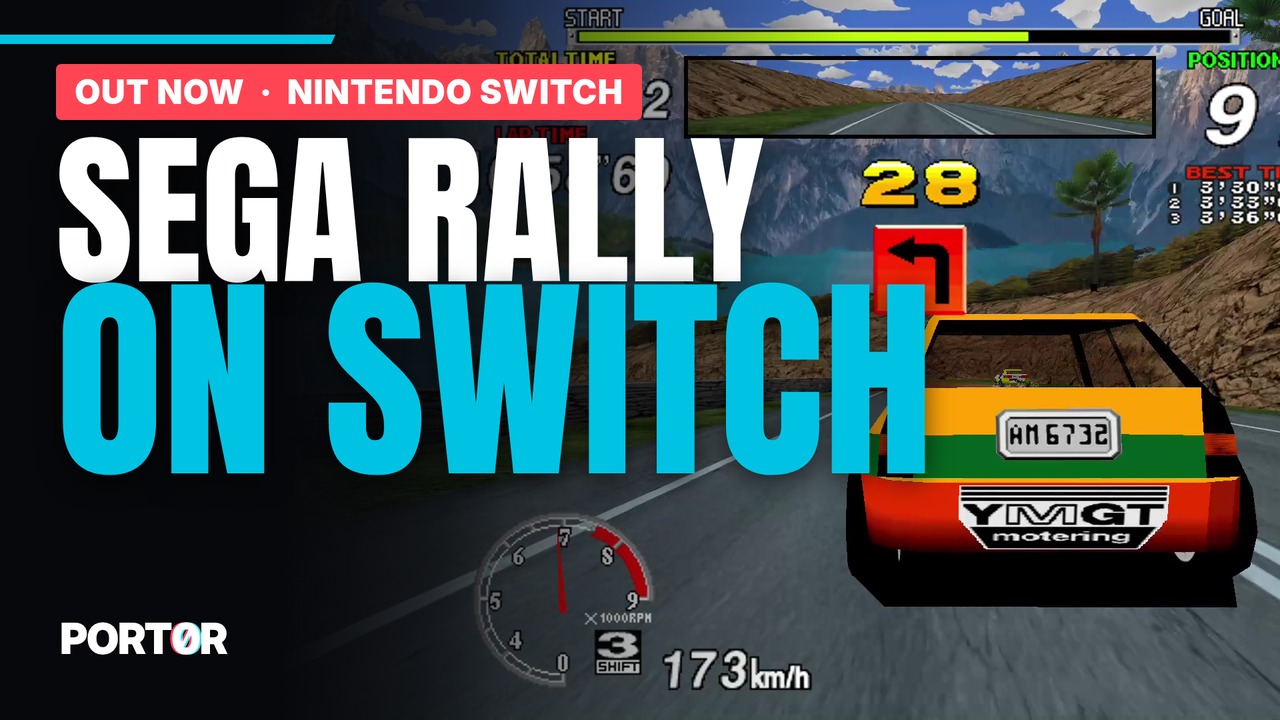
| Nintendo Switch: Sega Rally, full 16:9 | Android: Sega Rally, phones and tablets |
|---|---|
 |
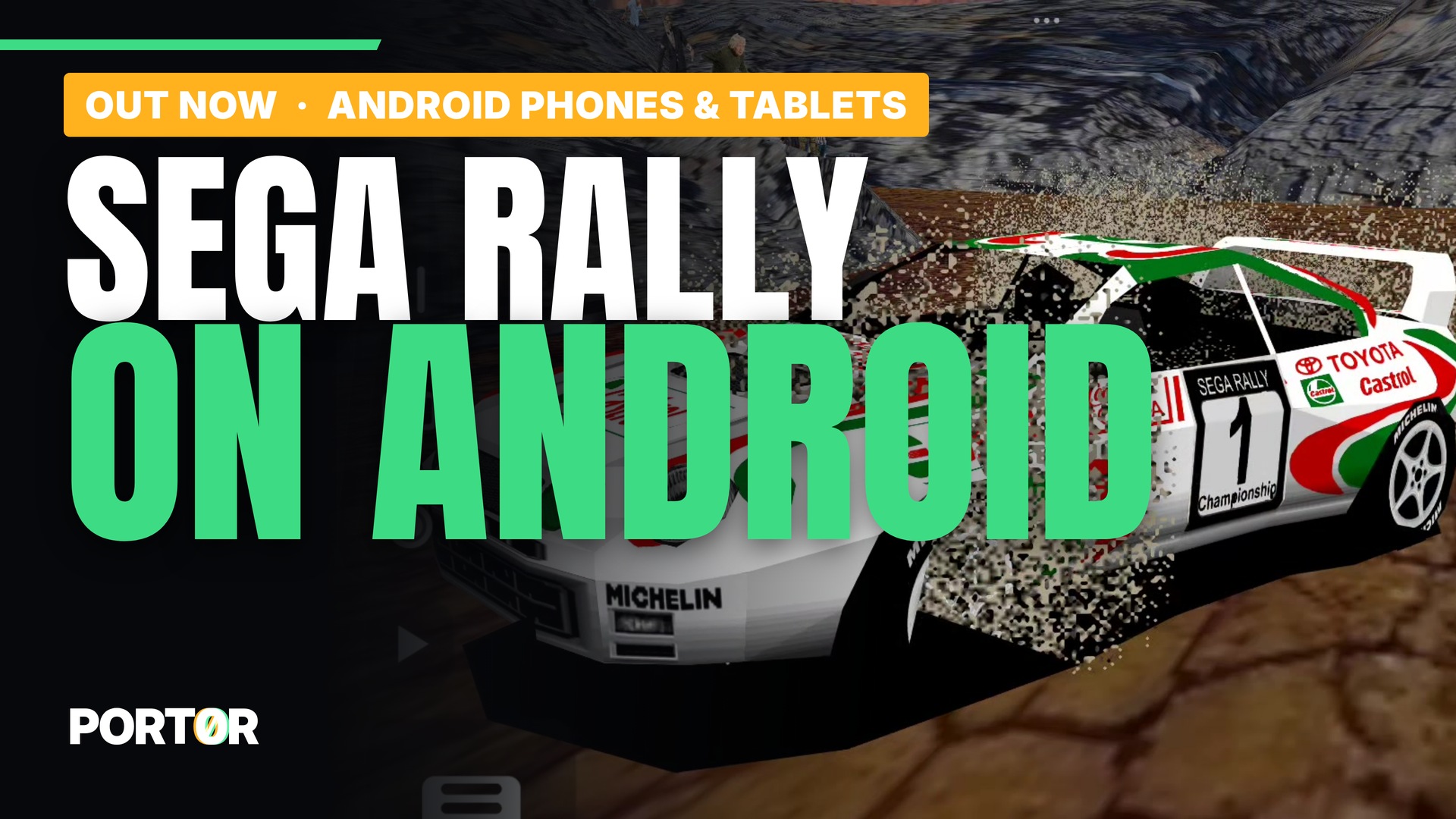 |
| v0.5.3 · homebrew for a Switch with custom firmware · HD textures, 10 mods, replays, ghost, leaderboard | v0.1.2 · APK for Android 8+ (Vulkan) · touch, tilt or gamepad, 60 fps, HD textures |
| Download · Complete guide · itch.io · Video | Download · Complete guide · itch.io · Video |
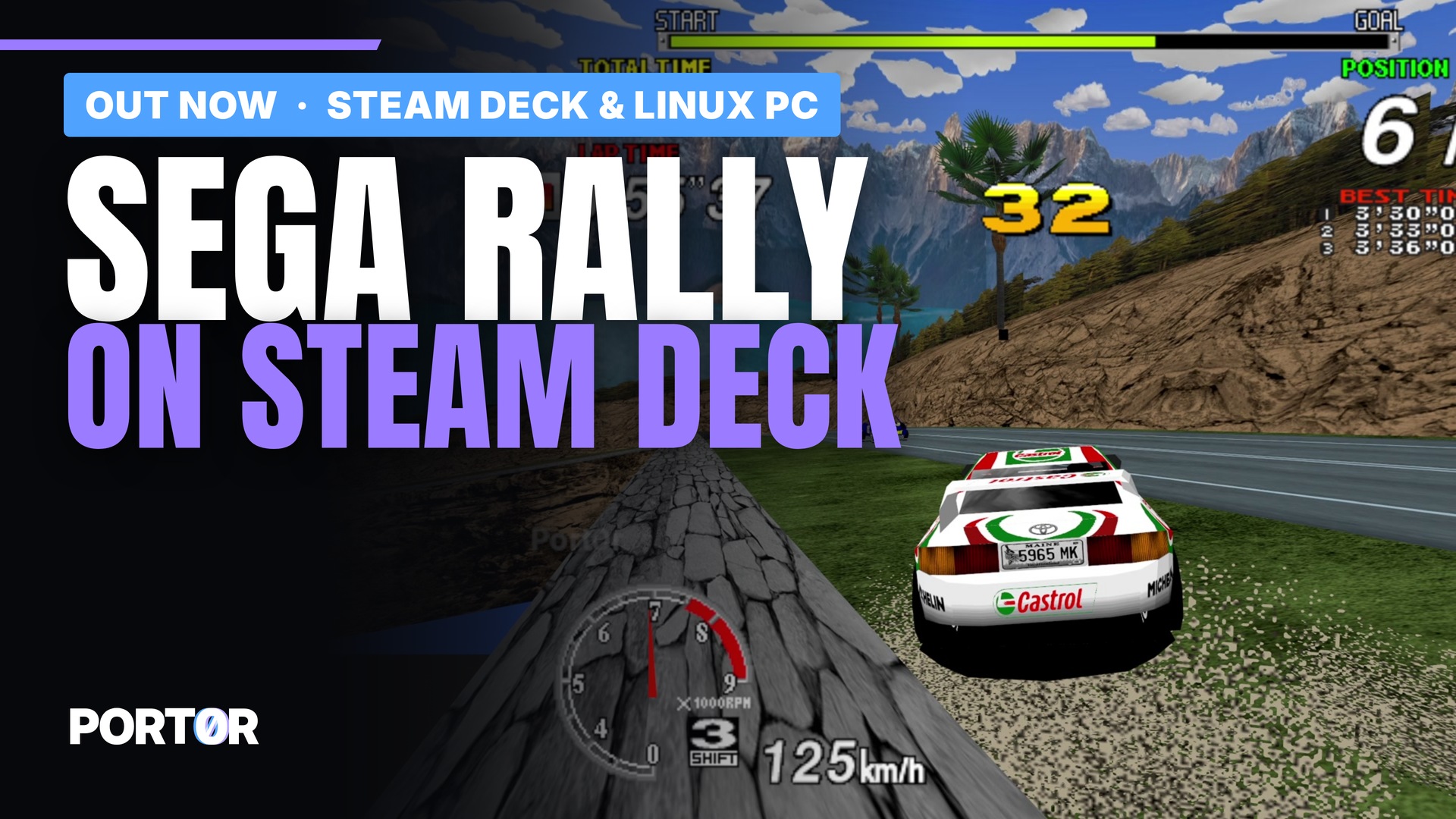
| Linux & Steam Deck: Sega Rally, any PC | Mac: Sega Rally, Apple Silicon |
|---|---|
 |
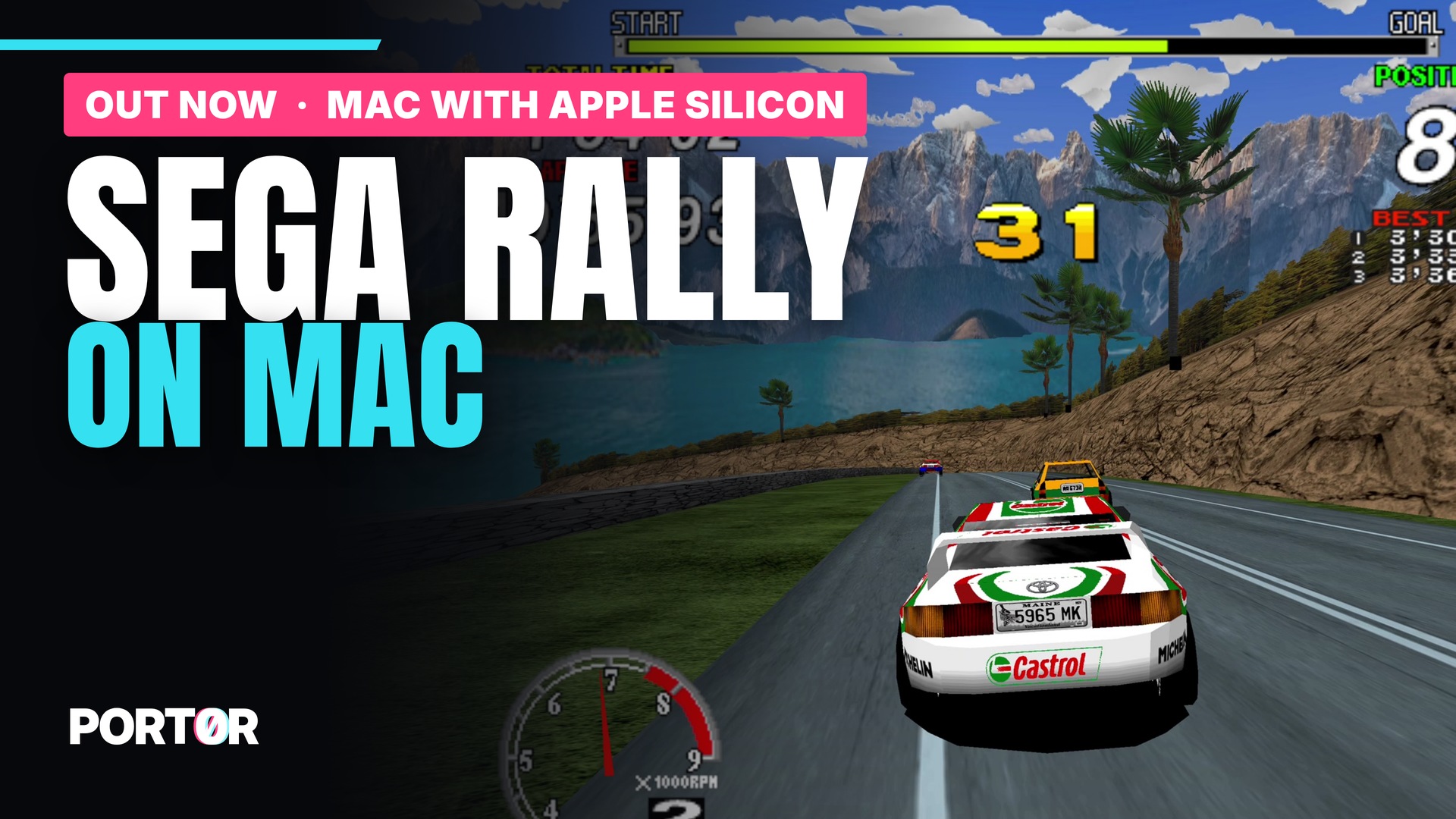 |
| v0.1.1 · for the Steam Deck and any 64-bit Linux PC (Vulkan) · up to 240 fps and 200 % supersampling, keyboard or gamepad | v0.1.0 · built for Macs with Apple Silicon (M1 and newer), no Rosetta or Wine, macOS 12+ · 120 fps on ProMotion, up to 240 fps and 200 % supersampling, keyboard or gamepad |
| Download · Complete guide · itch.io · Video | Download · Complete guide · itch.io · Video |
| Discord: leaderboard, help, what's next |
|---|
 |
| Online leaderboard per stage, install help, bug reports, and the beta program |
| Join the Discord · Support Port0r |
Download Port0r: Time Crisis VR v0.2.0 (free)
Port0r-TimeCrisisVR-v0.2.0-quest3.apk (Meta Quest 3), from its release, also on itch.io, then the install guide.
Download Port0r: Cop VR v0.2.0 (free)
Port0r-CopVR-v0.2.0-quest3.apk (Meta Quest 3), from its release, also on itch.io, then the install guide.
Download Port0r: Rally VR v0.2.5 (free)
Port0r-RallyVR-v0.2.5-quest3.apk (Meta Quest 3), from its release, also on itch.io. Then follow the install guide below: about ten minutes the first time. On Nintendo Switch: Port0r-SegaRally-Switch-v0.5.3.zip (homebrew), complete Switch guide. On Android: Port0r-SegaRally-Android-v0.1.2.apk, complete Android guide. On Steam Deck & Linux: Port0r-SegaRally-Linux-v0.1.1.tar.gz, complete Linux guide. On Mac (Apple Silicon): Port0r-SegaRally-Mac-v0.1.0.tar.gz, complete Mac guide. The app's own source code is not public for now: this repository holds the releases, the guide and the issue tracker.
Not a flat screen floating in a dark room. Port0r takes the real 3D scene the arcade board draws, rebuilds it for each of your eyes and puts you inside it, at real scale. The car sits in front of you, the hills have volume, the trees pass by your shoulder, the speed is physical. Be inside the arcade, not in front of it.
| Desert | Forest (HD textures) | Mountain |
|---|---|---|
 |
 |
 |
Releases
| Game | Board | Status |
|---|---|---|
| Port0r: Time Crisis VR (Time Crisis) | Namco System 22, 1995 | Out now, v0.2.0 (Release, itch.io, SideQuest) |
| Port0r: Cop VR (Virtua Cop) | Sega Model 2, 1994 | Out now, v0.2.0 (Release, itch.io, SideQuest) |
| Port0r: Rally VR (Sega Rally Championship) | Sega Model 2A, 1995 | Out now, v0.2.5 (Releases, itch.io, SideQuest) |
| Sega Rally on Switch (homebrew) | Sega Model 2A, 1995 | Out now, v0.5.3 (Release, install guide) |
| Sega Rally on Android (phones, tablets, handhelds) | Sega Model 2A, 1995 | Out now, v0.1.2 (Release, guide, itch.io) |
| Sega Rally on Steam Deck & Linux | Sega Model 2A, 1995 | Out now, v0.1.1 (Release, guide, itch.io) |
| Sega Rally on Mac (Apple Silicon) | Sega Model 2A, 1995 | Out now, v0.1.0 (Release, guide, itch.io) |
Headsets: Meta Quest 3 is the reference. A player reports that it runs perfectly on Quest 2 too.
Upcoming in VR (Quest)
They come out one at a time, when they are right.
- Daytona USA (Sega Model 2, 1994): longer draw distance, complete track sides when you look around, full-detail cars in the distance, no scenery popping; community HD texture pack support.
- The House of the Dead (Sega Model 2A, 1996), next: immersive 3D indoors, the HUD split between your gun and a panel.
- Sega Super GT 24h (Jaleco, Model 2B): full speed (it ran at 82 to 93 %), 120 images a second in races.
- Top Skater (Sega Model 2C, 1997): its 3D displays correctly (it was broken even in the reference emulator), skateboard controls.
- Virtua Racing (Sega Model 1, 1992): the arcade's 30 images a second smoothed to the headset's rate, longer draw distance, all four arcade cameras.
- Dirt Dash (Namco System 22, 1995): immersive 3D at 120 Hz.
- Time Crisis II (Namco System 23, 1997): full speed, immersive 3D.
Sega Rally on Nintendo Switch (new, v0.5.3)
The complete Switch guide, with screenshots of every Workshop page: SWITCH.md. Video: https://youtu.be/nC8Lj6FlHLE
| Desert | Lake (HD textures) | Mountain |
|---|---|---|
 |
 |
 |
The same arcade Sega Rally, as a homebrew for a Switch running custom firmware (Atmosphère): the whole track in full 16:9, Jean-seb's HD textures (optional), a Workshop with 10 mods, best-lap ghost, named replays, photo mode, 10 languages, and your times on the Discord leaderboard.
Download: Port0r-SegaRally-Switch-v0.5.3.zip from the Switch release page.
1. Copy the files
Unzip Port0r-SegaRally-Switch-v0.5.3.zip and copy its content to the root of the SD card, keeping the folders.
The game lands in:
/switch/segarally/gpt61sol/segarally.nro
Updating: copy the new segarally.nro over the old one; your settings, records, replays, ghosts and cache stay.
2. Add your game files
Put srallyc.zip and segabill.zip (do not unzip them) in:
/switch/segarally/gpt61sol/roms/
A merged set that already contains epr-18022.ic2 (Sega Billboard) does not need the separate segabill.zip.
If a file is missing or wrong, the start screen names the files and the folder to put them in; A searches again.
To replace a wrong set, drop the new zip in /Download/ (up to three sub-folders): a different size or a newer date
is copied over the old one automatically at the next launch.
3. Optional: the HD texture pack (by Jean-seb)
Extract it to:
/switch/segarally/gpt61sol/texpack/srallyc/
srallyc.pat and the images must be directly in that folder (no extra sub-folder). A pack zip placed in
/Download/ is found and extracted there automatically. Without it, B plays with the original textures and
Y stops asking. The first launch with HD builds a cache: keep it when you update.
4. Launch it in application mode
Hold R while opening any installed game to get the Homebrew Menu with full memory, then choose Sega Rally. Opening it from the Album alone may run out of memory.
Optional: a Sega Rally tile on the HOME screen
The zip has a small launcher (tile-home/SegaRally-0100534552000000.nsp, title ID 0100534552000000). It holds no
game data: it only opens the NRO. Install it with your usual NSP installer, and copy the two text files of the zip to:
/atmosphere/contents/0100534552000000/romfs/nextNroPath
/atmosphere/contents/0100534552000000/romfs/nextArgv
5. Controls
| Action | Button |
|---|---|
| Steer | Left stick (or the right stick: Workshop > Driving) |
| Gas / brake | ZR / ZL, or the other stick up / down |
| Gears (manual cars) | L down, R up |
| Start | + |
| Insert a coin | − (or click the right stick) |
| Change view | X / Y |
| Handbrake | Click the left stick |
| Workshop (settings, mods, replays) and pause | + and − together |
| Quit cleanly | Hold ZL + ZR + R for 2 seconds |
Steering sensitivity: 22 % is the reference, 50 % reaches both ends of the arcade wheel.
New in v0.5.3: remap driving buttons in Workshop > Driving > Controls (A to capture, B to save, X to reset). Choose mirror or black sides in 4:3. Sharing > GitHub updates shows the scrollable changelog before downloading and confirming installation; automatic checks can be disabled. From v0.5.1 / v0.5.2, copy the new NRO manually once. Update and rollback guide.
6. The Workshop (+ and −)
Ten languages, steering stick, brightness, automatic or fixed resolution, original speed or 60 fps, 10 mods (free play, mirrored track, night, comic book, black and white, CRT...), picture styles, practice ghost, named replays, photo mode.
7. Replays
Workshop > REPLAYS > Record a new race, then play. Name and save keeps it (40 characters max). Replays are saved
inputs (.srr), not videos: replay them in the game, export them to /switch/segarally/gpt61sol/replays/exports/,
or import someone's .srr into replays/ (same version and same game files needed). To make a video of a replay,
record the Switch's HDMI output with a capture card.
8. Online leaderboard (Port0r Discord) — new, please report problems
Workshop > Share > Discord shows a code. On your phone or computer, send !link CODE in any channel of the
Port0r Discord or in a private message to the bot. Nothing to install on the Switch.
After a real race the game asks before publishing your time (replays and free-run times are never published).
"Forget the account" removes the link. This is the first public version of the Switch link: if anything goes wrong,
tell us in #bugs.
Help
- Ask on the Port0r Discord (#install-help, or the bot in #ask-port0r).
- Bugs: #bugs on Discord, or a GitHub issue.
This is not a one-click port
People sometimes think a VR port is a setting you switch on. It is not. Sega Rally VR alone is months of evenings and nights of work, game by game, frame by frame, checked in the headset. Here is what it took, in player terms.
A new renderer for the arcade board. The arcade game runs on its own code through an emulator, but the picture you see is not the emulator's: every 3D polygon the Sega Model 2 board draws is taken and redrawn on the Quest's GPU, for each eye, with the board's own rules re-implemented one by one: its textures and palettes, its lighting tables, its transparency, its "checker" glass, the order in which it paints the screen. That is how the colours are the arcade's exact colours, and how details like the moving sky reflection in the creek after the Desert checkpoint look like the cabinet.
Real stereoscopic 3D, at real scale. The scene is re-projected for each eye from the game's own camera, at the size it really is: one metre in the game is one metre around you. The game was never made for two eyes, so a lot of work went into what that breaks: the HUD (speed, time, gear) sits on a comfortable plane instead of floating inside the scenery, the speedometer needle stays inside its dial, screen-wide effects cover your whole view, letterbox bands vanish, nothing makes your eyes cross.
Rock-solid smoothness. The arcade runs at 60 images a second, the headset at 120 Hz. The game is locked to the headset and every arcade image is shown exactly once, with the headset filling in the frames between: no stutter, no judder on the car in the corners. The picture is rendered above the headset's own resolution and smoothed by the headset on the way to the screen; dynamic resolution lowers it for a moment only when a scene gets too heavy.
Controls that feel right. Analog steering with a precise centre, triggers for the pedals, a real manual gearbox on the side grips (the manual cars could not even be driven at first), and vibrations read from the game's own physics: you feel the wall hits, the jumps and landings and the contacts with other cars, and nothing in a normal corner.
HD textures. The app reads the community HD texture packs made for the Model 2 Emulator, as they are: drop Jean-seb's pack on the headset and it is found, imported and used, with nothing to configure.
Everything a player needs, inside the headset. The game files are found wherever you copied them, the app starts by itself, your records are saved, a settings panel floats next to the game, in your language.
The mods. The extra modes of our Sega Rally homebrew for the Nintendo Switch, brought to VR: free timer, free play, sporty automatic gearbox, adaptive steering, a mirrored track with the co-driver's calls mirrored too, telemetry, and picture styles.
All of it is free. If you enjoy it, see Support the project.
Game files
No game data is included. You need your own, legally owned copy of the arcade game. We never provide, link to or discuss where to download game files: please don't ask, on Discord or anywhere else.
For Port0r: Time Crisis VR, the files are timecris.zip and namcoc71.zip.
For Port0r: Cop VR, the files are vcop.zip and model1io2.zip.
For Port0r: Rally VR, the files are the MAME set srallyc.zip and segabill.zip. segabill.zip is only needed if your srallyc.zip does not already include the billboard ROM (some sets do; the app checks).
The set must match a recent MAME (Port0r runs MAME 0.289). Sets made for older MAME versions can have different files inside and won't start. If yours is old, check it against a recent MAME with a ROM manager such as ClrMamePro or RomVault.
Install on Meta Quest (Time Crisis VR, Cop VR and Rally VR)
Each game is its own app, so you install only the one you want: the steps are the same for each, about ten minutes the first time. You need a computer (Windows, Mac or Linux) or just the headset's browser; a USB-C cable helps.
| Port0r: Time Crisis VR | Port0r: Cop VR | Port0r: Rally VR | |
|---|---|---|---|
| The app | Port0r-TimeCrisisVR-v0.2.0-quest3.apk, from its release or itch.io |
Port0r-CopVR-v0.2.0-quest3.apk, from its release or itch.io |
Port0r-RallyVR-v0.2.5-quest3.apk, from its release or itch.io |
| Your game files (MAME 0.289 sets) | timecris.zip and namcoc71.zip |
vcop.zip and model1io2.zip |
srallyc.zip, and segabill.zip only if your set needs it |
| Its name in the Library | Port0r: Time Crisis VR | Port0r: Cop VR | Port0r: Rally VR |
1. Turn on Developer Mode (once)
Developer Mode is what lets a Quest install apps that are not from the Meta store. It is set once per headset: if a Port0r game is already installed, go straight to step 2.
- Create a (free) developer organisation at developer.oculus.com with the same Meta account as your headset. Meta asks for this once.
- On your phone, open the Meta Horizon app > Devices > your headset > Headset settings > Developer mode, and switch it on.
- Restart the headset.
2. Install the APK
Download your game's APK (the table above), then pick one way:
- SideQuest (easiest): install SideQuest on your computer, plug the headset in with a USB-C cable, put the headset on and accept "Allow USB debugging" (tick Always allow). In SideQuest the dot at the top left turns green: click the "Install APK file from folder" icon (top right) and pick the APK.
- adb (if you already use it):
adb install -rfollowed by the APK's name, for exampleadb install -r Port0r-CopVR-v0.2.0-quest3.apk.
The checksum of each APK is in the SHA256SUMS.txt next to it, if you want to check your download. The three VR games
also have their SideQuest store page, with a one-click install from SideQuest:
Rally VR, Cop VR,
Time Crisis VR.
3. Put your game files on the headset
Your game's files are in the table above (more in Game files). The Download folder is the usual place,
but the app looks everywhere on the headset's storage (a ROMS folder of your other emulators works too), and the names
are not case sensitive. A corrected file put in any folder replaces the old copy by itself. Pick one way:
- SideQuest: the folder icon (top right) opens the headset's files. Open
Downloadand drag your zips in. - USB cable, no software: plug the headset in, put it on and accept "Allow access to data" (without it, the
headset shows up empty). It appears as Quest 3 > Internal shared storage: copy the zips into
Download. On a Mac, Finder does not show Android devices: use OpenMTP (free) or Android File Transfer. - The headset's browser: anything you download in the Quest browser lands in
Download. Handy with a file you keep in your own cloud storage (Google Drive, Dropbox...). The phone's Meta Horizon app cannot copy files to the headset.
4. First launch
- Put the headset on: Library > the filter at the top (All) > Unknown sources > your game (Port0r: Time Crisis VR, Port0r: Cop VR or Port0r: Rally VR).
- The first time, the headset asks for "All files access": allow it. The app only reads its game files (and, for Rally VR, the optional HD texture pack).
- Come back to the app: the game is copied in and starts by itself. Until then, a screen in your language tells you which files are missing.

Updating: each game checks its own releases at launch and offers the new version, what's new first. You can also install a new APK over the old one: your settings and records are kept. (Rally VR v0.1.0 had another app id: uninstall it first, your game files stay on the headset.)
Cop VR: controls and settings
Point the right controller at what you want to hit and pull the trigger; to reload, shoot below the screen, like on the cabinet. X inserts a coin and B is Start. The left menu button opens the settings (screen size, your height, the crosshair on or off), and Y on the left controller recenters the view.
Rally VR: HD textures (optional)
The community HD texture pack for Sega Rally is made by Jean-seb. Get it from his video "Sega Rally Championship HD textures pack : new version" (the download link is in its description) and put his zip, or the extracted folder, on the headset next to the game files. The app finds it, imports it, and the HD textures are on from the next launch (Image > HD textures switches them off).
Without a pack, the app offers it once per launch, with a "Don't ask again" choice if you prefer the original look. We never ship the pack: all credit goes to Jean-seb, please support his work.

Rally VR: controls
| Action | Button |
|---|---|
| Steering | Left stick (or the right stick: settings panel > Game > Steering stick; the grips then shift gears) |
| Gas / brake | Right trigger / left trigger |
| Gears (manual cars) | Side grips: left = down, right = up (the right stick up/down works too) |
| Change view | A or B |
| Insert a coin / Start | X (left controller) / B (or click the left stick) |
| Settings panel | Left menu button (aim with the right controller, trigger or A to click) |
| Pause / resume | Click both thumbsticks together (same again to resume) |
| Recenter the view | Y on the left controller (or hold the Meta button of the right controller for 2 s) |
Rally VR: the settings panel
Everything is set inside the headset, in a panel that floats next to the game. Defaults restores the values we tuned. A tab longer than the panel scrolls (either thumbstick, or drag the bar on the right with the laser), and the Controls button at the bottom lists every button of the game, in your language.

Display
- Mode: Immersive (you are inside the game, in 3D; the default), 3D window (an arcade screen in 3D) or Flat screen (the arcade screen, flat).
- World size: 1 = real size; bigger makes you smaller. 2 by default, where the eyes are most comfortable.
- Zoom: enlarges the picture like the arcade screen does (Auto, None, Low, Medium, Strong).
- Depth: Real (from each object's real distance) or Arcade order (the board's own drawing order).
Image
- Sharp rendering: crisp edges; off gives softer, slightly blurrier edges.
- Screen quality: High (the arcade screen enlarged and smoothed) or Native.
- HD textures: uses the HD pack when one is on the headset.
- Resolution: Native (the headset's own resolution), High (the default: smoother edges) or Maximum. Above Native the headset smooths the picture down to its screen; dynamic resolution lowers it for a moment if a scene is too heavy.
- Brightness: lightens the dark areas, keeps the white.
- Style: Colour (the arcade's), Black & white, Comic (a flat, inked look) or Night.
Smoothness
- Headset smoothing: the headset fills in the frames between the arcade's (off: each frame is shown twice).
- Super Resolution: Meta's sharpening, used when the picture is below Native. Above it the headset always smooths the edges instead (sharpening there would make fine details shimmer).
- Dynamic resolution and Minimum resolution (0.5 by default): keep the frame rate locked in heavy scenes.
- Maximum performance: the headset's highest clocks (off saves battery, after a restart).
Game
- Steering stick: Left (the default) or Right: the right stick steers, the side grips shift gears.
- Driving: Soft stick (precise centre), Direct stick, or VR wheel (hold an imaginary wheel with both hands).
- Vibrations: on or off.
- Speed: Original (the arcade's exact rate) or 60 fps (follows the headset: smoother, 4 % faster).
- Volume.
- Language: Auto follows the headset; or English, Français, Deutsch, Español, Italiano, Português, Русский, 日本語, 简体中文, 한국어.
- Offer to publish my times: at the end of a game, the card that offers your times for the Discord leaderboard.
- Discord account: shows the account this headset is linked to; switch it on to link one, off to forget it.
Mods (all off by default: the cabinet as it is)
- Free timer: the clock stops during the race. Drive as long as you like.
- Free play: Start begins a game, no coin needed.
- Sporty automatic: the manual cars shift by themselves, at sporty shift points.
- Adaptive steering: finer around the centre, gentler at high speed.
- Mirrored track: the whole track left for right, with the steering mirrored and the co-driver's "left" and "right" calls swapped (compound calls rebuilt from the original recordings) and the navigation arrows turned the right way.
- Telemetry: a bar under the HUD during the race: speed, position, lap, gas and brake.
Rally VR: the leaderboard on Discord
Your race times can go on the #leaderboard channel of the Port0r Discord, with your Discord name. Nothing is ever published unless you link your account yourself, and you choose each time.
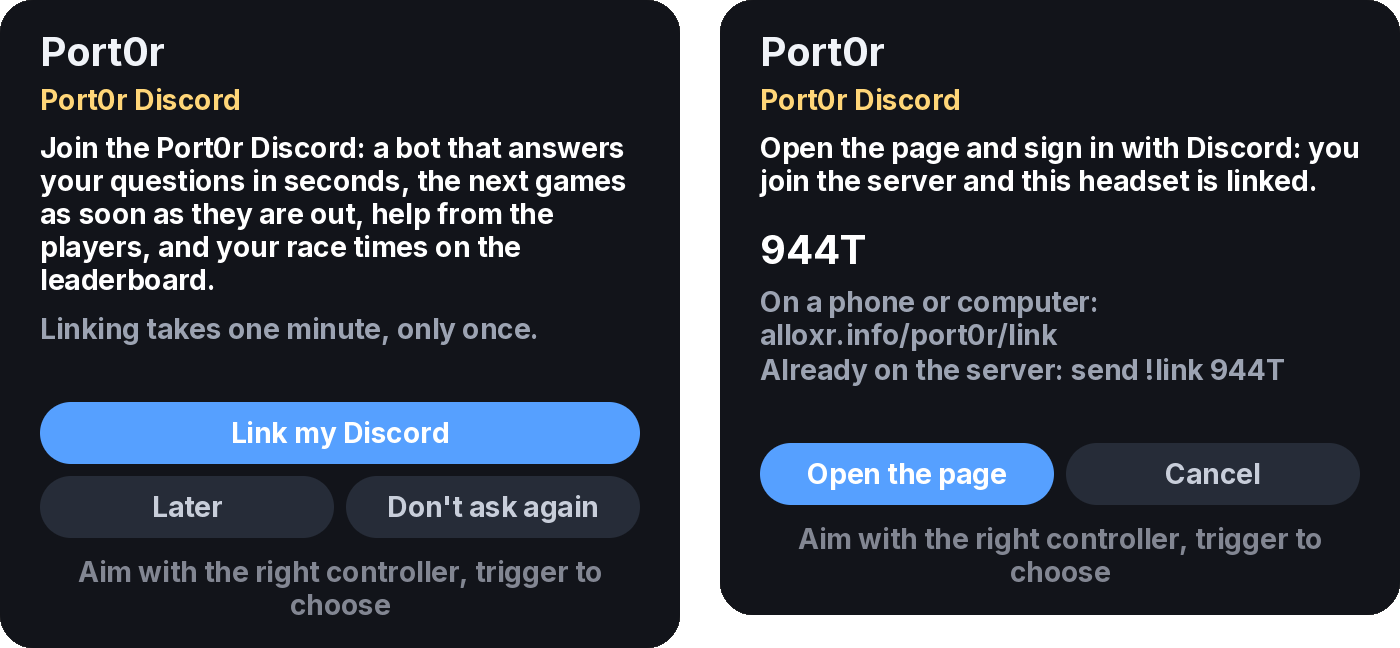
- Link your Discord, once. The headset offers it at launch (or Game > Discord account). It shows a 4-letter code:
press Open the page to sign in with Discord in the headset's browser, or go to
alloxr.info/port0r/link on your phone or computer and type the code. Signing in
joins you to the Port0r server and links the headset in one step. Already on the server? Send
!link CODEto the bot instead. Discord only tells us your name. - Race. When the game is back to its demo (after the name entry), the headset offers the stages you finished. Publish, and they are on the board a few seconds later, with a word from the co-driver.

Each course has its own board, pinned in the channel and redrawn with every new time: the best time of each player, top 30. Times set with the sporty automatic gearbox or the adaptive steering go on a separate With aids board, mirrored runs on a Mirrored one, and the free timer is never published.

Saves
Your records and the cabinet's own settings are saved on the headset while you play (every few seconds) and kept across updates.
Known issues
- Rally VR: driving on grass does not vibrate yet.
- Rally VR: the trees of the attract intro, hidden behind the title panel on the cabinet, can be seen from inside the scene.
Roadmap
- Time Crisis (light gun, 120 Hz, real VR aiming): coming soon.
- Championship board: the arcade's real ranking, the total time of the three stages.
- Cockpit view: a steering wheel and hands in the car, following your steering. Later, your real wheel in augmented reality.
- Arcade hall: play on the cabinet itself, standing in a virtual arcade.
- Comfort mode: a gentle darkening of the edges in tight corners and big hits, for players sensitive to motion.
- Sunset style, best-lap ghost car, replays, spectator mode (freeze the race and walk around the car).
- More games, one at a time.
Community
Join the Port0r Discord: release news, setup help, bug reports, game requests and your videos.
- Ask the bot. In
#ask-port0r, our assistant knows the whole project (install, settings, mods, HD textures, every game in progress) and answers in a couple of seconds, in your language, day and night. Try it before you ask: it is usually right, and it is honest when it does not know. - Be kind. Be polite, read
#rules, stay on topic, no ROM requests or links, ever. - Help each other. Answer a newcomer in
#install-help, share your setup and your clips in#showcase. A community that helps itself is what keeps a free project alive.
Videos, streams and reviews
Make all the videos, streams and reviews you like, monetised ones included: that is how a free project gets known. If you can, put a link to this page (or to the game's itch.io page, port0r.itch.io/cop-vr or port0r.itch.io/rally-vr) in the description, or just say the name, Port0r. It is not an obligation, only a big help, and thank you. If you show the HD textures, a word for Jean-seb, who made them, is welcome too.
Already made by others, thank you:
- Sega Rally VR - Port0r: Rally VR (Meta Quest 3) - Standalone Gameplay, by Pixelacos VR (Spanish), 11 minutes of play.
Support the project
Port0r is a one-person project. It is free and will stay free: no paywall, no donor-only game, no early access for money.
Port0r takes all my time right now. If you'd like to keep it going, you can sponsor it on GitHub Sponsors or buy me a coffee on Ko-fi. Sharing it helps a lot too.
If you enjoy it, any help is more than welcome:
- Share it. Post your clips, tell a friend, star this repository. It costs nothing and it matters a lot.
- Buy me a coffee on Ko-fi, once or monthly.
- Sponsor it on GitHub Sponsors, once or monthly (the Sponsor role on Discord, from $5): the page is open, Become a sponsor.
Donations support the engine's development. They are not a purchase of any game.
Troubleshooting
- The app is not in my Library. Look under the filter at the top of the Library: All > Unknown sources. If that entry is missing, Developer Mode is off or the headset was not restarted after turning it on.
- SideQuest stays orange / red. Put the headset on and accept "Allow USB debugging" (tick Always allow); try another USB-C cable (some only charge).
- My computer shows the headset as empty. Put the headset on and accept "Allow access to data", then unplug and plug it again.
- The app keeps saying files are missing. Check the names (
timecris.zipandnamcoc71.zipfor Time Crisis VR;vcop.zipandmodel1io2.zipfor Cop VR;srallyc.zip, andsegabill.ziponly if asked, for Rally VR), that they are zips (not extracted folders), and that "All files access" is allowed: Settings > Apps > Port0r: Cop VR (or Port0r: Rally VR, Port0r: Time Crisis VR) > Permissions. - "Wrong version of the game files". Your files are on the headset, but they aren't a set for MAME 0.289: the page
lists the files that are missing or don't match. Check your zips (
timecris.zipandnamcoc71.zip,vcop.zipandmodel1io2.zip, orsrallyc.zipandsegabill.zip) against MAME 0.289 with a ROM manager (ClrMamePro, RomVault), put the corrected files inDownloadin place of the old ones, and come back to the app: it picks them up and the game starts by itself. - (Rally VR v0.2.0 only) I pick Sega Rally, press A, land in a settings panel, and Resume brings me back. Same cause: the files don't load. Update to the latest version, which says it plainly, or uninstall and reinstall the app after fixing your files (v0.2.0 never replaced the copy it made the first time).
- The controllers do nothing. Restart the headset (hold the power button > Restart).
- The game stutters. Check that Dynamic resolution is on (Smoothness tab), or set Resolution to Native.
- Still stuck? Ask the bot in
#ask-port0ron Discord: it knows this whole page and answers in seconds, in your language.
Report a bug
Open an issue with your headset model, the app version (shown in the store listing), what you did and what you saw. A
short video or a photo through the lens helps a lot. You can also post in #bugs on Discord.
Credits
- Jean-seb: the Sega Rally Championship HD texture pack, used with credit and never redistributed.
- The MAME developers: the emulation the games run on (the BSD-3-Clause parts we use).
- The Khronos OpenXR SDK, zlib, expat, FLAC, zstd and the other open-source components listed in
THIRD-PARTY-NOTICES.txt(shipped with every release and inside the app). - The Inter and Noto Sans CJK typefaces (SIL Open Font License).
Legal
Port0r is a free, non-commercial fan project. It is not affiliated with, endorsed by or connected to SEGA, Namco, Meta or any rights holder. All trademarks and game content belong to their owners. No game data is distributed.
Port0r's own source code is not public for now. The open-source components it uses are listed, with their licenses, in
THIRD-PARTY-NOTICES.txt.
Download
Port0r-TimeCrisisVR-v0.2.0-quest3.apk, free, from its release or itch.io. Install guide: above.
Port0r-CopVR-v0.2.0-quest3.apk, free, from its release or itch.io. Install guide: above.
Port0r-RallyVR-v0.2.5-quest3.apk, free, from its release or itch.io. Install guide: above.
Help: Discord.