
Arras
Your photos. Your kind of desktop.
Website · Download for macOS · FAQ · Security & Privacy
Arras is a free, open-source Mac app for photos, slideshows and editable desktop collages. Keep a photo’s natural proportions, choose its look and layer, and arrange a desktop that feels like yours.
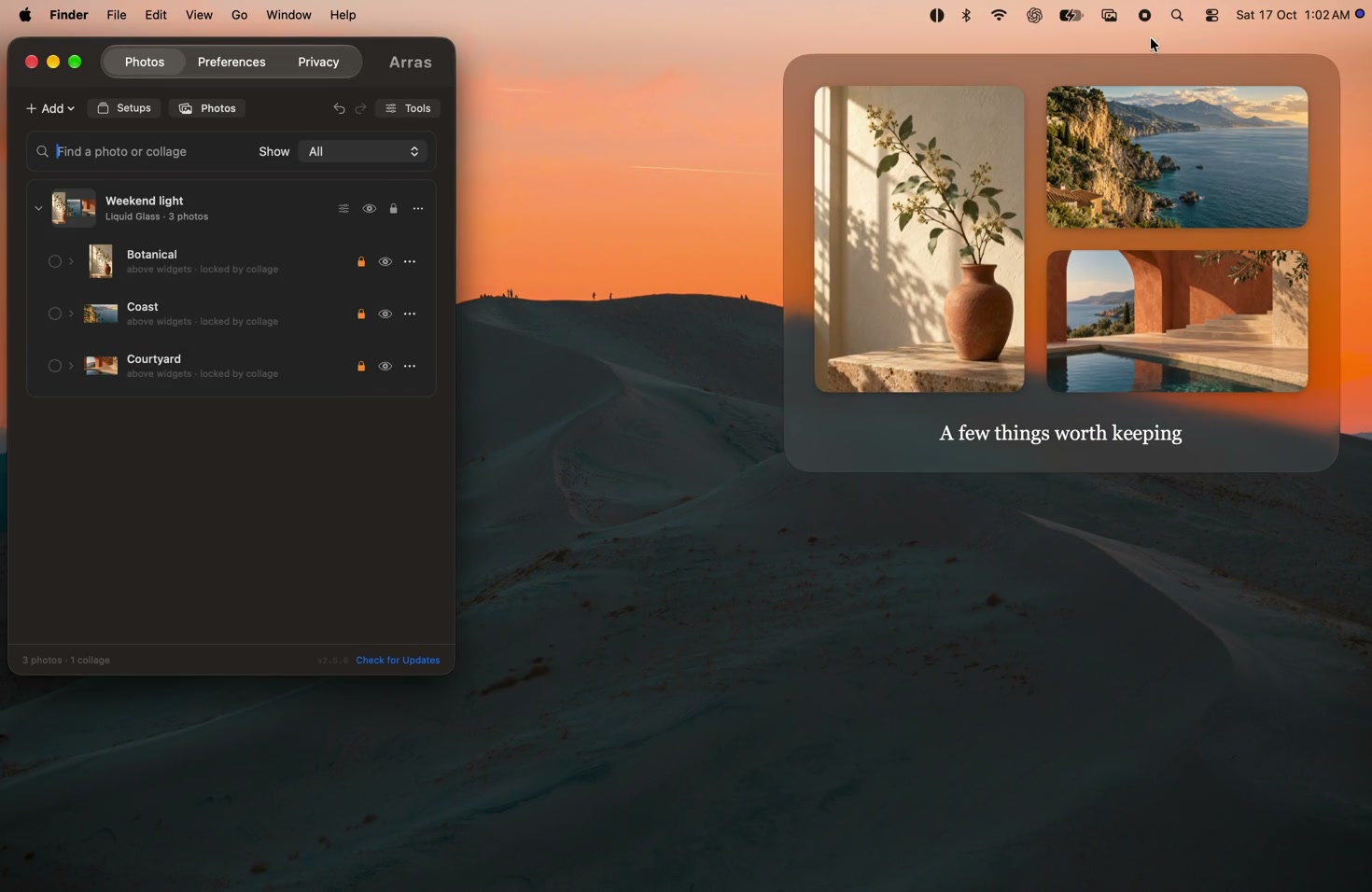
Watch the launch film — real Arras windows on a Mac desktop, with sample artwork. No audio required.
Distribution
The free direct download below remains available. This repository also contains a sandboxed ArrasAppStore target for a planned $4.99 Mac App Store edition. It is not yet available on the App Store. Its signed 2.5.0 beta was installed through TestFlight and is Waiting for Review, with manual release selected. Both targets share the widget and collage code; Store updates come through Apple and that build excludes app telemetry. See build guidance.
Download Arras 2.5.0
Download the DMG · Release notes and ZIP
Requires macOS 14 Sonoma or later. One universal app supports Apple Silicon and Intel. The official 2.5.0 app and DMG are Developer ID signed and notarized by Apple, with stapled tickets. Open the DMG, drag Arras to Applications, then open it. macOS may ask you to confirm opening an app downloaded from the internet.
Arras is MIT-licensed and free, with no account or subscription. Photos and layouts stay on your Mac. Version 2.5.0 sends limited usage and weekly configuration statistics; photos, filenames, paths, layouts and personal content are excluded. Read Security & Privacy for permissions, network behavior and retention.
Make the desktop yours
- Editable collages. Move a group by its background, or move and resize each photo independently. Its boundary grows and shrinks as you work. Choose a material, spacing, captions and freely placed text labels.
- Slideshows and linked collections. Rotate local photos, link a Finder folder or Photos album, and keep a managed snapshot for offline use. Add still images, GIF/APNG animations and local videos.
- Layers and placement. Choose Behind Icons, On Desktop, Above Widgets or Floating. Snap, align, distribute and lock widgets. Collages own their depth and Space pinning while keeping each photo’s standalone values for detaching.
- Your own look. Use visual presets, masks, mats, frames, tilt, opacity, shadows and gradients. Copy appearance between photos. Crop, rotate, flip or grayscale a reference without rewriting its managed original.
- Room to experiment. Undo arrangement changes, save named desktop setups,
restore the previous setup and recover the most recently removed widgets.
Export a portable
.arrasbackup when you want to keep or share a layout. - Native Mac controls. A compact menu bar app, Shortcuts actions, configurable update checks, a global visibility shortcut and dedicated Privacy controls.
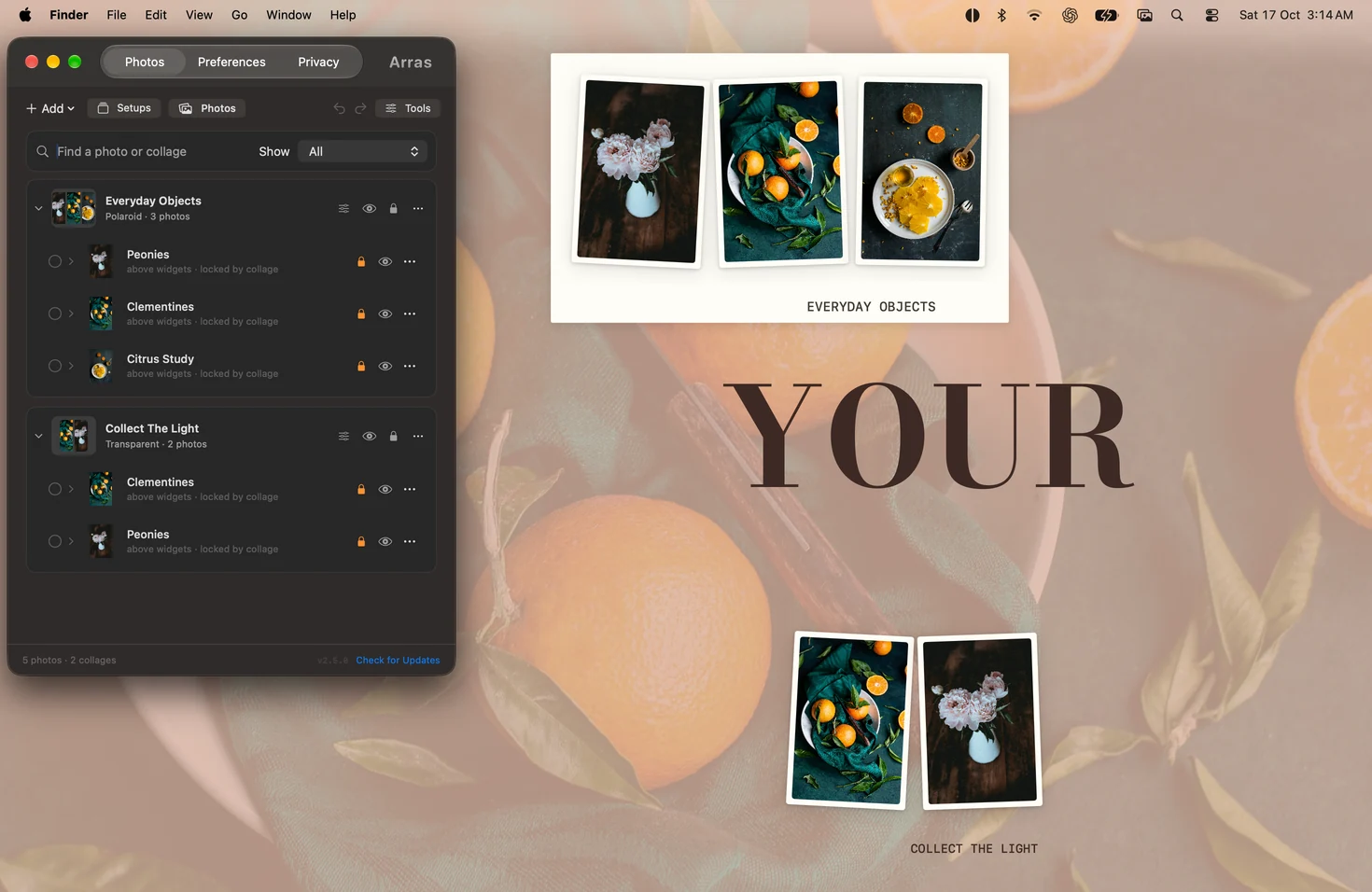
See more real screenshots, the 2.5.0 feature guide and changelog for details.
Start here
- Open Arras Settings from its menu bar icon. Use Add → Try an Example for an editable collage, moodboard or slideshow, or add your own photos.
- Drag a photo to move it; drag a corner to resize. A collage’s background moves its whole group, while its photos remain independently editable.
- Use Tools to change appearance or reference edits. Save a setup before experimenting with another arrangement.
- Use Preferences for app-wide behavior and updates, and Privacy for capture and presence controls. Capture exclusion is a compatibility request; manually hide widgets before a recording that must exclude them.
Arras has no Dock icon and does not appear in Command-Tab. It was previously Photo Widget OSX and Tableau; its bundle identifier and Application Support location stay compatible with existing installations.
Build and test
Arras uses Apple frameworks and has no third-party runtime dependencies. Install XcodeGen and Xcode with the macOS 27 SDK for the current Settings appearance. The deployment target is macOS 14.
brew install xcodegen
./build.sh
./build.sh --run launches the validated local build. ./build.sh --release
creates ad-hoc development packages; official distribution uses the separate
Developer ID signing and notarization step. Builds record their source digest,
and packaging rejects stale source or LLVM coverage instrumentation.
See CONTRIBUTING.md for testing and release checks.
Tests must use isolated storage and never the user’s personal library.
Project documents
- FEATURES.md: user-facing behavior, controls and limits.
- ARCHITECTURE.md: subsystem ownership and compatibility.
- SECURITY.md: signing, permissions, network activity and telemetry.
- CONTRIBUTING.md: build, verification and release guidance.
- CHANGELOG.md and release notes: version history.
Found a problem? Open an issue. If Arras makes your desktop better, star the repository.