

Spaces
See what runs on every workspace.
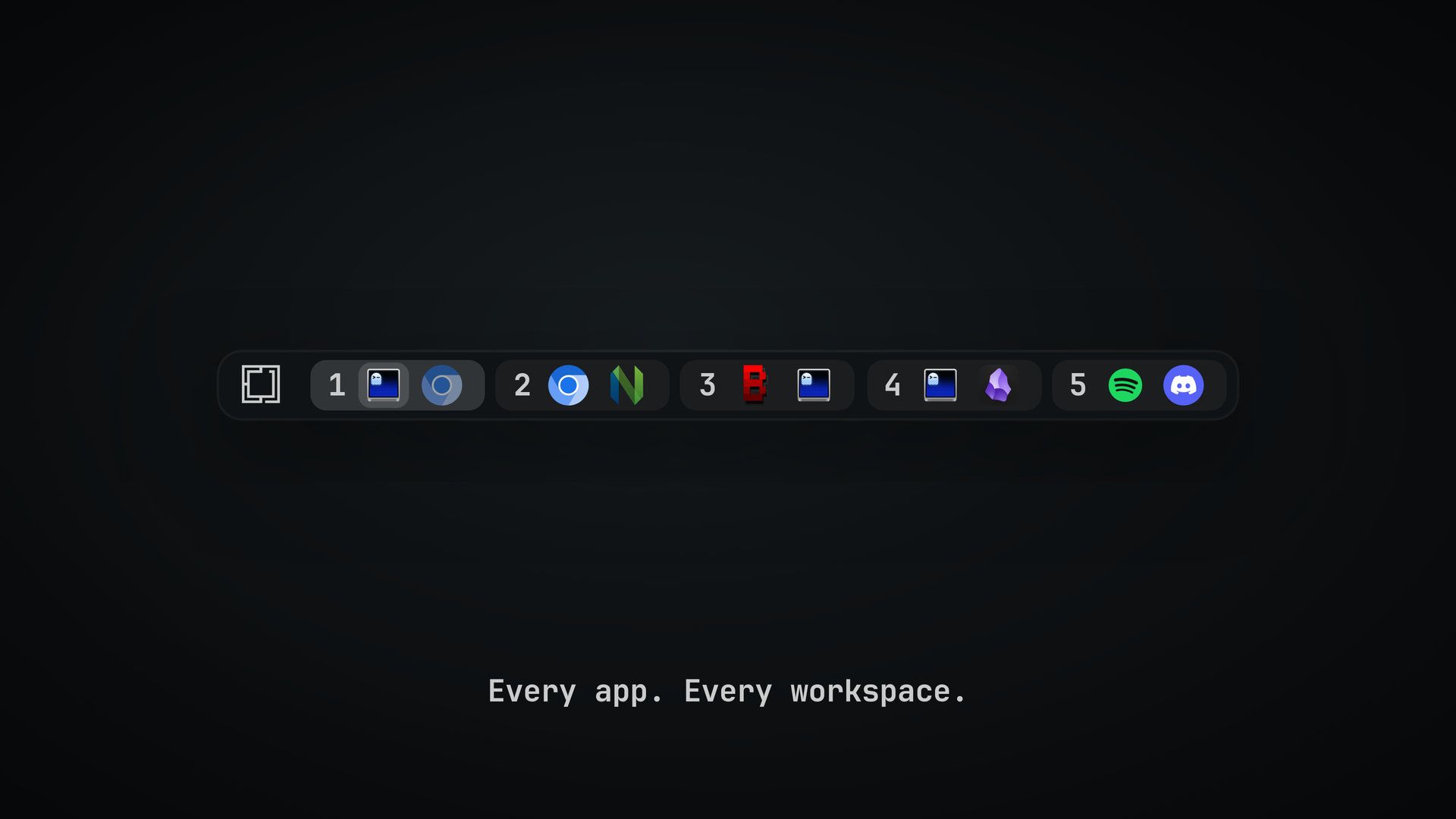
Spaces is a workspace switcher for the Omarchy bar. Each workspace shows the icons of the apps open on it. The active one slides open, and the focused window is highlighted.
Peek before you jump
Hover another workspace to see it live, laid out the way it is on screen. Click a window in the preview to jump to it.
Previews follow the monitor's orientation, including portrait displays, and shrink to fit the available screen space while keeping the full workspace visible. The size setting controls the longest side, so portrait and landscape previews have a comparable size.

Know when your agent needs you
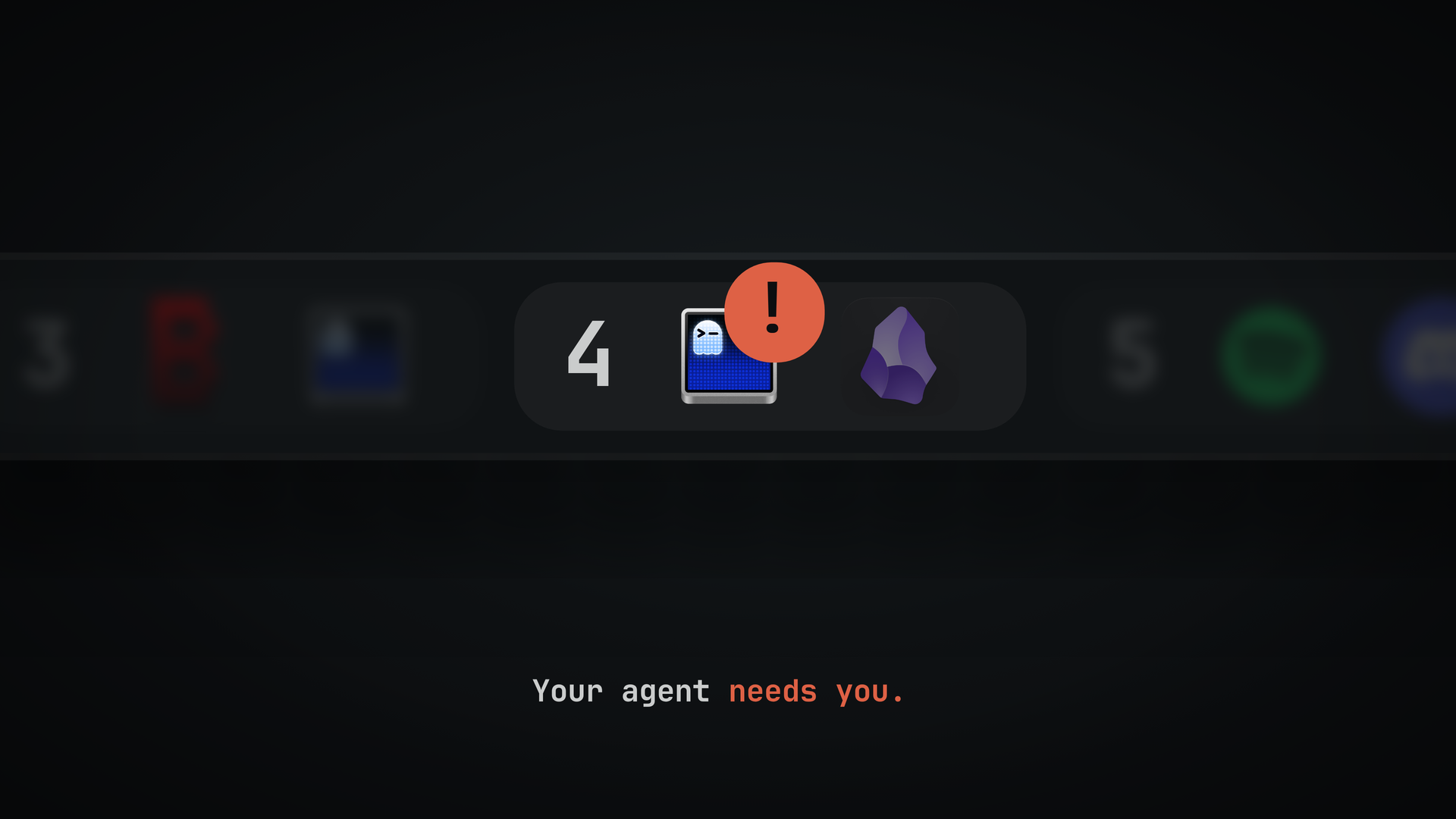
Terminals running Claude Code get a badge: a spinner while the agent works, a pulsing ! when it needs your input, and a check mark when it is done. A workspace with an agent waiting on you pulses too. If a reporting process dies without sending end, the bar clears its live badge after the next process check, normally within a minute.
To turn it on, add these hooks to ~/.claude/settings.json:
{
  "hooks": {
    "UserPromptSubmit": [{ "hooks": [{ "type": "command", "command": "~/.config/omarchy/plugins/tornikegomareli.spaces/hooks/claude-hook working", "async": true }] }],
    "PostToolUse": [{ "hooks": [{ "type": "command", "command": "~/.config/omarchy/plugins/tornikegomareli.spaces/hooks/claude-hook working", "async": true }] }],
    "Notification": [{ "hooks": [{ "type": "command", "command": "~/.config/omarchy/plugins/tornikegomareli.spaces/hooks/claude-hook waiting", "async": true }] }],
    "Stop": [{ "hooks": [{ "type": "command", "command": "~/.config/omarchy/plugins/tornikegomareli.spaces/hooks/claude-hook done", "async": true }] }],
    "SessionEnd": [{ "hooks": [{ "type": "command", "command": "~/.config/omarchy/plugins/tornikegomareli.spaces/hooks/claude-hook end", "async": true }] }]
  }
}
Other agents can report the same way: omarchy-shell tornikegomareli.spaces agent <session> <working|waiting|done|end> <pids>, where <pids> lists the agent's process and its parents, comma-separated.
OpenCode
hooks/opencode-plugin.js is an OpenCode plugin that reports for you, so a terminal running OpenCode gets the same badge a Claude Code terminal gets. It reports through the omarchy-shell command above, so nothing else is needed.
To turn it on, link it into OpenCode's plugins folder:
mkdir -p ~/.config/opencode/plugins
ln -sfn ~/.config/omarchy/plugins/tornikegomareli.spaces/hooks/opencode-plugin.js \
        ~/.config/opencode/plugins/spaces.js
The link points into the installed plugin, so omarchy plugin update tornikegomareli.spaces updates the reporter too. Restart OpenCode, run a prompt, and the terminal icon spins in the bar while it works and gets a check mark when it stops.
working and done are reported as OpenCode works. waiting needs a permission prompt, so with --auto it rarely appears: OpenCode answers its own permission requests in milliseconds, and the plugin waits 1.5s before showing a ! so a prompt answered instantly never flashes. To see it, run opencode without --auto and ask it to do something that needs approval.
omp
hooks/omp-extension.js is an oh-my-pi extension that reports for you, so a terminal running omp gets the same badge a Claude Code terminal gets. It reports through the omarchy-shell command above, so nothing else is needed.
To turn it on, add it to your omp config:
# ~/.omp/agent/config.yml
extensions:
  - ~/.config/omarchy/plugins/tornikegomareli.spaces/hooks/omp-extension.js
Restart omp, run a prompt, and the terminal icon spins in the bar while it works and gets a check mark when it stops.
working and done are reported as omp works. waiting appears when a tool needs approval — in non-yolo mode (tools.approvalMode: write or always-ask) or when the agent calls the ask tool — and waits 1.5s before showing a ! so a prompt answered instantly never flashes. Two limits are worth knowing: dialogs opened by other extensions through ctx.ui.confirm or ctx.ui.select cannot be observed and never show a badge, and only the main session reports, because subagents share the parent process.
Cursor
hooks/cursor-reporter.js is a Cursor hook that reports for you, so a Cursor window (or a terminal running cursor-agent) gets the same badge a Claude Code terminal gets. It reports through the omarchy-shell command above, so nothing else is needed.
To turn it on, register it in ~/.cursor/hooks.json:
{
  "version": 1,
  "hooks": {
    "beforeSubmitPrompt":   [{ "command": "~/.config/omarchy/plugins/tornikegomareli.spaces/hooks/cursor-reporter.js", "timeout": 10 }],
    "preToolUse":           [{ "command": "~/.config/omarchy/plugins/tornikegomareli.spaces/hooks/cursor-reporter.js", "timeout": 10 }],
    "beforeShellExecution": [{ "command": "~/.config/omarchy/plugins/tornikegomareli.spaces/hooks/cursor-reporter.js", "timeout": 10 }],
    "afterShellExecution":  [{ "command": "~/.config/omarchy/plugins/tornikegomareli.spaces/hooks/cursor-reporter.js", "timeout": 10 }],
    "afterFileEdit":        [{ "command": "~/.config/omarchy/plugins/tornikegomareli.spaces/hooks/cursor-reporter.js", "timeout": 10 }],
    "postToolUse":          [{ "command": "~/.config/omarchy/plugins/tornikegomareli.spaces/hooks/cursor-reporter.js", "timeout": 10 }],
    "afterAgentThought":    [{ "command": "~/.config/omarchy/plugins/tornikegomareli.spaces/hooks/cursor-reporter.js", "timeout": 10 }],
    "stop":                 [{ "command": "~/.config/omarchy/plugins/tornikegomareli.spaces/hooks/cursor-reporter.js", "timeout": 10, "loop_limit": null }],
    "sessionEnd":           [{ "command": "~/.config/omarchy/plugins/tornikegomareli.spaces/hooks/cursor-reporter.js", "timeout": 10 }]
  }
}
The path lives inside the installed plugin, so omarchy plugin update tornikegomareli.spaces keeps the reporter current; there is no npm package. Restart Cursor, run a prompt, and the Cursor window spins in the bar while it works and gets a check mark when it stops.
The stop entry needs "loop_limit": null: Cursor disables stop hooks after 5 runs by default, which would silently kill the reporter mid-session.
waiting is not reported: Cursor exposes no hook for "the agent asked the user a question", so a ! badge would be a guess. sessionStart is ignored (an idle agent is not working). cursor-agent in a terminal fires only a subset of hooks (shell hooks, postToolUse, stop), so its badge follows the same transitions with coarser steps. A stop with an aborted or errored turn still reports done; the next prompt flips back to working.
Install
omarchy plugin add https://github.com/tornikegomareli/omarchy-spaces.git --enable
omarchy plugin disable omarchy.workspaces   # optional: replace the built-in switcher
Requirements:
- Omarchy 4 with the Quickshell bar (Hyprland 0.56 or newer)
jqfor the agent hook (installed with Omarchy)- Claude Code, OpenCode, omp, or Cursor, only for agent status (the Cursor reporter also needs Node.js)
Works with the bar on any edge of the screen. Tested on a single monitor.
To update, then load the new code:
omarchy plugin update tornikegomareli.spaces
omarchy restart shell
Remove
omarchy plugin remove tornikegomareli.spaces
omarchy plugin enable omarchy.workspaces   # bring back the built-in switcher
If you added the agent hooks or the settings key below, delete those lines from ~/.claude/settings.json and ~/.config/hypr/bindings.lua (including the Super number bindings, if you added them). If you linked the OpenCode plugin, remove the link:
rm ~/.config/opencode/plugins/spaces.jsIf you added the omp extension line, delete it from ~/.omp/agent/config.yml, or omp will keep loading a path that no longer exists.
If you added the Cursor hook, remove those entries from ~/.cursor/hooks.json.
Using it
- Click a workspace to go there. Click an icon to focus that window.
- Scroll over the widget to move between workspaces.
- Hover an icon to see the window title.
- Hover another workspace to preview it. Click a window in the preview to focus it.
- Right-click the widget to open settings. An optional gear can be enabled under Appearance → Settings button; it stays in a fixed slot before the workspaces.
Settings

Settings are organised into App icons, Windows, Appearance, Workspaces, Previews, and Behaviour. Each section fits its controls without an internal scroll area, and changes apply automatically and are saved to ~/.config/omarchy/shell.json.
Use Tab / Shift+Tab to move through controls and Enter / Space to activate them. On sliders, use Left / Right to adjust by one, or Home / End for the minimum or maximum. Reset to defaults asks for confirmation before resetting all sections.
To open settings with a key, add this to ~/.config/hypr/bindings.lua:
o.bind("SUPER + CTRL + ALT + S", "Spaces settings", "omarchy-shell tornikegomareli.spaces toggle")
To preview a workspace from a key or script, without hovering:
omarchy-shell tornikegomareli.spaces peek 3
Settings can also be set from a script:
omarchy bar set tornikegomareli.spaces showApps allShow numbers while holding Super
Off by default. When on, the workspace numbers appear while you hold Super, so you can see which workspace an app is on even if labels are set to None or Glyph. They hide again when you release Super or switch workspace.
-
Turn it on under Settings → Workspaces → Show numbers while holding Super, or from a script:
omarchy bar set tornikegomareli.spaces holdSuperNumbers true
-
Spaces cannot see a held key by itself, so add these lines to
~/.config/hypr/bindings.lua:-- Spaces: show workspace numbers while Super is held hl.unbind("SUPER_L") o.bind("SUPER_L", "Show workspace numbers", hl.dsp.exec_cmd("omarchy-shell tornikegomareli.spaces showNumbers"), { non_consuming = true }) hl.unbind("SUPER + SUPER_L") o.bind("SUPER + SUPER_L", "Hide workspace numbers", hl.dsp.exec_cmd("omarchy-shell tornikegomareli.spaces hideNumbers"), { release = true }) hl.unbind("SUPER_R") o.bind("SUPER_R", "Show workspace numbers", hl.dsp.exec_cmd("omarchy-shell tornikegomareli.spaces showNumbers"), { non_consuming = true }) hl.unbind("SUPER + SUPER_R") o.bind("SUPER + SUPER_R", "Hide workspace numbers", hl.dsp.exec_cmd("omarchy-shell tornikegomareli.spaces hideNumbers"), { release = true })
-
Reload Hyprland (
hyprctl reload).
The bindings are non-consuming, so Super + number, Super + Space, a quick Super tap, and every other Super shortcut work as before. With the setting off, the bindings do nothing.
To remove it, turn the setting off, delete those lines from ~/.config/hypr/bindings.lua, and run hyprctl reload.
Development
From a clone of this repository, link it into Omarchy and run the tests:
ln -sfn "$PWD" ~/.config/omarchy/plugins/tornikegomareli.spaces
omarchy plugin enable tornikegomareli.spaces
node tests/model.test.js
node tests/opencode-plugin.test.js
node tests/omp-extension.test.js
node tests/cursor-reporter.test.js
bash tests/settings.sh
# Optional: opens a temporary Wayland window to test the settings gear and full-bar workspace targets
bash tests/gear.sh
After code changes, run omarchy restart shell.