


FigCraft
Interface design; an open-source, clean-room reimplementation of Figma, rebuilt in pure Rust.
Frames, auto layout, components and variants, vector networks, styles, variables and prototypes,
in a native app that opens instantly and works offline. Open source, and yours.
FigCraft on getartcraft.com · ArtCraft · All Crafting Apps
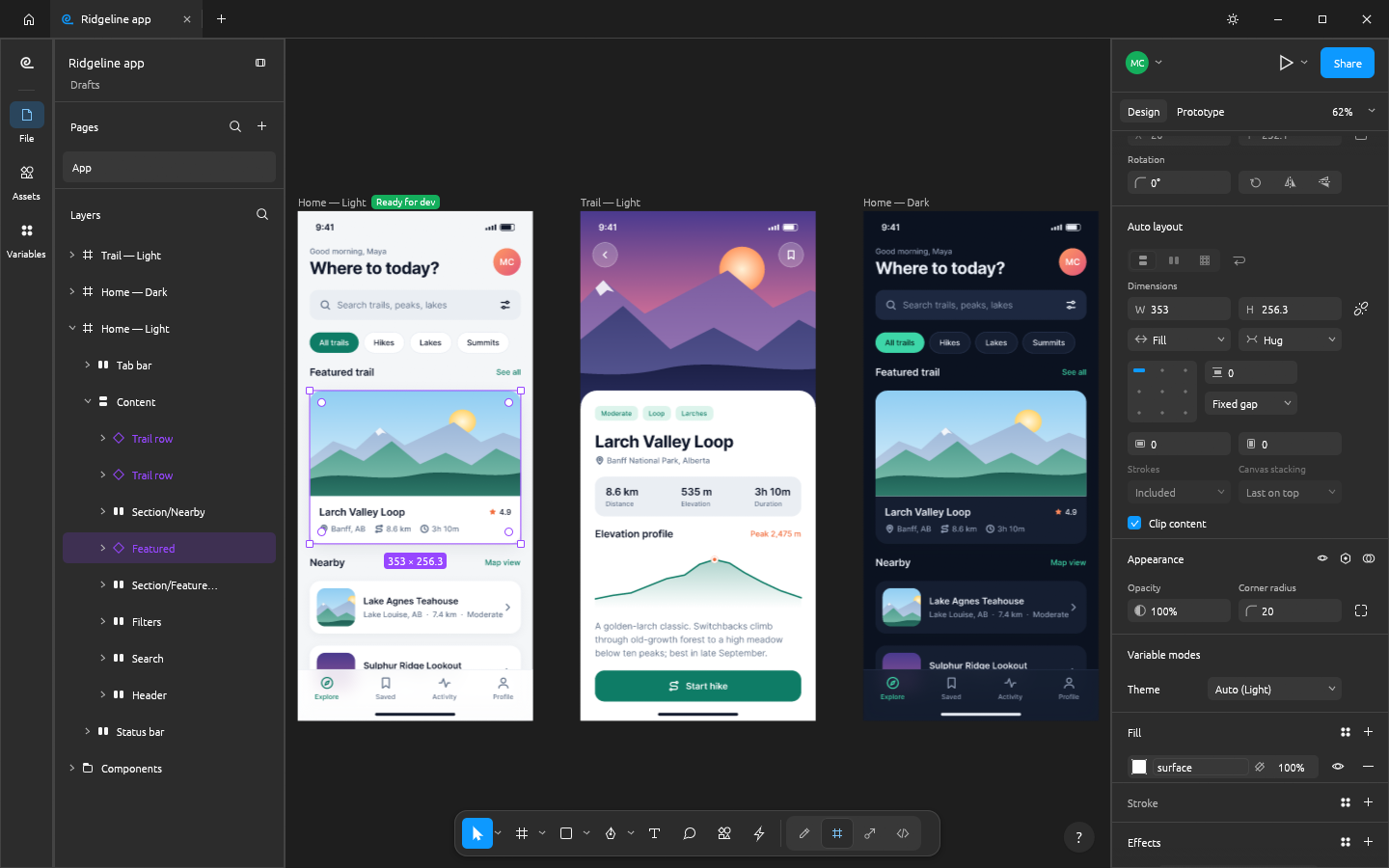
Ridgeline: auto layout screens built from components, with Light and Dark modes from one set of colour variables · examples/ridgeline-app.figcraft
Note
ArtCraft is a community of artists from all walks of life. Designers, illustrators, developers, musicians, game makers — if you make things, you're one of us. Come say hi on Discord.
A look around · Made in FigCraft · Features · Agents · Under the hood · Get started · Crafting Apps · Discord
🎛️ Familiar by design |
⚡ Native and fast |
🔌 Offline and private.figcraft archives on your own disk. No account, no telemetry, and nothing leaves your computer unless you share a file (what sharing sends where). SVG, PNG, JPG, WebP and PDF in and out; .fig files open (best effort), and so do designs exported as the public REST API file JSON, with their prototypes and variables.
|
🤖 Agent-ready |
A look around
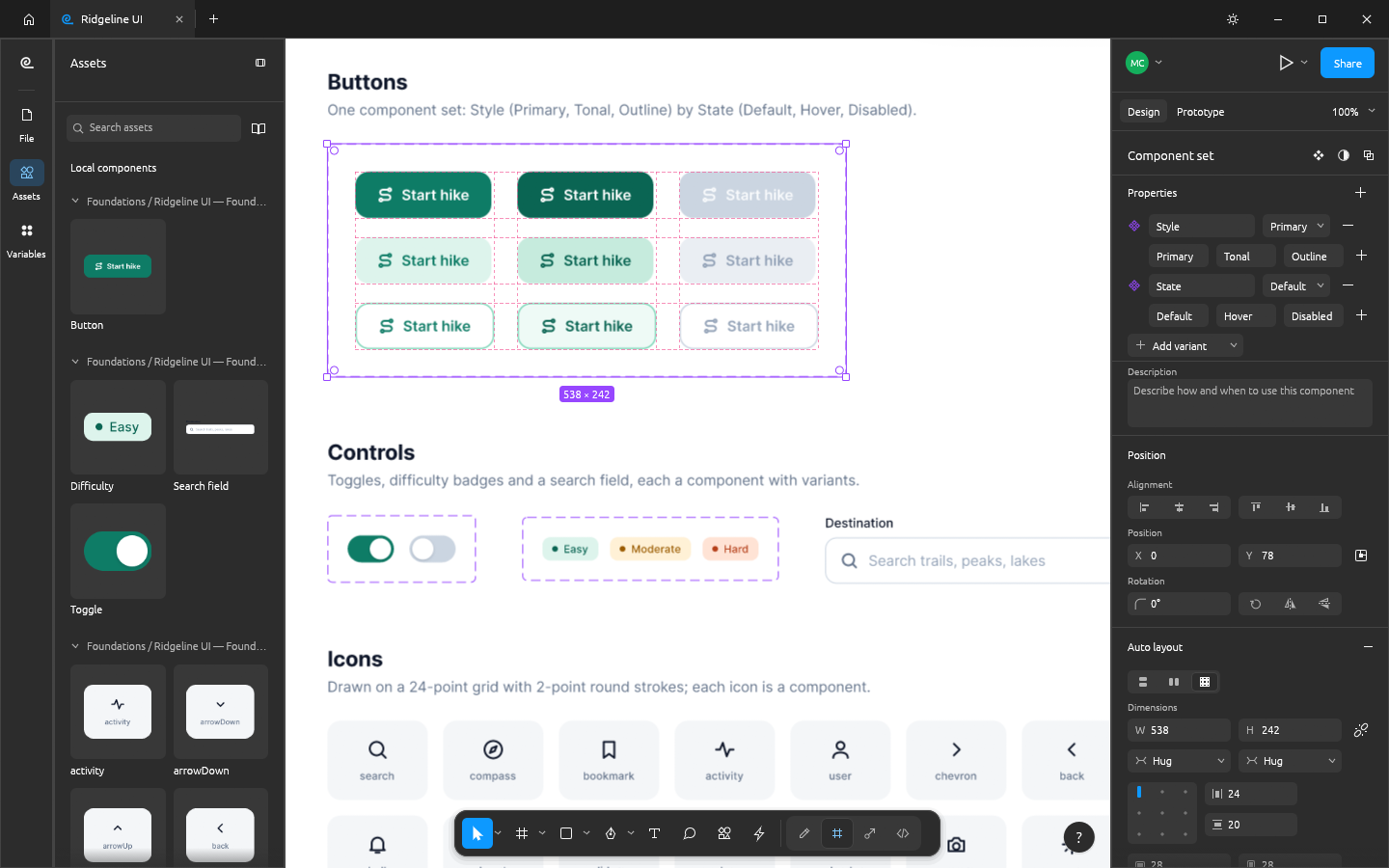
Components and variants: component sets, variant properties and the Assets panel · |
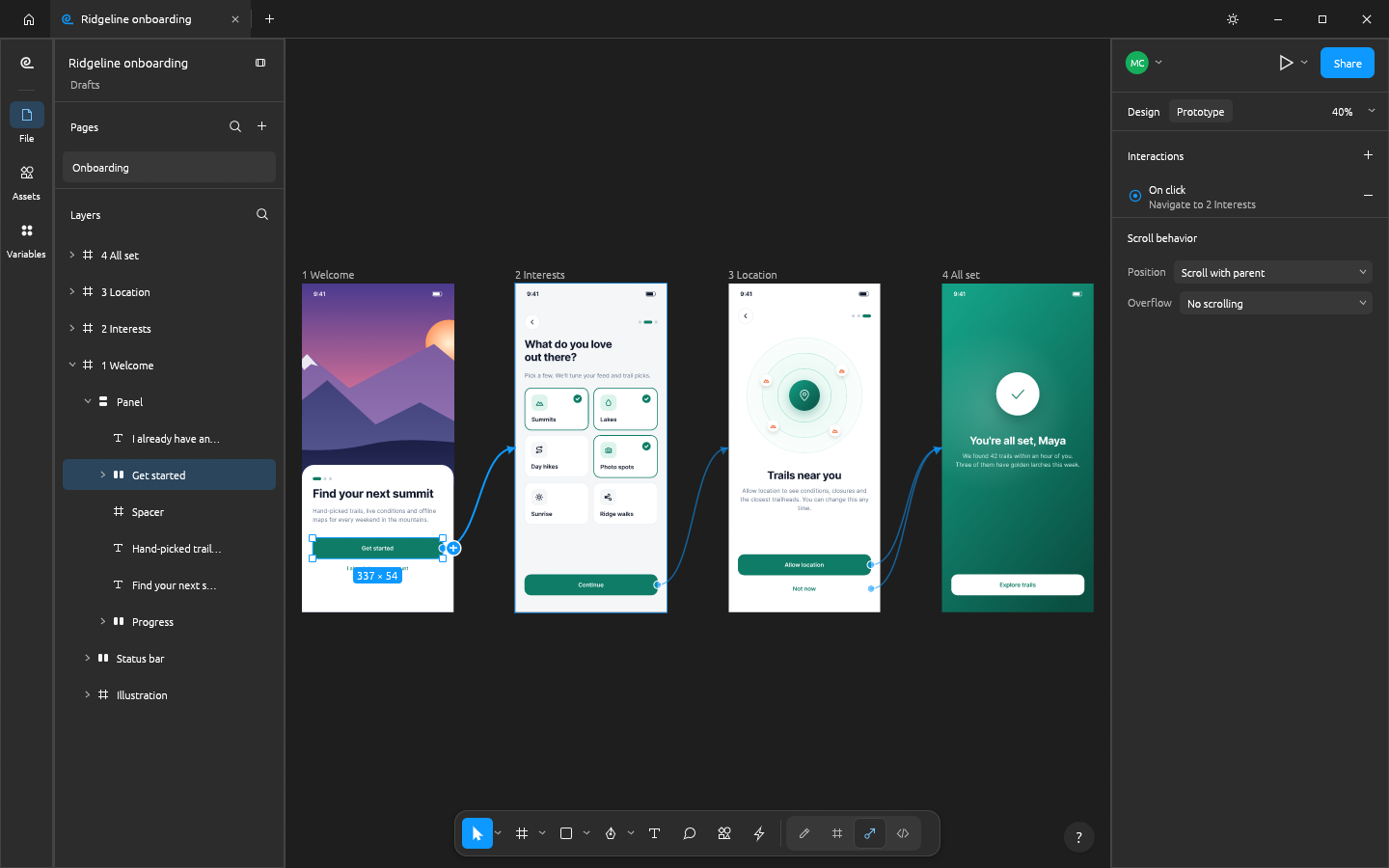
Prototyping: connections, transitions, back actions and a flow · |
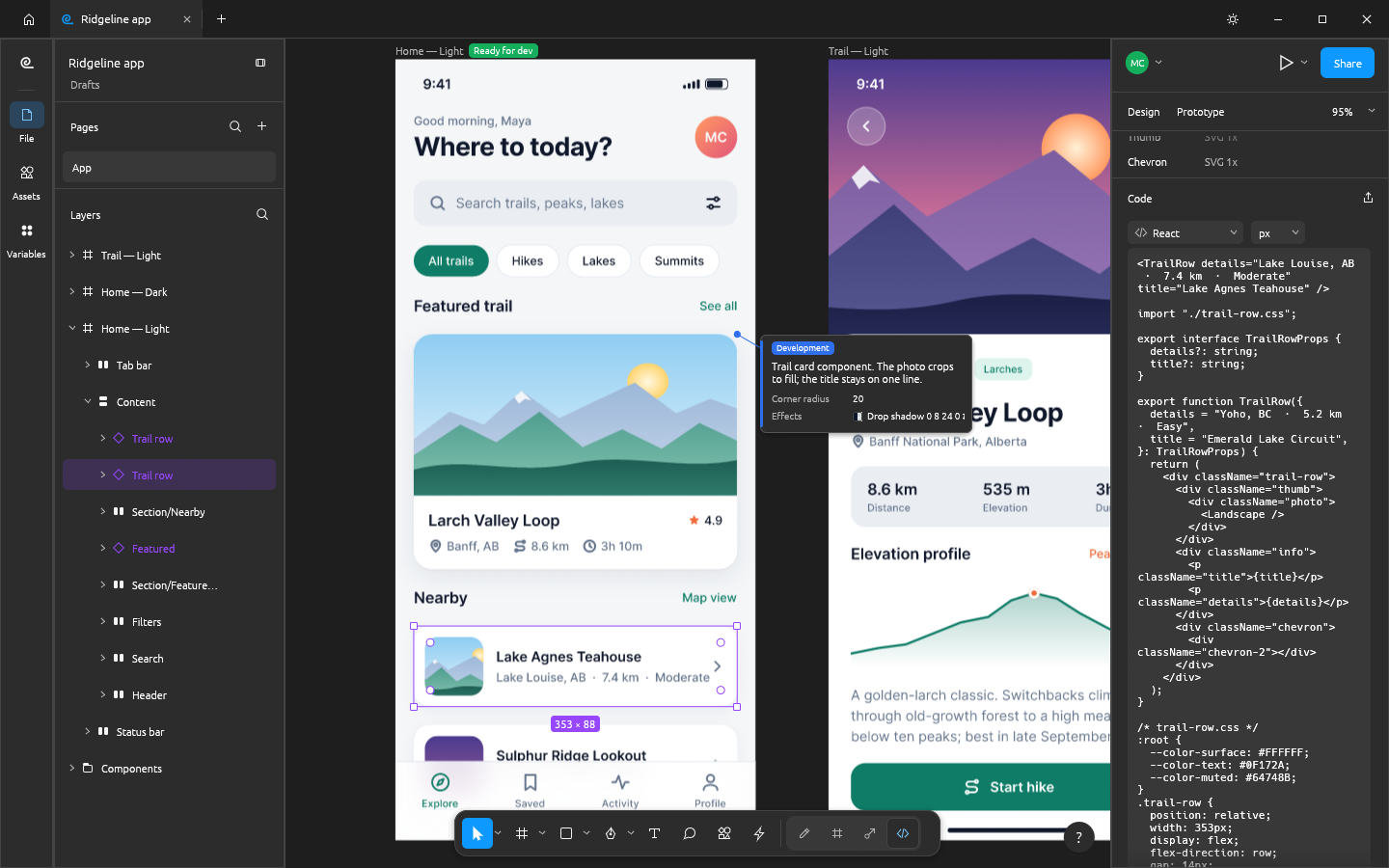
Dev Mode: ready-for-dev status, annotations and React code where component properties become props · |
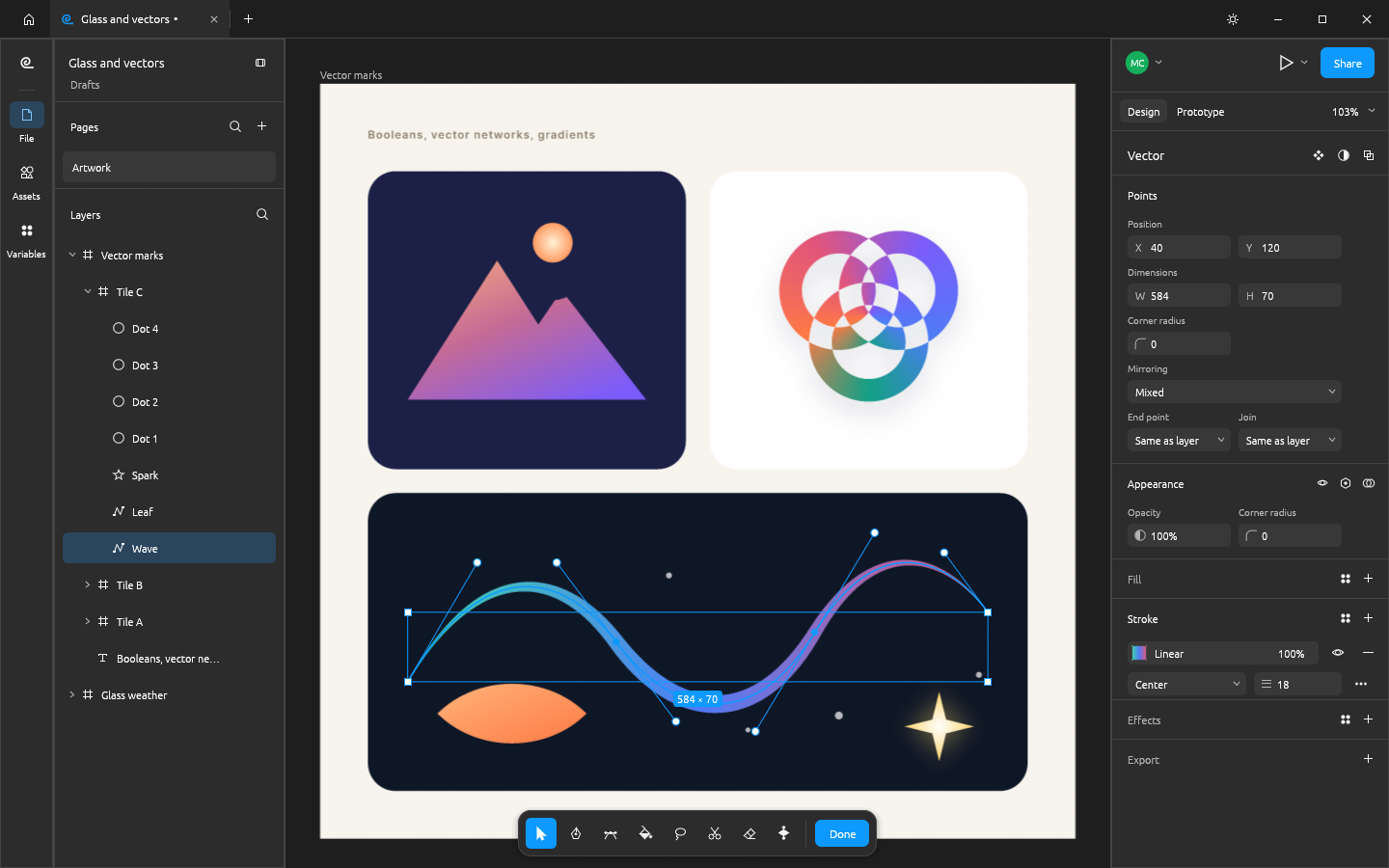
Vector networks: points and handles, variable-width strokes, booleans that stay editable · |
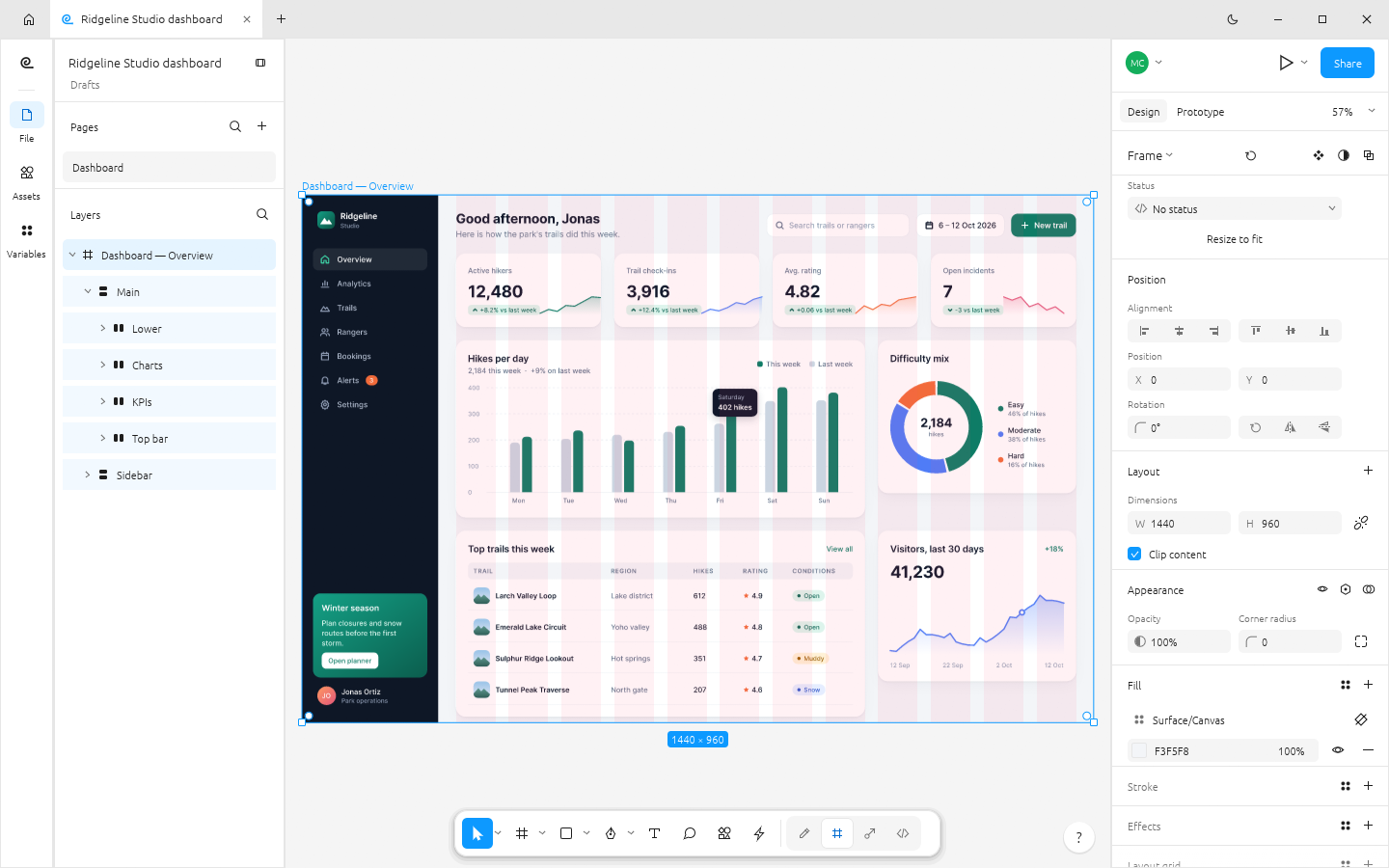
Layout grids and styles, light theme: a 12-column grid, paint, text, effect and grid styles, charts drawn from shapes · |
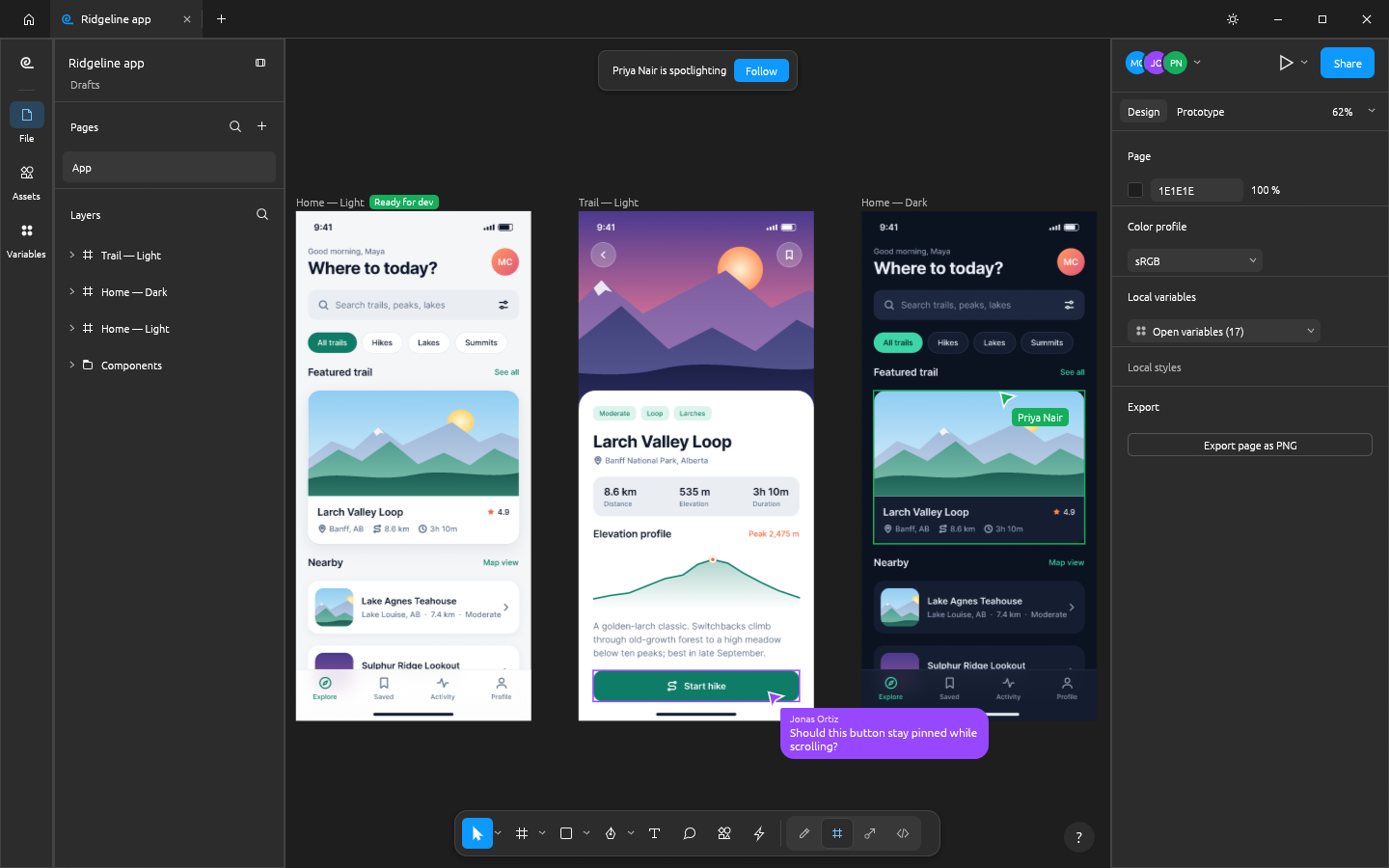
Live sessions: three apps on one |
Made in FigCraft
Every design below was built entirely through FigCraft's command API, the same one the MCP server
exposes to agents, and exported at 2x by FigCraft's own renderer. The source files are in
examples/.
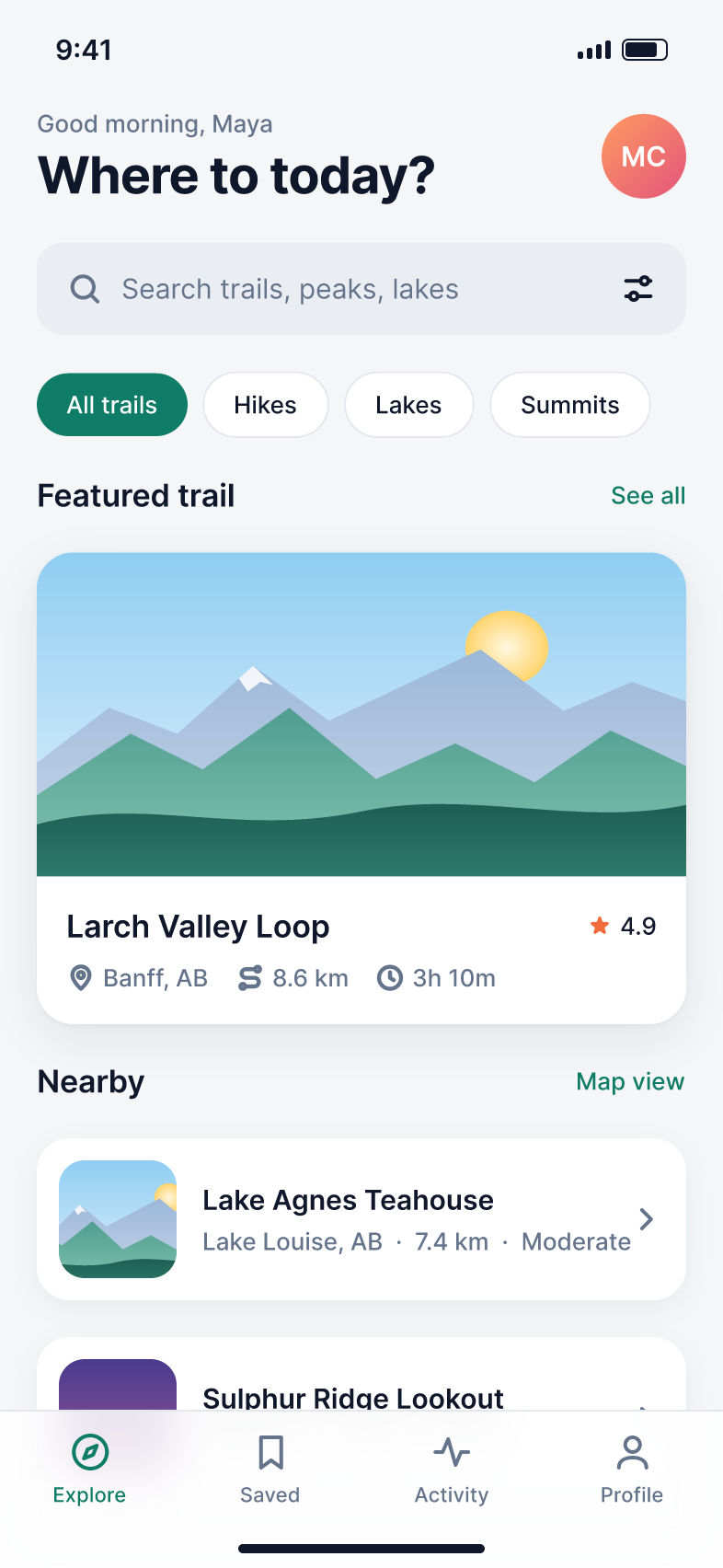
Home, light |
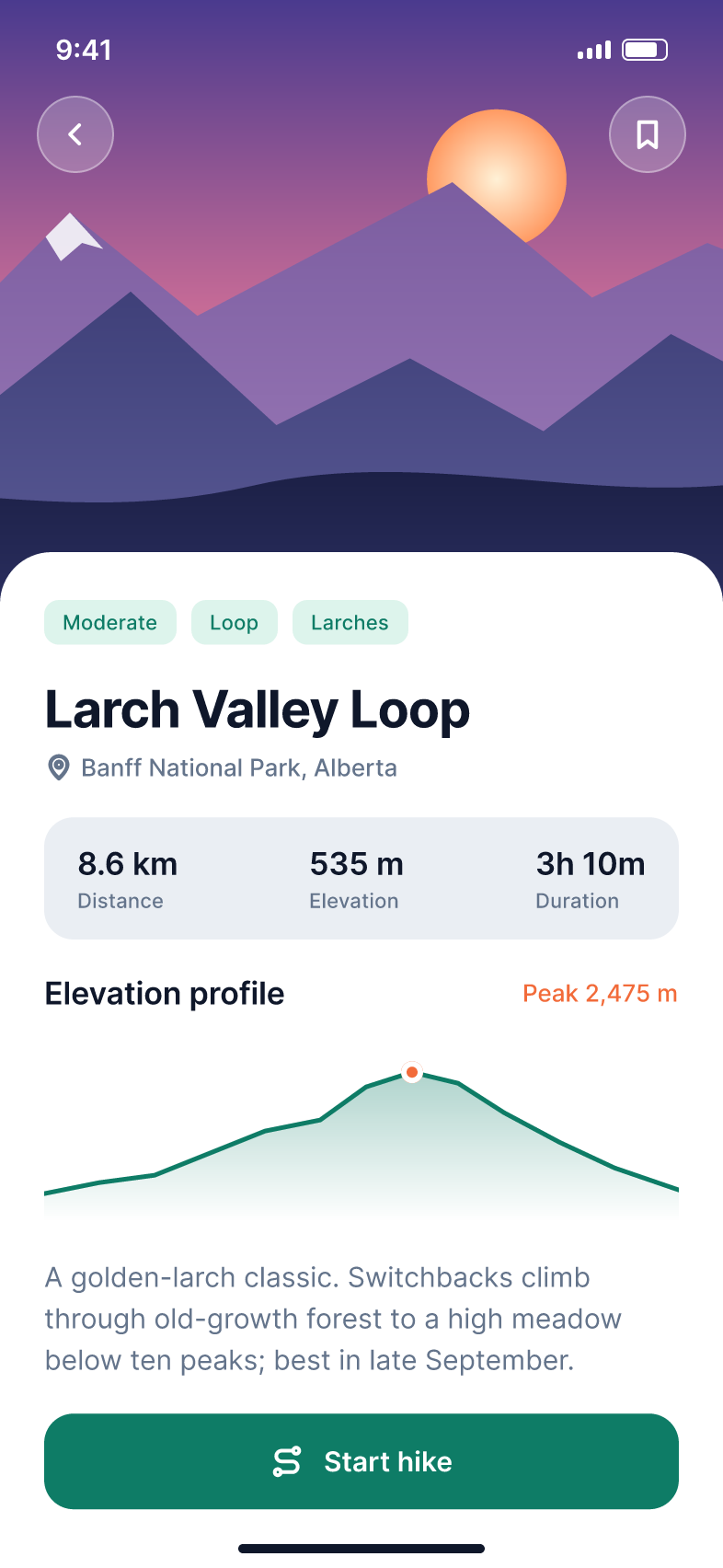
Trail detail |

Home, dark: the same frame in the Dark mode |
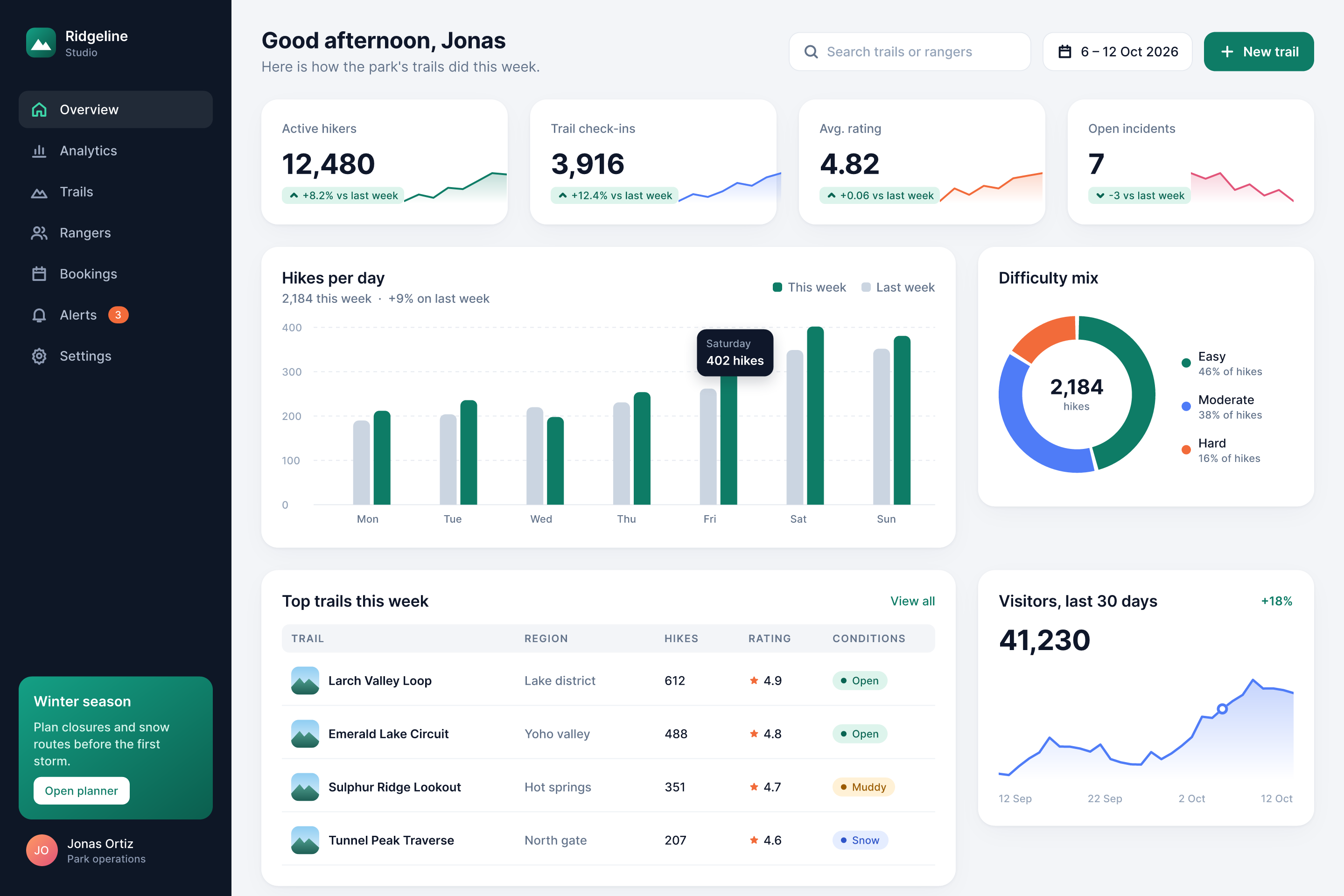
Ridgeline Studio: a desktop dashboard on a 12-column grid, every chart made of shapes and vectors |
||
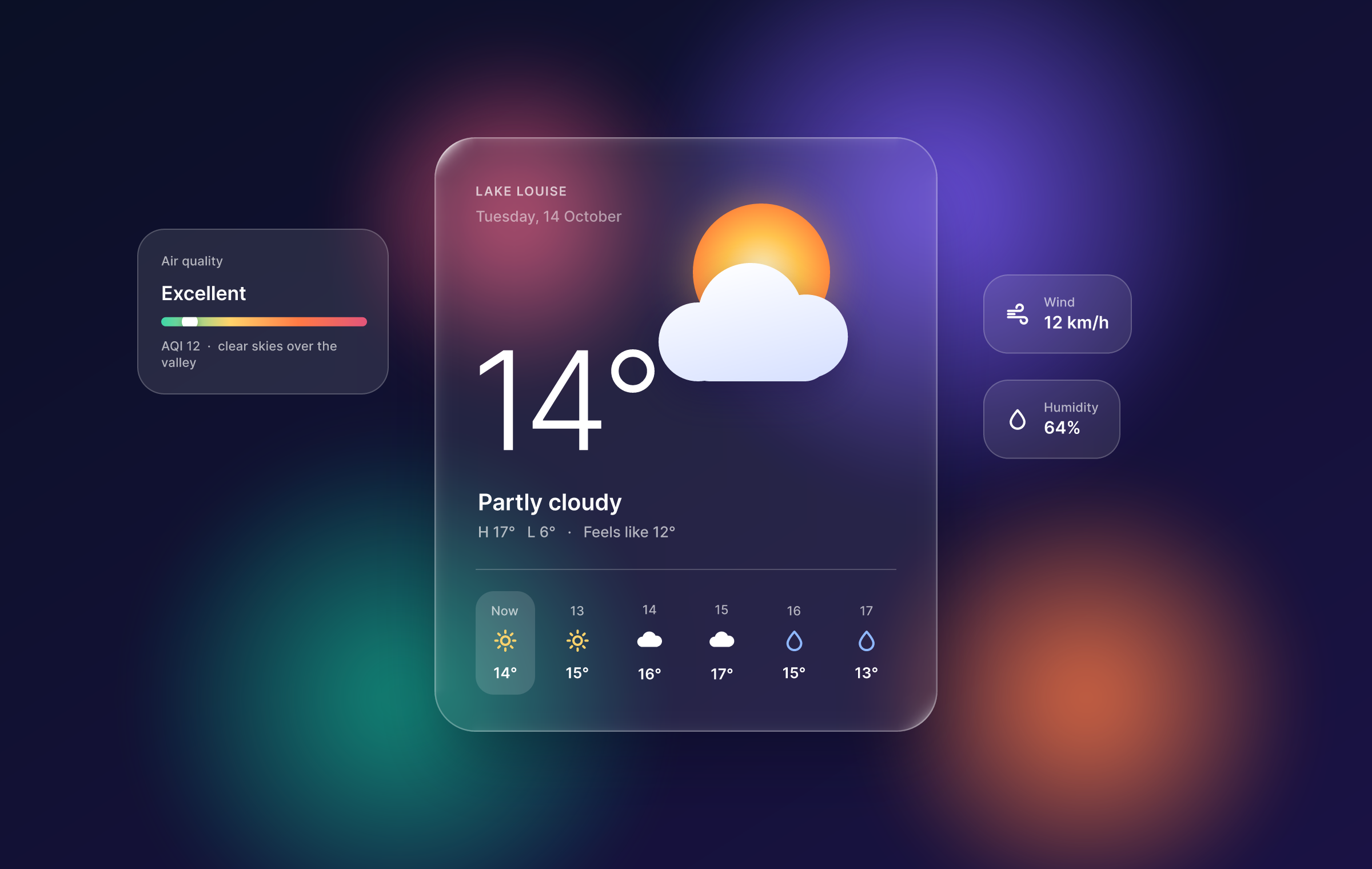
Glass weather: glass and background blur, layer-blurred colour fields, a boolean cloud |
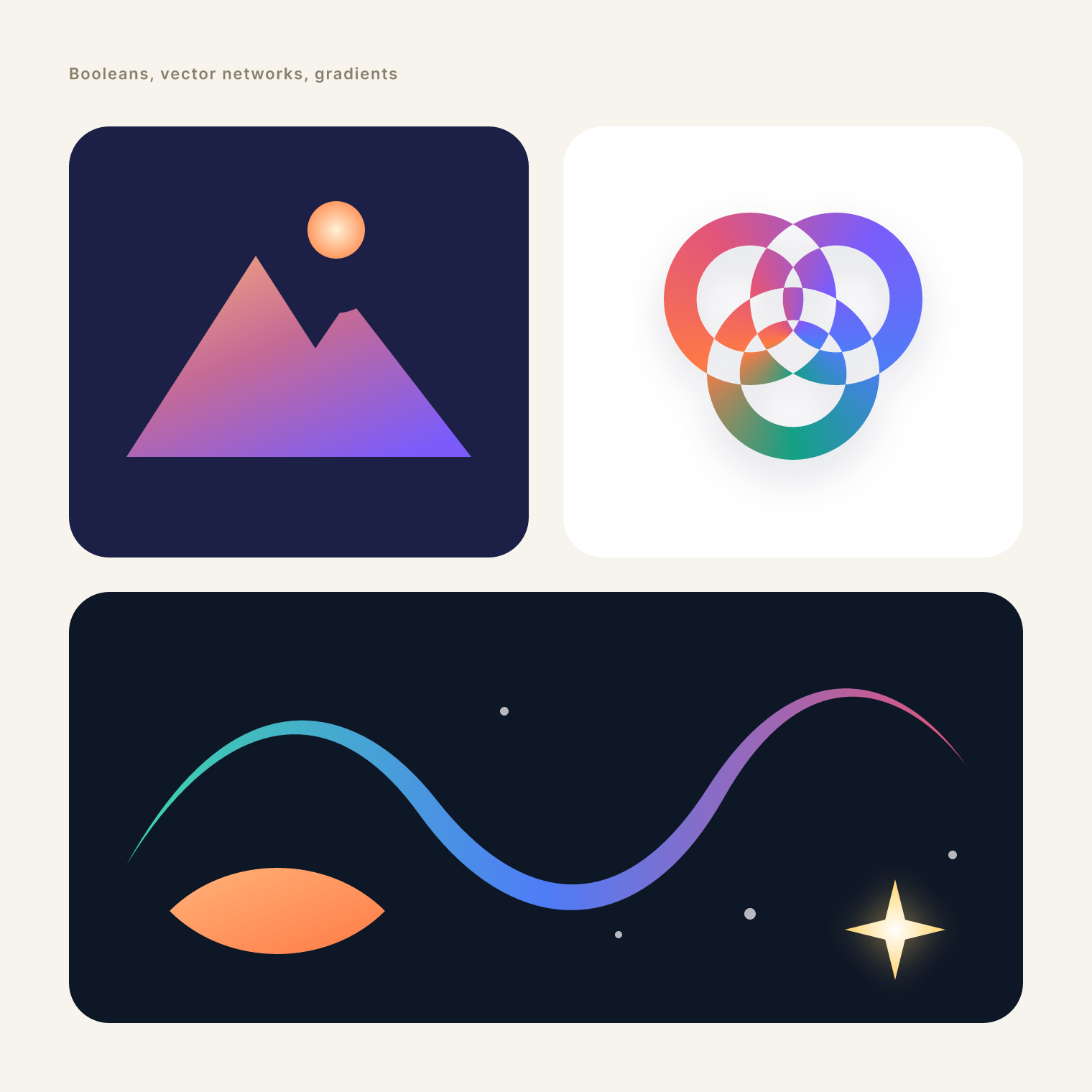
Vector marks: union, subtract and exclude, an angular gradient, a variable-width stroke |
|
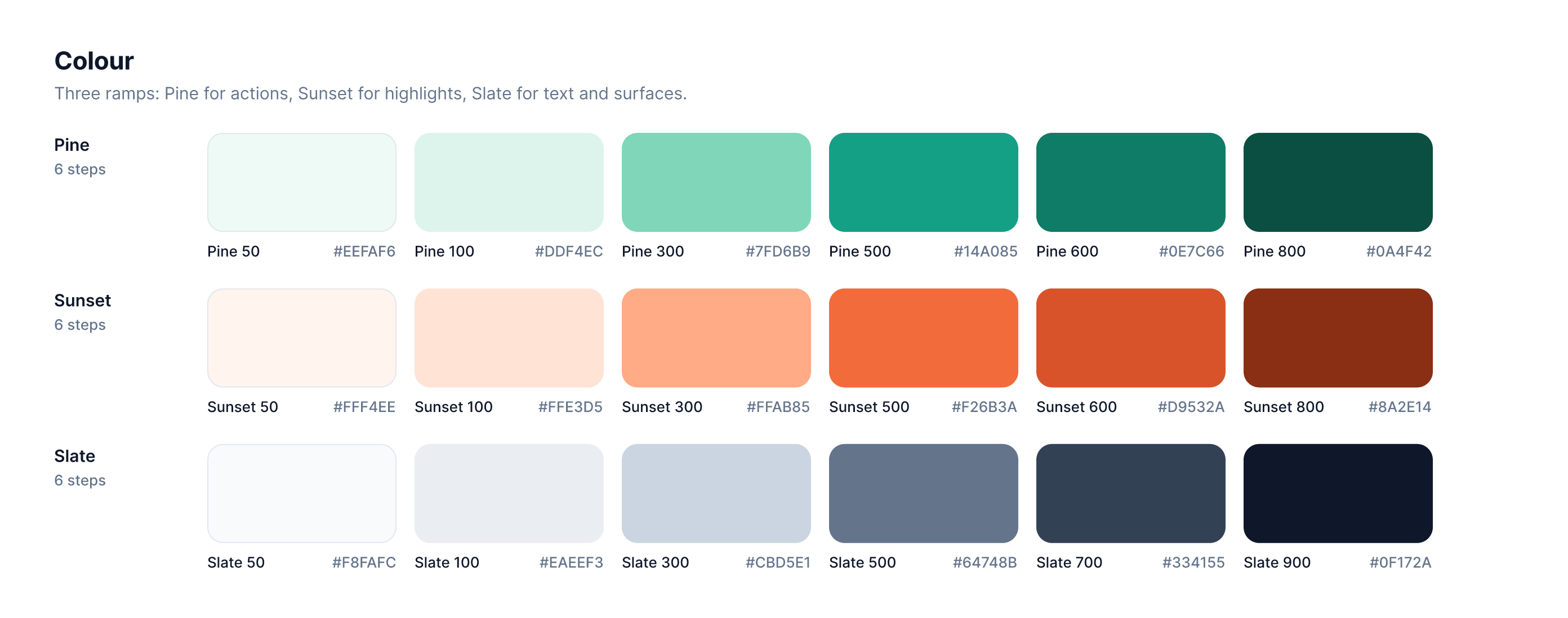
Ridgeline UI: colour ramps where every swatch is a paint style, exported through a slice |
||
Features
Layouts that build themselves |
Components that scale |
Vectors without compromise |
Paints and effects |
Type that sets beautifully |
Prototype and hand offcount + 1), flows, a presentation view with device frames, hotspot hints and an Inspect panel, and a live preview pane. Alt to measure distances and padding on the canvas, Inspect mode with measurements, annotations in colour-coded categories, a ready-for-dev list with a focus view and Compare changes (before / after with property-level diffs since a frame was marked ready), and code (CSS, HTML, React, Leptos, SwiftUI, Compose) where components take their properties as parameters, comment threads pinned to frames (replies, @mentions, reactions, read state) and named version history. Export any layer at any scale to PNG, JPG, WebP, SVG or PDF.
|
Built for agents
Every menu item, tool and gesture runs a command from one registry of 400+ commands. The UI, the CLI, the JSON control channel and the MCP server all call the same commands, so anything you can click, a script or an AI agent can do too.
# Headless: render and export
figcraft-cli render landing.figcraft -o landing.png --scale 2
figcraft-cli export landing.figcraft -o out/ --format svg

# Run a script of commands without a window
figcraft-cli run build-card.json --out card.figcraft

# Every command, with its parameters
figcraft-cli commands --filter autoLayout

# Let an agent drive it over MCP (headless, or attached to the running app)
figcraft-cli mcp
figcraft-cli mcp --attach 47800
The desktop app also offers a loopback-only control channel (figcraft --control <port>) for inspecting UI state, driving tools with pointer and key events, and taking screenshots. See docs/control-protocol.md, docs/mcp.md and docs/cli.md.
Under the hood
- Engine first: a pure-data document model and a command engine, with a thin, swappable egui UI on top. Layering is checked at build time across the workspace crates (
cargo xtask layers). - Persistent data: the document lives in an immutable ordered map, so undo snapshots are cheap and layout, component sync and text measurement only revisit what changed.
- Its own renderer: tiny-skia on every core for the canvas and exports, with layer blending, effects and masks; booleans from linesweeper, geometry from kurbo, text from skrifa and HarfRust.
- Runs in the browser: the whole engine and UI compile to WebAssembly.
- Accessible: screen readers get names, roles, values and states for the tools, layer rows, fields, dropdowns, tabs and menus (AccessKit on desktop), F6 moves the keyboard between the toolbar, layers, canvas and properties (Tab within them, Escape back to the canvas), the system's reduce-motion setting is honoured, and panel text meets WCAG AA contrast in both themes.
- Languages: English and Spanish (a draft waiting for a native speaker's review), picked in Preferences or taken from the system or browser and switched live; adding a language is one catalog file (
docs/translating.md). - Plugins: sandboxed WebAssembly plugins (a metered, pure-Rust interpreter with a memory cap and no file or network access, in the browser too) that act through the same commands, each run one undo step, within the permissions their manifest asks for. A Rust SDK and two example plugins are in
plugins/; seedocs/plugins.md. - Live sessions (preview): share the open file from the app (Share ▸ Start sharing: online through a server, or on your local network), give the others the short join code it shows (or the invite link), and edit it together: everyone's changes sync live, with cursors, selections, avatars and follow, and undo takes back only your own changes. Others join from the desktop app (invite links open it) or from the browser build. See
docs/collab-protocol.md. - A server of your own (preview):
figcraft-serverkeeps a team's files, publishes them from the app (File ▸ Publish to server…, or Share ▸ Online with your server in Preferences) and hands out share links and join codes that let people edit or only view; files survive restarts and apps reconnect where they were. No accounts yet: links are the access. Releases ship it for Linux, and the desktop app joins overwss://; hosting it on a rented Linux server takes a systemd unit and Caddy or nginx (or Docker). Seedocs/server.md. - Never crashes: no
unwrap,expectorpanicin shipped code, enforced by clippy; commands run behind a guard so a bug fails one action, not your session. - Clean-room: implemented from public documentation and observed behaviour only. No proprietary code, file formats, icons or images.
Get started
git clone https://github.com/storytold/figcraft
cd figcraft
cargo run --release -p figcraft            # the desktop app
cargo run --release -p figcraft-server     # the collaboration server (docs/server.md)
cargo test --workspace                     # the test suite
cargo xtask ci                             # fmt, clippy, tests, layering and asset checks
Fonts for the UI and the Text tool come from craft-fonts, cloned next to this repository (../craft-fonts); without it FigCraft falls back to your system fonts.
git clone https://github.com/storytold/craft-fonts ../craft-fonts
If you clone it after a first build, run cargo clean -p figcraft-text once so the next build embeds the fonts.
Start from a template. The home screen's Templates tab has eight starter files (a mobile app, a landing page, a dashboard, a design system starter, a wireframe kit, social post sizes, presentation slides and an icon set starter), also under File ▸ New from template…. They are built in code from original, synthetic content, so scripts and agents can open them too: file.newFromTemplate {template} (docs/mcp.md).
For the web build, install trunk and run cargo xtask wasm.
New contributors and AI agents: start with AGENTS.md, then docs/.
Installers for macOS (universal, signed and notarized), Windows (x64, x86 and arm64), Linux (AppImage, .deb, .rpm, Flatpak and tarball), FreeBSD and the web are attached to each GitHub release. Maintainers: docs/releasing.md explains how releases are built, signed and published.
Important
Status: FigCraft is in alpha: about 49% of the way to replacing Figma for real work, by our own estimate. Nearly all of Figma's main menu is wired (docs/parity-checklist.md) and the core editor works end to end, but FigCraft opens .fig files only best effort, has only a first preview of multiplayer (live sessions hosted from the app or a self-hosted server, with per-person undo and share links to edit or to view; no accounts, teams or cloud yet), runs its own WebAssembly plugins rather than Figma's, and hasn't been checked against real Figma documents. The honest, area-by-area picture is in the roadmap and docs/target-app-parity.md. Expect rough edges and please file issues, or tell us what broke on Discord.
Privacy and online sharing
FigCraft works offline: it has no account and no telemetry, and it contacts no server until you share or join a file. Live sessions are a preview. Before you share anything that matters, know what sharing does:
- Share ▸ Online uploads the file to a server. By default that is the public server at
collab.craftapps.dev; you can set another one, or your own, in Preferences (and a build can ship without it:docs/releasing.md). The file stays on the server after you stop sharing, until you remove it (Share ▸ Advanced ▸ Remove from server…) or nobody has opened it for 30 days, when a public server deletes it. - It is not end-to-end encrypted. The connection to the server is encrypted (TLS), but the
server stores the file unencrypted and whoever runs the server can read it. Don't share
confidential work through a server you don't trust; run your own
(
docs/server.md) or share on the local network instead. - The code or link is the access. There are no accounts: anyone who has an edit code or link can open and change the file, anyone with a view code or link can open it. Stop sharing revokes them and disconnects everyone else.
- Share ▸ Local network involves no server, but it is not encrypted either: your app hosts the session and others connect to it directly, so use it on networks you trust.
- No guarantees. The public server is offered as is, without backups or uptime promises, and files on it can be removed. Keep your own saved copy of anything you share.
The default server's terms are in docs/online-sharing-terms.md.
The Crafting Apps
FigCraft is one of the Crafting Apps: free, open-source creative tools from the ArtCraft team, each written from scratch in Rust and each able to stand on its own.
| App | What it's for | Code | Learn more | |
|---|---|---|---|---|
 |
FigCraft | Interface design, components and prototypes · you are here | GitHub | Website |
 |
PhotoCraft | Image editing | GitHub | Website |
 |
VectorCraft | Vector illustration | GitHub | Website |
 |
FilmCraft | Video editing, color and sound | GitHub | Website |
 |
LightCraft | Photo library and raw development | GitHub | Website |
 |
PdfCraft | Reading, organizing and protecting PDFs | GitHub | Website |
 |
EffectCraft | Motion graphics and visual effects | GitHub | Website |
 |
DesignCraft | Page layout and publishing | GitHub | Website |
And ArtCraft itself, our AI image and video studio for artists who want real control.
The Crafting Apps share the same conventions: clean-room and pure Rust, native on macOS, Windows, Linux and FreeBSD, in the browser via WebAssembly, and fully drivable by agents.
Come make things with us
Our Discord is where people who make things hang out: designers sketching their first app, developers who just want a button to look right, illustrators, filmmakers, type nerds, and plenty of people still working out what they like to make. Share what you're building, ask for help, tell us what's broken or what you wish FigCraft could do. You're welcome here.
discord.gg/artcraft · getartcraft.com · The Crafting Apps · FigCraft
License and credits
FigCraft is dual-licensed under MIT or Apache-2.0, at your option. Copyright (c) 2026 ArtCraft Team and the FigCraft contributors. Required notices are in NOTICE.
Every icon in FigCraft is drawn in code or made for this project, and bundled fonts, images and other assets keep their own open licenses; each one is listed with its author, source and license in ATTRIBUTION.md.
The ArtCraft name, wordmark and logos in docs/brand/ are trademarks of the
ArtCraft Team and are not covered by this license. They may be used only unmodified, and only as
part of this repository and FigCraft, under docs/brand/LICENSE-brand.txt.
Forks and modified versions must remove them.
Figma is a trademark of Figma, Inc. FigCraft is an independent, open-source project and is not affiliated with, sponsored by or endorsed by Figma, Inc.; the name is used only to describe the workflows FigCraft is compatible with.

Made by the ArtCraft team and community.