

LAS Recomp
Important
This project was made almost exclusively with AI. Nearly all of the code, tooling, reverse engineering and documentation in this repository was written by and will be maintained by an AI (Anthropic's Claude, through Claude Code), directed, tested and reviewed by a human. As a huge fan of this game, I made this for myself. Sharing it is a courtesy. If you don't agree with the use of AI or don't trust code written by AI, that is your right, but I'm not interested in the controversy in relation to this project. You may simply ignore this project and its code. As with anything on the internet, you run the code at your own discretion.
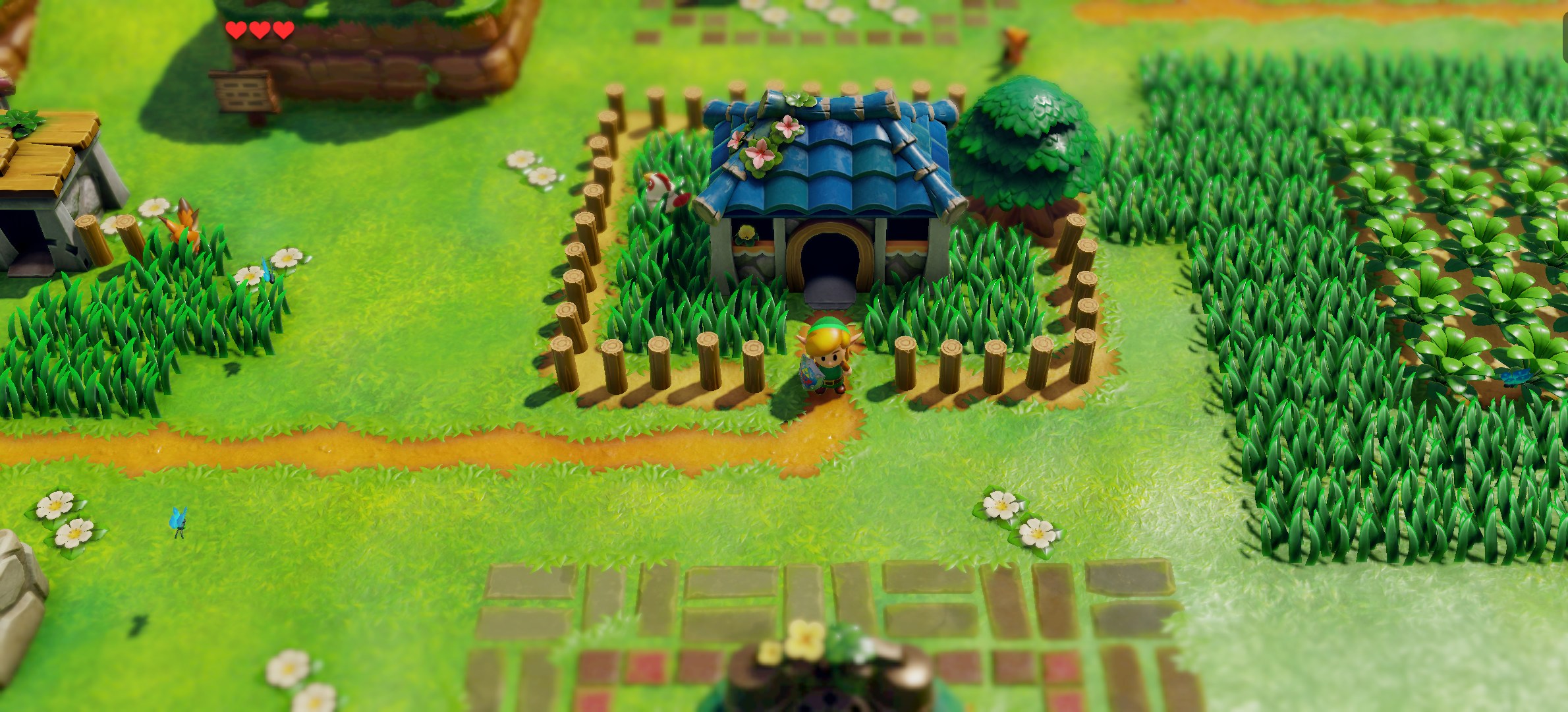
LAS Recomp is a static recompilation of The Legend of Zelda: Link's Awakening (Nintendo Switch, 2019) into a native Windows, macOS and Linux application.
Note
Currently supported platforms:
- macOS - Apple Silicon only, Metal graphics backend + MetalFX
- Windows - x86-64 only, Vulkan graphics backend
- Linux - x86-64, Vulkan graphics backend (AppImage)
- Linux aarch64 (ARM) - experimental: built but untested on real hardware; reports welcome (docs/linux.md lists what to include)
Note
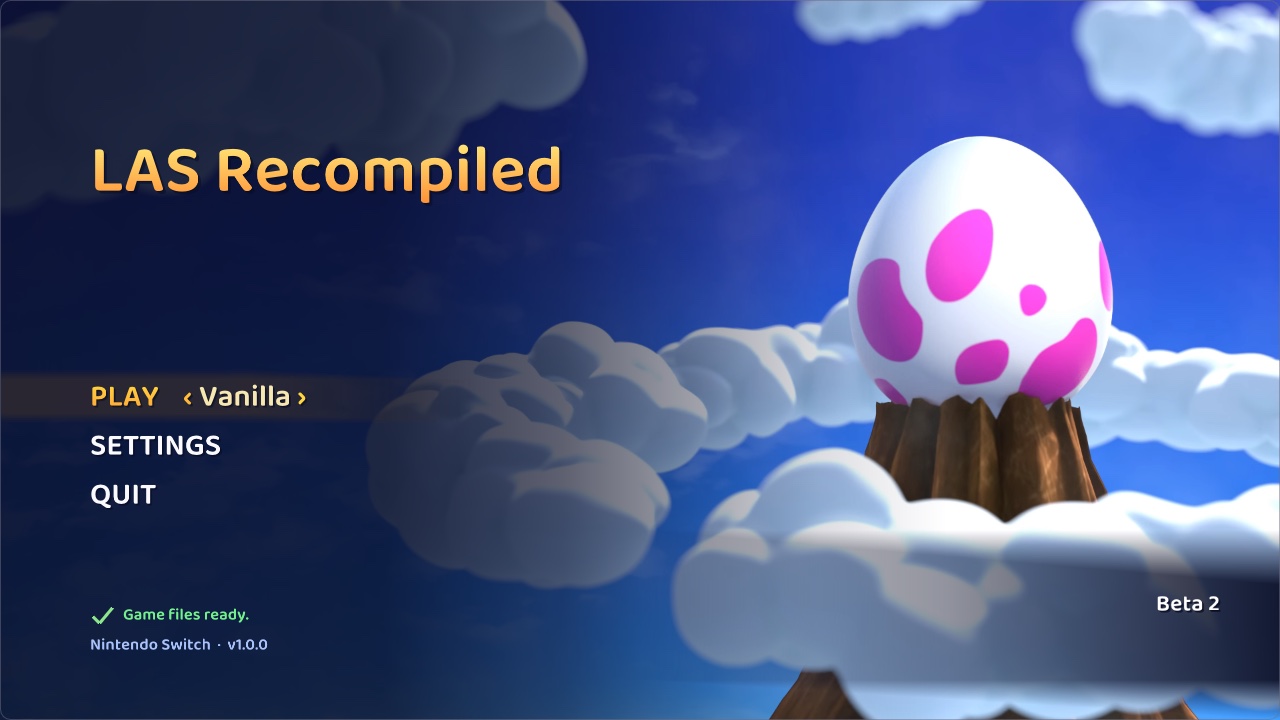
No game files are included. LAS Recomp needs your own legally obtained copy of the extracted game files of Link's Awakening v1.0.0. Instructions on how to obtain these files will NOT be provided. On first launch the app sets up what it needs, including the actual recompilation locally. No game files, assets or fonts are included. The screenshot shows the start screen after setup; no Nintendo artwork is included until provided by the user.
Project Discord
Status
This is a beta release. That means bugs are likely, crashes could occur, randomizer seeds could possibly be unsolvable (dungeon room shuffle modes are especially experimental at this point) and some graphics issues remain (especially in wide and ultrawide aspect ratios). This is a work in progress, hence the beta designation. To report a bug or a possible randomizer logic issue, use either the Discord or a GitHub issue - see CONTRIBUTING.md for what to include.
Known issues
- The Mysterious Woods look wrong when viewed from outside the woods.
- Some lighting effects show horizontal or vertical lines in dungeons, caves and houses.
- Controller doesn’t work on the start screen.
- Shadow bugs in big dungeon rooms at ultrawide
- Black boxes sometimes appear in dungeon rooms.
- Checking the dresser in BowWow's mom's room causes the game to crash.
- Clicking Title Screen in LAS Recomp's custom settings crashes.
Features
Runs natively
- This is not emulation. Runs natively on Windows, macOS and Linux using static recompilation of the Switch code.
- Unlocked aspect ratio: wider (or taller) windows show more of the island, up to ultrawide; houses and dungeons keep their framing. The original 16:9 framing is one option away.
- Start screen: play vanilla or any randomizer seed, set up game files from your own dump, import fonts.
- Switch games use fonts built into the Switch operating system for some text. Sensible replacements are used by default, but you may optionally set up the Switch fonts for an authentic look. Switch fonts are Nintendo IP; you must provide them from your own hardware.
- In-game overlay menu (F1, or Minus + Plus on a controller).
- Switch between vanilla and any randomizer seed without restarting the app.
- Keyboard and controller support, with every button and key remappable (Controls tab / start screen Settings > Controls; menus keep a fixed layout, so a remap can never lock you out).
- Button prompts for your controller: Xbox or PlayStation icons in the game's own UI and text when SDL reports that controller (or pick Nintendo / Xbox / PlayStation yourself); the icons follow your controller remapping.
- Optional 360-degree movement, blur removal and a hidden Hero Mode icon.
- Apple MetalFX upscaler on macOS (the default there).
- Internal resolution adjustments: raise or lower the resolution in steps, match the display, or use dynamic resolution. Combined with the MetalFX upscaler, even a MacBook Air should handle this easily with the right settings. Bilinear upscaling is the only option on Windows currently.
Randomizer
- In-game seed generator.
- Seed IDs for sharing or reproducing exact seeds.
- Per-seed save games.
- Full item shuffle.
- Trade Quest shuffle.
- Disable Acorn / Piece of Power drops.
- Bombs / Magic Powder shuffle.
- Hookshot anything - the hookshot latches onto any wall or object, not just hookshot targets (in logic where enabled).
- Environment Randomizer - randomizes in-game environmental effects.
- Enemy Randomizer - shuffles overworld enemies, optionally including mini-bosses. Not all mini-bosses are included yet; more will be added as they're made to work outside their dungeons.
- Music Randomizer.
- Escape Bottle - every seed gives you this gold bottle from the start (it replaces one bottle in the pool). Use it to warp to the dungeon entrance when in a dungeon, or to Marin and Tarin's house anywhere else. Never required by the logic.
- Pickup text in the game's own message box: dungeon items name the dungeon they belong to ("You got a small key for Tail Cave!").
- Potsanity - every pot is a check. Pots are golden until checked, so you can see at a glance which pots you've checked.
- Bushsanity - every cuttable bush (not the grass) is a check. Like pots, bushes are golden until checked for the first time. Bushes over a hole or staircase stay normal, so items can't fall in.
- Digsanity - a truly insane setting that makes every diggable tile on the overworld a check (about 5,000). Holes stay dug permanently so you know where you've dug. Made for shovel enthusiasts.
- Keysanity - keys can be found anywhere for any dungeon.
- Shopsanity - the shop's 6 items are checks, at vanilla or random prices, or just steal them. A bought or stolen slot shows a sold-out sign.
- Trendsanity - full Trendy Game randomization: every prize, including the figures, is a check.
- Pets - companions as items in the pool:
- Rooster - in logic for Feather checks (including in dungeons if companions are allowed there).
- Marin - you need to find Marin to get into the desert; choosing open desert removes Marin from the item pool.
- Ghost - find the Ghost to unlock his grave check.
- Switch companions from the pause menu, or send yours away.
- Boss souls - a boss doesn't appear, can't be beaten and its reward stays locked until you find its soul.
- Mini-boss souls - the same for dungeon mini-bosses (a separate option).
- Entrance Randomizer - shuffles dungeon entrances, houses and caves, and connector caves. Includes a decoupled option.
- Dungeon Room Shuffler - shuffles all dungeon rooms, creating unique custom dungeons every seed. Three modes:
- Coherent: dungeon rooms are shuffled but connecting rooms are lined up. To keep this workable in logic, dungeons sometimes use duplicate rooms (as few as possible).
- Chaos: dungeon rooms are shuffled but don't need to make sense. Walking north may lead you to a door from another direction.
- Madness: dungeon rooms are shuffled in a way that doesn't need to make sense AND the doors are decoupled, creating nightmares to navigate.
- Labyrinth (planned): an option for all dungeon room shuffles where doors in dungeons can lead into other dungeons, essentially making one giant dungeon with numerous wings.
- Optionally the map shows what's connected to what as you explore, or in full once you find the dungeon's map.
- The inventory screen tracks keys, dungeon items, trade items and souls for each dungeon, so you can see at a glance what you have keys for and which trade items you still hold.
- Built-in check tracker on the overworld map (optional).
Building from source
Every platform needs your own v1.0.0 game files: build first, then use the start screen's game-file setup.
make gen then recompiles the game code from your own game files into generated/, and make builds it into its own
library next to the app (build/lasgame.*); without it the start screen builds that library itself, as it does for
players. Release builds hold none of the game's code: the start screen builds it on each player's machine from their
own game files, with the bundled generator (make gen-helper) and compiler (tools/fetch_zig.sh).
macOS
Requirements: Apple Silicon, Xcode command line tools (clang), Homebrew sdl3 and ffmpeg,
Python 3.12.
- Build:
make -j10->build/lasrecomp. Set up your game files (above), thenmake genandmake -j10again. - Randomizer: create the Python environment for LAS-Randomizer, from
third_party/LAS-Randomizer:python3.12 -m venv venv && venv/bin/pip install -r requirements.txt. - Run:
./build/lasrecomp extracted(start screen) or./build/lasrecomp extracted --play(straight into the game). - Package:
make deps(once: SDL3, FFmpeg, keystone and Python from pinned sources, built for macOS 15),make rando-helper(the seed generator as a standalone helper, so players need no Python),make gen-helperandtools/fetch_zig.sh(what the start screen builds the game code with), thenmake app->build/LAS Recomp.app(macOS 15+, Apple Silicon) andmake dmg->build/dist/LAS Recomp-<version>-macOS.dmg.
Windows
Requirements: Windows 10+ x86-64, a CPU with AVX2 and a GPU with Vulkan 1.3. More detail in docs/BUILD-windows.md.
- One-time setup, in PowerShell from the repo root:
powershell -ExecutionPolicy Bypass -File tools\setup_windows.ps1. It installs MSYS2 (UCRT64: clang, make, SDL3, FFmpeg, Vulkan, shaderc), Python 3.12 for the tools and the randomizer (third_party\LAS-Randomizer\venv) and switches the clone to LF line endings. - Build, from an MSYS2 UCRT64 shell (or Git Bash with
export PATH="/c/msys64/ucrt64/bin:/c/msys64/usr/bin:$PATH"):make -j->build/lasrecomp.exe. Set up your game files (above), thenmake genandmake -jagain. - Run:
./build/lasrecomp.exe extracted, from a shell withC:\msys64\ucrt64\binon PATH (for the DLLs). - Package:
make deps-windows(once: LGPL FFmpeg),make rando-helper RANDO_PY="<path to python.org Python 3.12>"(MSYS2's Python has no oead wheel), thenmake dist->build/dist/LAS Recomp-<version>-windows.zip.
Linux
Requirements: x86-64 with AVX2 (or aarch64, experimental), a GPU with Vulkan 1.3, clang, SDL 3, FFmpeg, shaderc and Vulkan Memory Allocator from your distribution, Python 3.12. Packages, cross builds and details in docs/linux.md.
- Build:
make -j->build/lasrecomp. Set up your game files (above), thenmake genandmake -jagain. - Run:
./build/lasrecomp extracted. - Package:
make appimage(this machine's arch;ARCH=aarch64cross-compiles) ormake appimages(both) ->build/dist/LAS_Recomp-<version>-<arch>.AppImage, built in Ubuntu 22.04 containers (podman).make smoketestchecks the x86-64 AppImage before a release.
Where files live (game files, saves, seeds, settings, caches, imported fonts):
- macOS app:
~/Library/Application Support/com.peiikai.lasrecomp/(the app itself is never written to). - Windows: next to
lasrecomp.exe, so put theLAS Recompfolder somewhere writable (not Program Files). - Linux:
~/.local/share/lasrecomp/($XDG_DATA_HOME/lasrecomp); the log islasrecomp.logthere when started without a terminal. - Dev / portable mode: if the folder you start from has
extracted/(a source checkout), that folder is used, as above. LARECOMP_DATA_ROOT=<dir>overrides all of these.
Credits
LAS-Randomizer - the randomizer at the heart of this project's randomizer features, vendored (with local
changes) in third_party/LAS-Randomizer under the MIT license. Huge thanks to its authors and community:
- Owen_Splat - LAS-Randomizer (https://github.com/Owen-Splat/LAS-Randomizer)
- Glan - created the original early builds of the randomizer (https://github.com/la-switch/LAS-Randomizer)
- ProfessorLaw - additional programming
- and everyone who has reported bugs, given feedback or contributed to LAS-Randomizer
Community mods - some options re-implement ideas from these GameBanana mods (re-implemented in the recomp; none of their files are used):
- 360 Controls (And More!) by Owen_Splat - 360-degree movement, blur removal (blur removal patch by theboy181) (https://gamebanana.com/mods/659802)
- XBOX UI by fellow_demo - Xbox button prompts (https://gamebanana.com/mods/540069)
- PS4 UI Buttons by messiahgov - PlayStation button prompts (https://gamebanana.com/mods/324458)
- No Hero Mode Indicator by Boo/Calla - hide the Hero Mode icon (https://gamebanana.com/mods/441172)
Libraries and tools
- SDL 3 - windowing, input, audio (zlib license)
- FFmpeg - movie playback (LGPL)
- Dear ImGui - overlay menu and start screen (MIT)
- Baloo 2 by Ek Type - the start screen's font (SIL Open Font License 1.1,
third_party/fonts/Baloo2/OFL.txt) - Vulkan Memory Allocator - Windows and Linux renderer (MIT)
- SMAA by Jorge Jimenez, Jose I. Echevarria, Belen Masia, Fernando Navarro and Diego
Gutierrez - the anti-aliasing option (MIT,
third_party/smaa/LICENSE.txt) - AMD FidelityFX Super Resolution 1 - the Windows and Linux upscaler option, ported to GLSL (MIT)
- oead and evfl - Nintendo file formats, used by LAS-Randomizer
- PyInstaller - packs the seed generator into a standalone helper (GPL 2.0+ with the bootloader exception, which allows distributing the packed program). The helper bundles CPython (PSF License), oead / evfl (GPL 2.0+), Keystone (GPL 2.0; Python bindings BSD), quicktex (LGPL 3), Pillow (MIT-CMU), PyYAML (MIT) and appdirs (MIT)
- Zig - its C compiler (
zig cc: Clang and LLD) builds the game code on the player's machine during setup (MIT; LLVM, Clang, LLD: Apache 2.0 with LLVM exceptions) - The game code generator (
tools/gen.py) is packed by PyInstaller into a standalone helper too. It bundles CPython, Capstone (BSD 3-clause; disassembly), Unicorn (GPL 2.0; Python bindings BSD; runs small pieces of code to resolve jump tables) and python-lz4 (BSD 3-clause, with the LZ4 library: BSD 2-clause) - envytools - NVIDIA GPU documentation used for the shader translator
- The Switch homebrew community's documentation (Switchbrew)
Legal
LAS Recomp is a fan project. It is not affiliated with, endorsed by or sponsored by Nintendo. The Legend of Zelda and Link's Awakening are trademarks of Nintendo. No game files, game code, assets or fonts are included - not in this repository and not in release builds. You must provide your own legally obtained copy of the game files to play.
License
LAS Recomp's own code (the recompiler tools, the runtime, the randomizer additions) is open source under the MIT License. Third-party components keep their own licenses: LAS-Randomizer (MIT), Dear ImGui (MIT), Vulkan Memory Allocator (MIT), SMAA (MIT), AMD FSR 1 (MIT), the Baloo 2 font (SIL OFL 1.1), SDL 3 (zlib), FFmpeg (LGPL 2.1+, linked dynamically), the Zig compiler (MIT; its LLVM / Clang / LLD: Apache 2.0 with LLVM exceptions; its C library headers keep their own licenses), and the generator helpers' bundled libraries listed under Credits (oead / evfl / Keystone in the seed generator and Unicorn in the game code generator are under the GPL, versions in the table below: each helper is a separate program the game runs, and its sources are this repository plus those projects' published sources). The license covers LAS Recomp's code only - it grants nothing for Nintendo's game, which you must supply yourself.
Source code of bundled third-party components
Release builds include these components; their source code for the exact versions shipped is available here:
| Component | Version | License | Source |
|---|---|---|---|
| Keystone (seed generator) | 0.9.2 | GPL 2.0 | https://github.com/keystone-engine/keystone/releases/tag/0.9.2 |
| oead (seed generator) | 1.3.0 | GPL 2.0+ | https://github.com/zeldamods/oead/releases/tag/v1.3.0 |
| evfl (seed generator) | 1.2.0 | GPL 2.0+ | https://github.com/zeldamods/evfl/releases/tag/v1.2.0 |
| quicktex (seed generator) | 0.2.1 | LGPL 3.0 | https://github.com/drewcassidy/quicktex/releases/tag/v0.2.1 |
| PyInstaller (packs the seed and game code generators) | 6.22.3 | GPL 2.0+ with bootloader exception | https://github.com/pyinstaller/pyinstaller/releases/tag/v6.22.3 |
| CPython (seed and game code generators) | 3.12.14 (macOS), 3.12.10 (Windows), 3.12.15 (Linux) | PSF | https://github.com/python/cpython/releases/tag/v3.12.14, https://github.com/python/cpython/releases/tag/v3.12.10, https://github.com/python/cpython/releases/tag/v3.12.15 |
| Zig (builds the game code during setup; includes LLVM, Clang, LLD) | 0.17.0 | MIT; LLVM: Apache 2.0 with LLVM exceptions | https://ziglang.org/download/0.17.0/zig-0.17.0.tar.xz |
| Capstone (game code generator) | 5.0.9 | BSD 3-clause | https://pypi.org/project/capstone/5.0.9/ |
| Unicorn (game code generator) | 2.1.4 | GPL 2.0 (Python bindings: BSD) | https://pypi.org/project/unicorn/2.1.4/, https://github.com/unicorn-engine/unicorn |
| python-lz4 (game code generator; includes LZ4) | 4.4.5 | BSD 3-clause; LZ4: BSD 2-clause | https://pypi.org/project/lz4/4.4.5/ |
| FFmpeg (LGPL configuration, macOS, Windows and Linux builds) | 9.0.2 | LGPL 2.1+ | https://ffmpeg.org/releases/ |
| SDL 3 | 3.4.18 (macOS, Windows), 3.4.16 (Linux) | zlib | https://github.com/libsdl-org/SDL/releases/tag/release-3.4.18, https://github.com/libsdl-org/SDL/releases/tag/release-3.4.16 |
| shaderc (Windows, Linux: GLSL to SPIR-V; Linux: with glslang, SPIRV-Tools inside) | 2026.4 (Windows), 2026.3 (Linux) | Apache 2.0 | https://github.com/google/shaderc |
| libiconv (Windows: used by SDL 3) | 1.19 | LGPL 2.1+ | https://ftp.gnu.org/pub/gnu/libiconv/libiconv-1.19.tar.gz |
| GCC runtime: libgcc, libstdc++ (Windows) | 16.2.0 | GPL 3.0 with the GCC Runtime Library Exception | https://gcc.gnu.org/ |
| winpthreads (Windows, mingw-w64) | 14.0.0 | MIT / BSD | https://www.mingw-w64.org/ |
| Baloo 2 font (SemiBold) | 1.640 | SIL OFL 1.1 | https://github.com/EkType/Baloo2 |
| SMAA (shader and lookup textures, built in) | 2013 (repository master) | MIT | https://github.com/iryoku/smaa |
The exact build scripts that fetch and build these (with checksums) are in this repository: tools/build_deps_macos.sh,
tools/build_deps_windows.sh, tools/linux/build_deps.sh and tools/rando/rando_gen.spec. The Windows build takes SDL 3, shaderc, libiconv and the
compiler runtime from MSYS2's UCRT64 packages (https://packages.msys2.org, which links each package's source).