
Download for Mac · Website · Guide · How it works
Mac Android Subsystem (MAS)
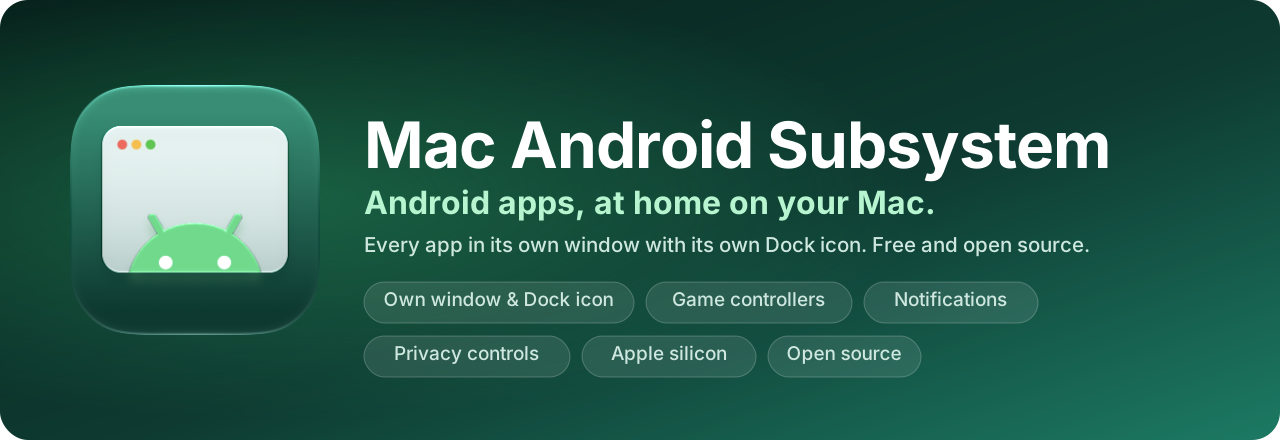
Run Android apps on your Mac like Mac apps. Mac Android Subsystem is a free, open-source way to run Android apps on Apple silicon Macs. Every Android app gets its own window, its own Dock icon and a place in Launchpad and Spotlight, with notifications, copy and paste, game controllers and Mac-style privacy controls. Think of it as the Windows Subsystem for Android, made for macOS.
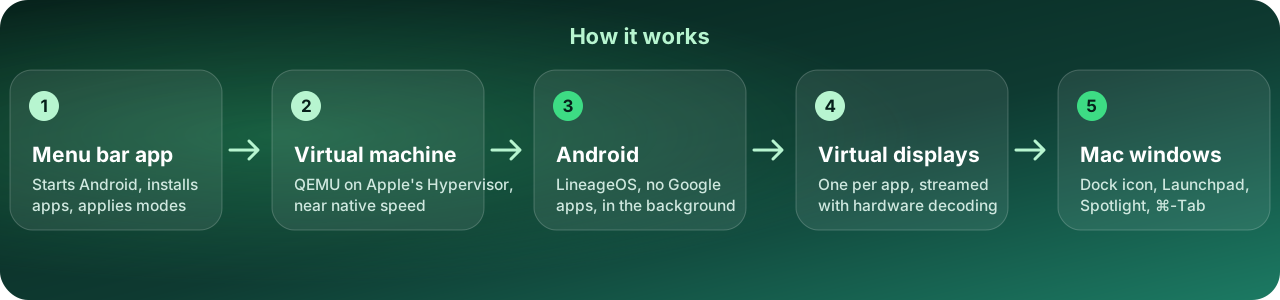
Double-click an .apk and the app installs and opens. Android (LineageOS, no Google apps) runs quietly in the background on Apple's Hypervisor framework, at close to native speed.

Features
| 🪟 A window per app | Each Android app runs on its own Android display, streamed into its own Mac window with its own Dock icon and ⌘-Tab entry. Resize it and the app re-lays itself out like on a tablet. |
| 📦 Install by double-click | Open an .apk, .apks, .apkm or .xapk and it installs, shows up in Launchpad and opens. F-Droid is one click away. |
| 🔔 Mac notifications | Android notifications land in Notification Centre; click one and the app opens. |
| 📋 Copy and paste | Between Android and the Mac, both ways. Your keyboard and layout just work. |
| 🎮 Game controllers | Any controller macOS supports (Xbox, PlayStation, Switch Pro, MFi) appears in Android games as a standard gamepad. |
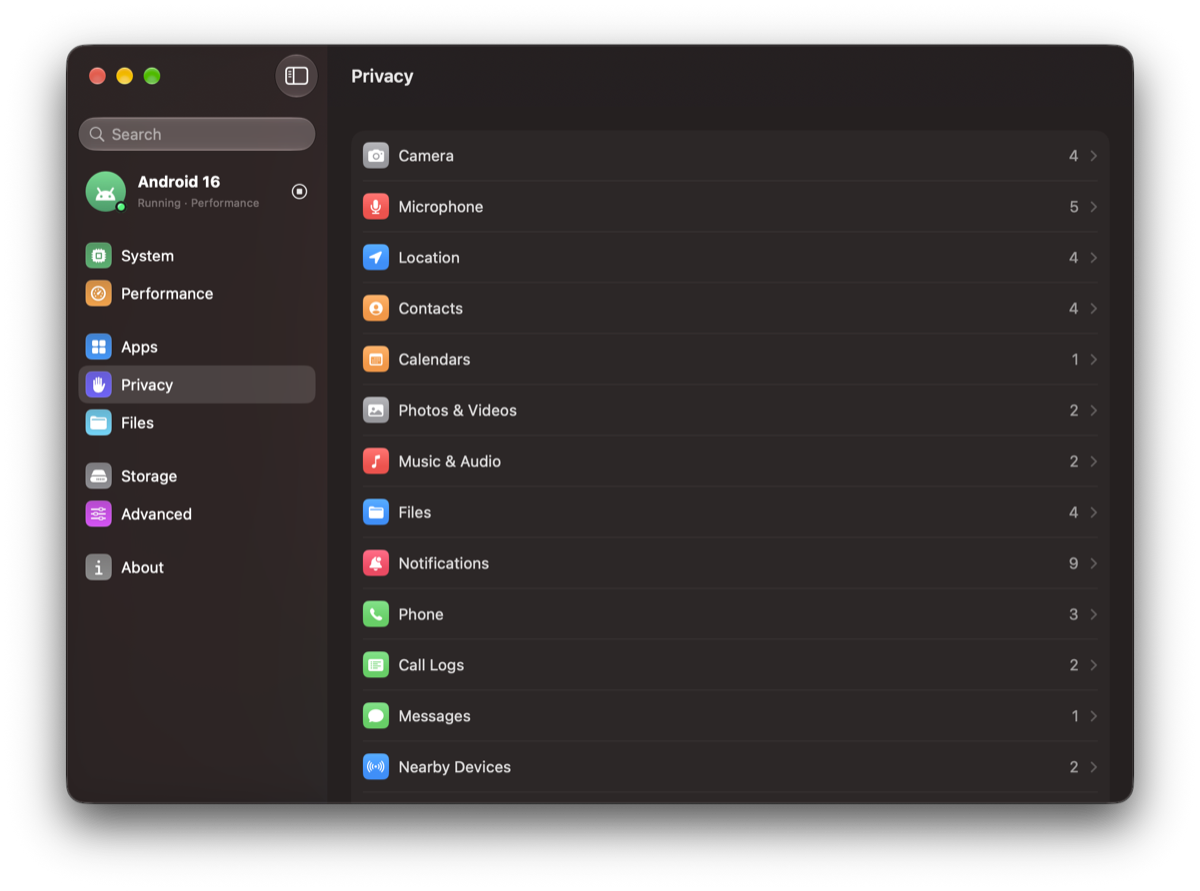
| ✋ Privacy controls | Like Privacy & Security on the Mac: see which apps asked for the camera, microphone, location, contacts and more, and turn access on or off. |
| ⚡ Performance modes | Power Saver, Smart (default), Standard and Performance, applied live: processor cores, memory, scheduling, Android's power settings and frame rate (up to 120 fps). |
| 🟢 Always Ready | Start with your Mac and keep Android running, so apps open instantly. The menu bar item has status, start/stop, modes, your apps and Settings. |
| 🧹 Never in the way | Cleans up its own downloads, leftovers, logs and Android's unused disk space. |
| 🔓 Open source | GPLv3, built on LineageOS, QEMU and scrcpy. No account and no Google services; nothing leaves your Mac. |
Mac Android Subsystem (MAS) is also what Android calls itself: the device name in Android's settings, Bluetooth and the model it reports.

Early pre-release: it works, but expect rough edges. Report a problem and it gets fixed.
How it fits into macOS
| In Android | On your Mac |
|---|---|
| The app drawer | Apps in ~/Applications/Android Apps, so Launchpad and Spotlight find them |
| Recent apps | Each app on its own Android virtual display, in its own window, with its own Dock icon and ⌘-Tab entry |
| Notification shade | macOS notifications (click opens the app) |
| An app store | F-Droid, one click during setup or in Settings › Apps, or double-click any APK |
| Gamepads | Any macOS controller, forwarded as a virtual HID gamepad to the Android window in front |
| App permissions | Settings › Privacy, one switch per app per category (Android's runtime permissions) |
| USB debugging | Developer mode, ADB at 127.0.0.1:58526 |
| A phone's hardware | Android (LineageOS virtio_arm64only) in QEMU with Apple's Hypervisor framework |
The menu bar item and the Settings window hold the rest: Always Ready, what happens when the last app closes (Automatic, As needed, Continuous), performance modes, privacy, storage, files, developer mode and reset. The Settings window takes after the Mac's System Settings, with a searchable sidebar that shows Android's status, and when a setting that applies at start changes (memory, processor cores, microphone) it offers to restart Android.
Requirements
A Mac with Apple silicon and macOS 15 or later. Android uses a quarter of your memory by default (up to 6 GB) and about 8 GB of disk.
FAQ
Can I run Android apps on a Mac? Yes. On any Mac with Apple silicon and macOS 15 or later, Mac Android Subsystem runs real Android (LineageOS) and shows each app in its own Mac window.
Is it an emulator? Not in the slow sense. Android is built for Arm and runs in a virtual machine on Apple's Hypervisor framework, on the same kind of processor, so it runs at close to native speed. There is no phone-shaped emulator window: apps look and behave like Mac apps.
Is it like the Windows Subsystem for Android (WSA)? That's the idea: Android apps side by side with your other apps, in their own windows, from Launchpad and Spotlight.
Does it have the Google Play Store? No. There are no Google apps or services. Install apps from F-Droid (one click in Settings) or any .apk, .apks, .apkm or .xapk file.
Is it free? Yes, and open source under GPL-3.0.
Does it work on Intel Macs? No. It needs Apple silicon (M1 or later).
Repository layout
| Path | What it is |
|---|---|
apple/Subsystem/ |
The app: menu bar item, settings window, VM life cycle (Model/VirtualMachine.swift), Android image (AndroidImage.swift), app sync and launchers (AppCatalog.swift, LauncherGenerator.swift), installs, notifications, performance modes (PerformanceManager.swift, QMPClient.swift). |
apple/AppHost/ |
The window host copied into every Android app launcher: one Android virtual display in one Mac window, input, clipboard, game controllers (GamepadBridge.swift). |
apple/Shared/ |
Code both use: a native ADB client (ADB/), the scrcpy 5.0.1 protocol client (Scrcpy/), status file, paths, zip extraction. |
android/bridge/ |
The bridge app installed into Android: lists apps with their icons and relays notifications. Built without Gradle by build.sh. |
rom/build-rom.sh |
Builds the Android image (LineageOS for virtio_arm64only, ADB without the authorization prompt). |
core/scripts/ |
bundle-qemu.sh (QEMU into the app), fetch-scrcpy-server.sh (checksum-verified). |
site/ |
The website. |
.github/workflows/ |
build.yml builds the bridge and the app and publishes MacAndroidSubsystem.dmg; rom.yml builds and publishes the Android image; pages.yml publishes the website. |
See docs/ARCHITECTURE.md for how the pieces fit together.
Building
On a Mac with Xcode 16 or later:
brew install xcodegen qemu dylibbundler
git clone https://github.com/harkhowalia-1/MacSubsystemForAndroid
cd MacSubsystemForAndroid
android/bridge/build.sh                 # needs ANDROID_HOME and a JDK 17+
core/scripts/fetch-scrcpy-server.sh
core/scripts/bundle-qemu.sh             # optional while developing: Homebrew's QEMU is used otherwise
cd apple && xcodegen generate && open MacSubsystemForAndroid.xcodeproj
Run the Subsystem scheme. On first launch it downloads the Android image; or pick a UTM-VM-lineage-…-virtio_arm64only.zip with Use an Image File.
The Android image
Run the Build Android image workflow (on a self-hosted Linux runner: about 300 GB of disk, 32 GB of RAM, several hours) or rom/build-rom.sh directly. It publishes UTM-VM-lineage-24.0-…-virtio_arm64only.zip as a release, and the app's Download Android picks the newest one. Until there is one, the app falls back to jqssun/android-lineage-qemu's builds (they're Android 16 user builds, whose ADB is stuck in trade-in mode until Android is set up, so the app turns on their GRUB Insecure ADB setting: ADB works without a prompt, and Android reports itself debuggable).
Releases
Push to main with a new number in VERSION. The Build app workflow publishes the release v<VERSION> with MacAndroidSubsystem.dmg.
For a Mac build that opens without the right-click step, add these repository secrets: MAC_CERT_P12 (base64 Developer ID Application certificate), MAC_CERT_PASSWORD, MAC_SIGN_IDENTITY, and for notarization NOTARY_APPLE_ID, NOTARY_TEAM_ID, NOTARY_PASSWORD. Add BRIDGE_KEYSTORE_B64 and BRIDGE_KEYSTORE_PASSWORD to sign the bridge app with a fixed key.
Renaming
The app name, bundle ID, URL scheme, ADB port and repository are set in apple/Config/Base.xcconfig.
License
GPL-3.0-or-later. QEMU (GPLv2) runs as a separate program; the scrcpy server is Apache 2.0. See LICENSE and NOTICE.md.
An independent project: not made, affiliated with or endorsed by Google, Apple or the LineageOS project. Android is a trademark of Google LLC. The Android robot in the icons is reproduced or modified from work created and shared by Google and used according to terms described in the Creative Commons 3.0 Attribution License.
Support
If you enjoy this project, you can support me here: