


Conch
The AI assistant that just works. Let it solve your problems.
Every model you pay for, in one calm app on your own computer.
It sets itself up, fixes what breaks, and asks you only when it matters.


Install · Why Conch · What it does · Docs · Contributing
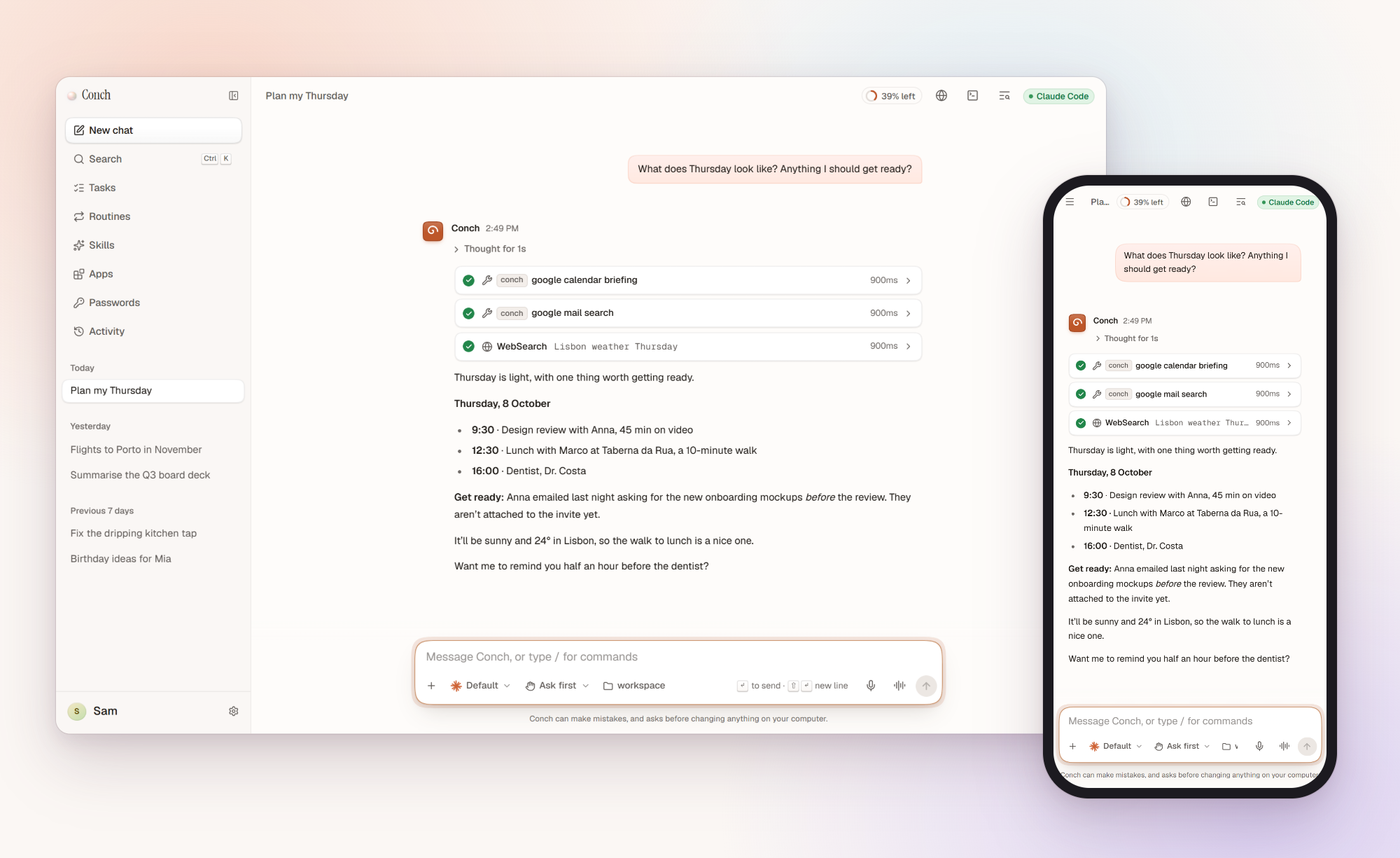
Download it, open it, sign in with a plan you already pay for or paste a key. That is
the setup. There is no account to make, no terminal to learn and no telemetry. Your
chats, memories and settings live in ~/.conch on your computer, and one assistant
reaches you on the web, your phone, your desktop and the chat apps you already use.
Conch is for anyone. If you have never opened a terminal, it still works for you. If you live in one, it brings every coding agent you have into one place.
Install
The app. Download it for macOS, Windows or Linux from the newest release and open it. If your computer asks first, the guide says which button to press.
One line. On macOS and Linux:
curl -fsSL https://conchagent.com/install.sh | shOn Windows, in PowerShell:
irm https://conchagent.com/install.ps1 | iex
It installs the newest release: stable once there is one, before that the newest beta,
then the newest alpha. It fetches Node.js and Git if they are missing, keeps Conch
running and opens it. Run the same line again to update. Add --server on a computer with no screen, or
--uninstall to remove it. Afterwards, conch help lists what the command line can do.
From a checkout, with Node 24 or newer:
corepack enable
pnpm install
pnpm start        # builds and opens http://localhost:4317
Three things it does differently
It knows what it can do. Just ask.
Ask about Friday before your calendar is connected, and Conch does not guess. The card that connects it is right under the reply. Press it, and the chat carries on by itself with the day as it is. Every app, skill and setting works this way: nothing to configure first, no file to edit, and nothing is turned on until you say so. That is how someone who has never opened a terminal gets the same assistant as someone who lives in one.

Ask for an app. It builds one.
When nothing you have does what you need, say so in your own words. Conch writes a Conch app, checks it, tries every part of it and shows it to you as a card. Its tools work with every model, its pages look like Conch, and it runs sealed off from your files. Nothing is added until you press the button, and you can share it on GitHub in one press. The same goes for a provider or a chat app Conch does not list yet: name it, and Conch reads the docs and makes it.

Something broke? It is already fixed.
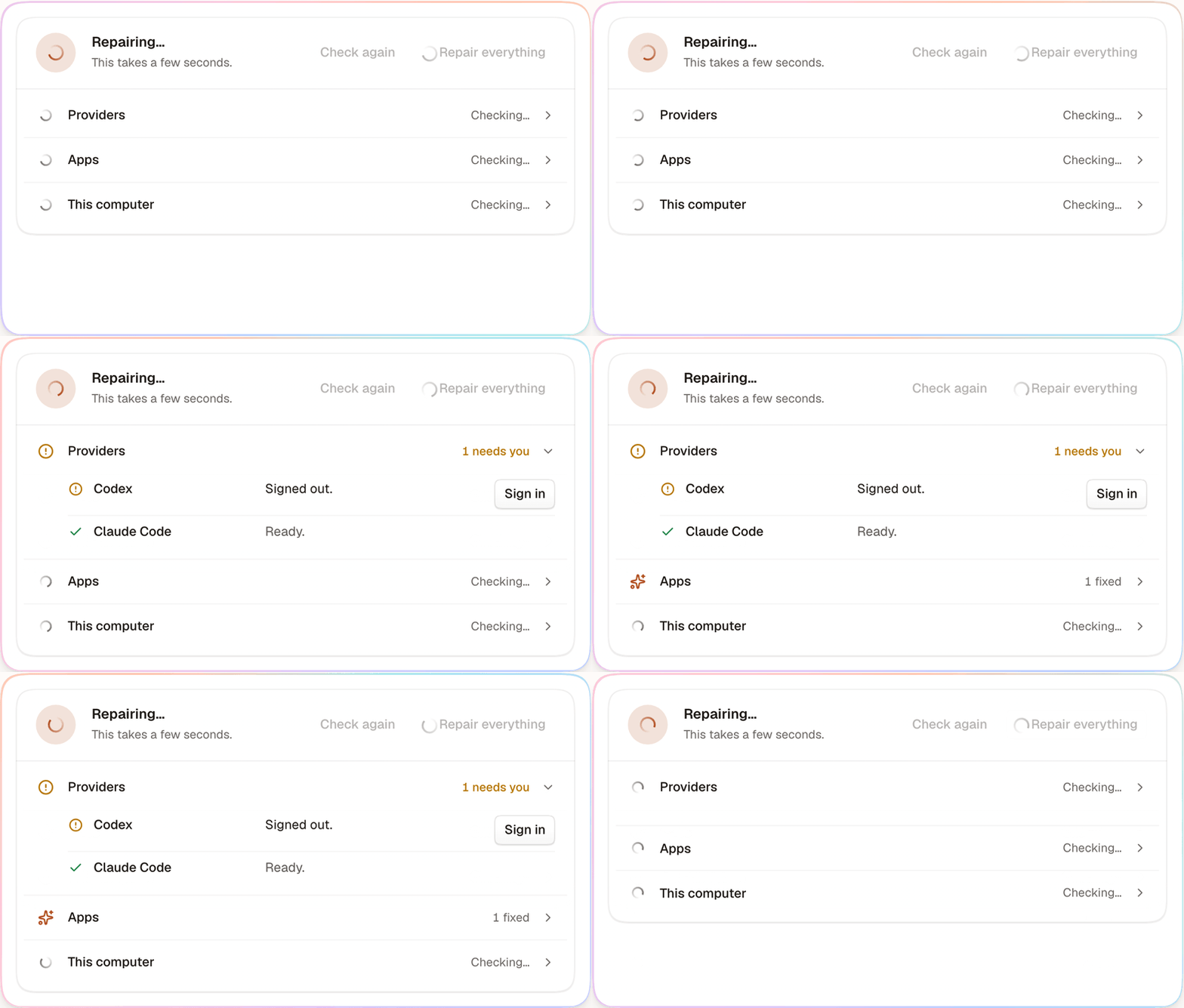
Conch keeps an eye on every part of itself and mends what it can before you notice: a program that is missing, a process left behind by a crash, an app whose sign-in needed refreshing. What it fixed while you were away is a quiet list, not an alarm. When something needs you, like signing in again, you get one plain sentence and the button that does it. Daily backups and signed updates that roll back on failure come with it.
What it does
|
In the chat
|
Your agents
|
|
Works for you
|
Everywhere, and safe
|
How it works
| Wherever you are | Conch, on your computer | Your providers |
|---|---|---|
| A browser on this computer, your phone, or a chat app. | Keeps your chats, memory, skills, apps and routines in ~/.conch. Asks before anything that matters. |
The assistants and models you connect. All of them answer, from one picker. |
A small Node gateway on your machine drives every provider you connected and streams the conversation to a React app built on Nacre, Conch's own design system. Apps and skills belong to Conch, not to a provider, so they work with every model. Conch keeps no copy of anything anywhere else.
Good to know
- It runs as you. Conch can read your files and run commands. Treat it like an SSH server and read docs/SECURITY.md before you put it on a network. Out of the box, only this computer can open it.
- Local models are smaller. A model on your computer is free and private, but slower and less capable than the cloud ones.
- Conch is free. The models cost what your plan or key costs, and each reply says what it cost. What it costs
Documentation and development
conchagent.com/docs covers every provider, chat app
and feature, with a reference read from the code. Development docs
follow main, and release notes list every
version. How it is built: ARCHITECTURE.md ·
decisions · AGENTS.md, the manual for people and coding
agents alike.
pnpm dev          # web app on :5173 (hot reload) + gateway on :4317
pnpm dev:mock     # the same with a scripted provider: no model usage
pnpm storybook    # the Nacre design system on :6006
pnpm docs:dev     # the documentation on :4400
pnpm check        # format, lint, types and tests: must pass before every commit
pnpm e2e          # Playwright journeys
pnpm desktop:dev  # the desktop app, with hot reload
| Path | What |
|---|---|
apps/web |
React 19 + Vite web app |
apps/server |
Fastify gateway: providers, apps, browser, terminal, chats |
apps/docs |
The documentation site |
apps/desktop |
The Electron app |
packages/nacre |
Nacre, Conch's design system |
packages/protocol |
Zod schemas for everything the app and gateway say |
e2e |
Playwright journeys |
Configuration comes from the environment: apps/server/.env.example.
Contributing, security, license
Issues and pull requests are welcome: start with CONTRIBUTING.md and the code of conduct. Report a vulnerability through SECURITY.md, not an issue. MIT licensed; third-party notices in NOTICE.md.
In the old story, whoever holds the conch gets to speak.