


A lightweight C++ engine for 2D and 3D games, with a visual editor and scripting in Lua or C++.
Download · Documentation · Examples · Discord


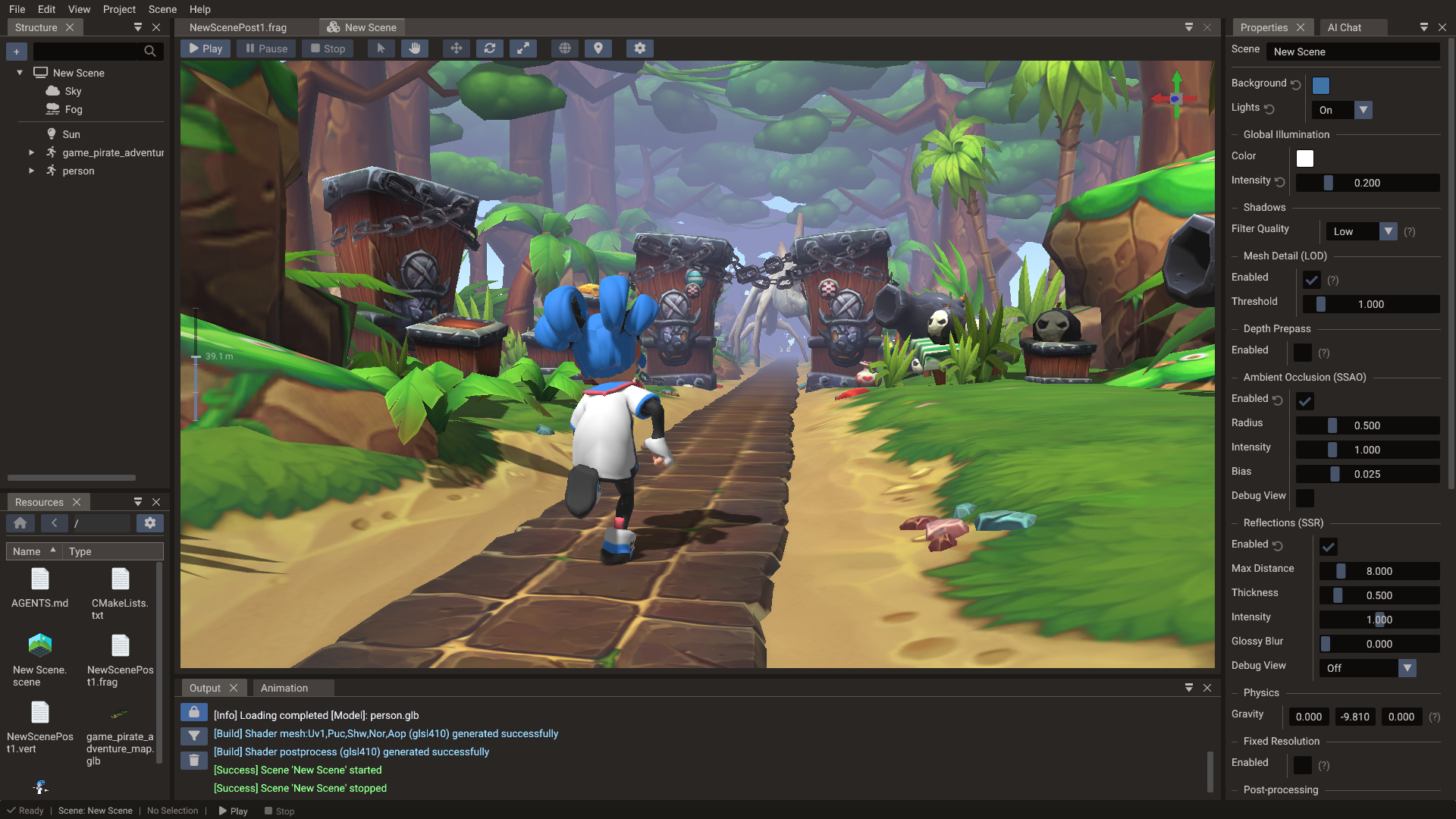
Doriax is a free, open-source game engine with a small, data-oriented C++ runtime and a desktop editor for building 2D, 3D, and UI scenes. You can script in Lua, in C++, or mix the two. Your game can be exported as a standalone CMake project that includes the engine source, so you can build it yourself for Windows, Linux, macOS, Android, iOS, or the web, and change anything you like.
Example games
Click a screenshot to play the game in your browser. Each one is a regular Doriax project, so you can also clone it and open it in the editor.
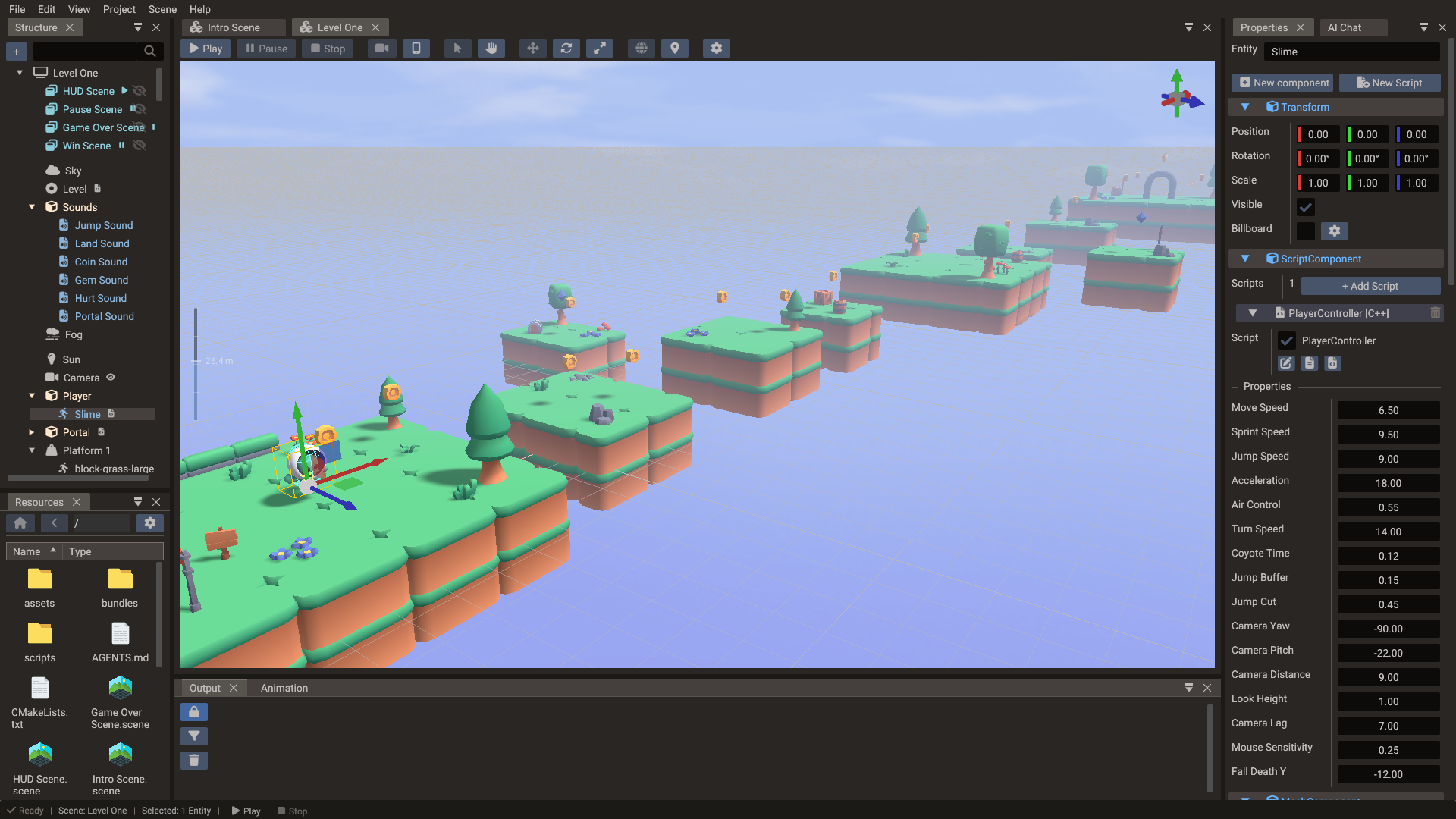
Lost Slime 3D 3D platformer · Play · Source |
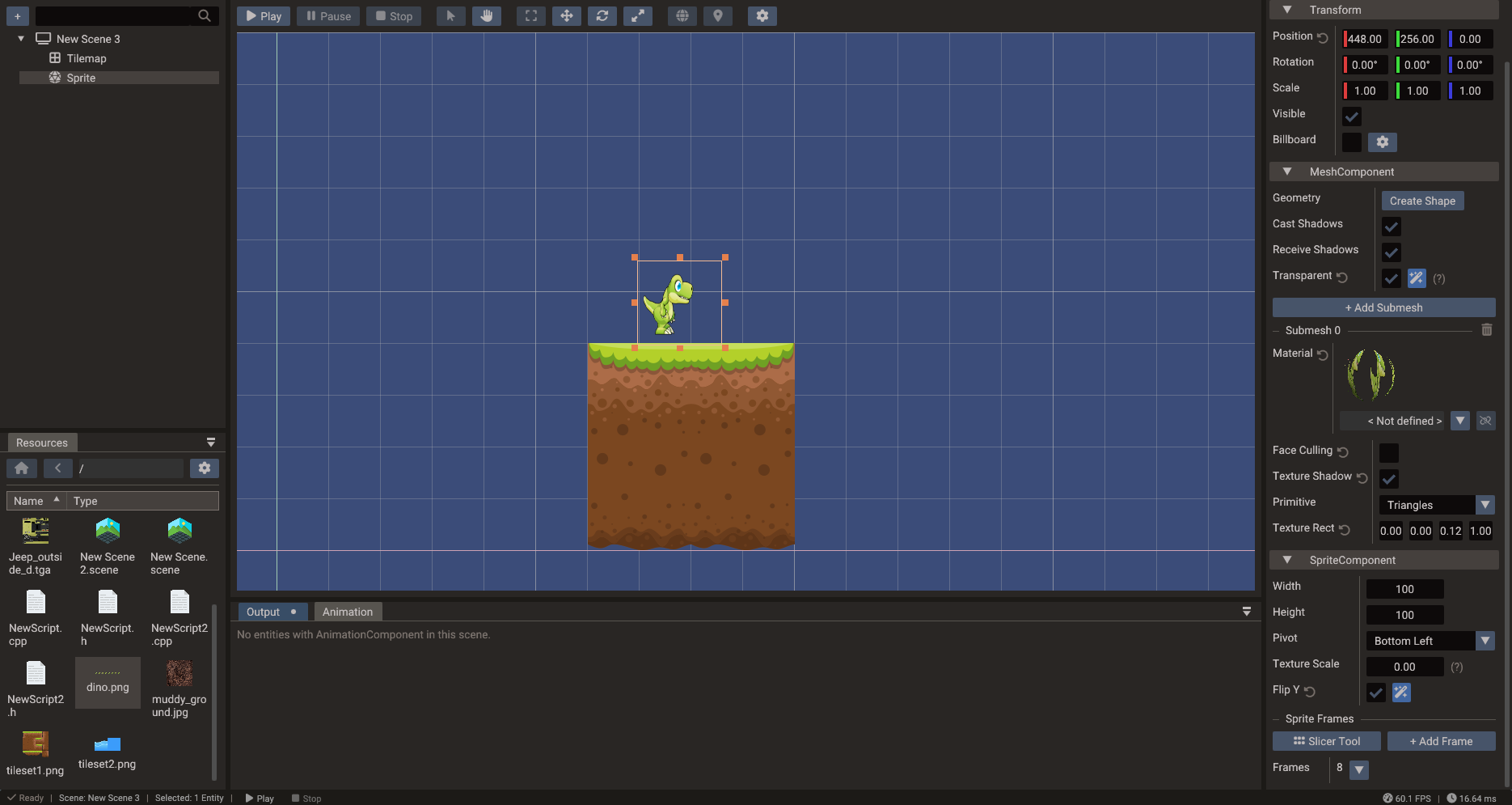
Lost Slime 2D platformer · Play · Source |
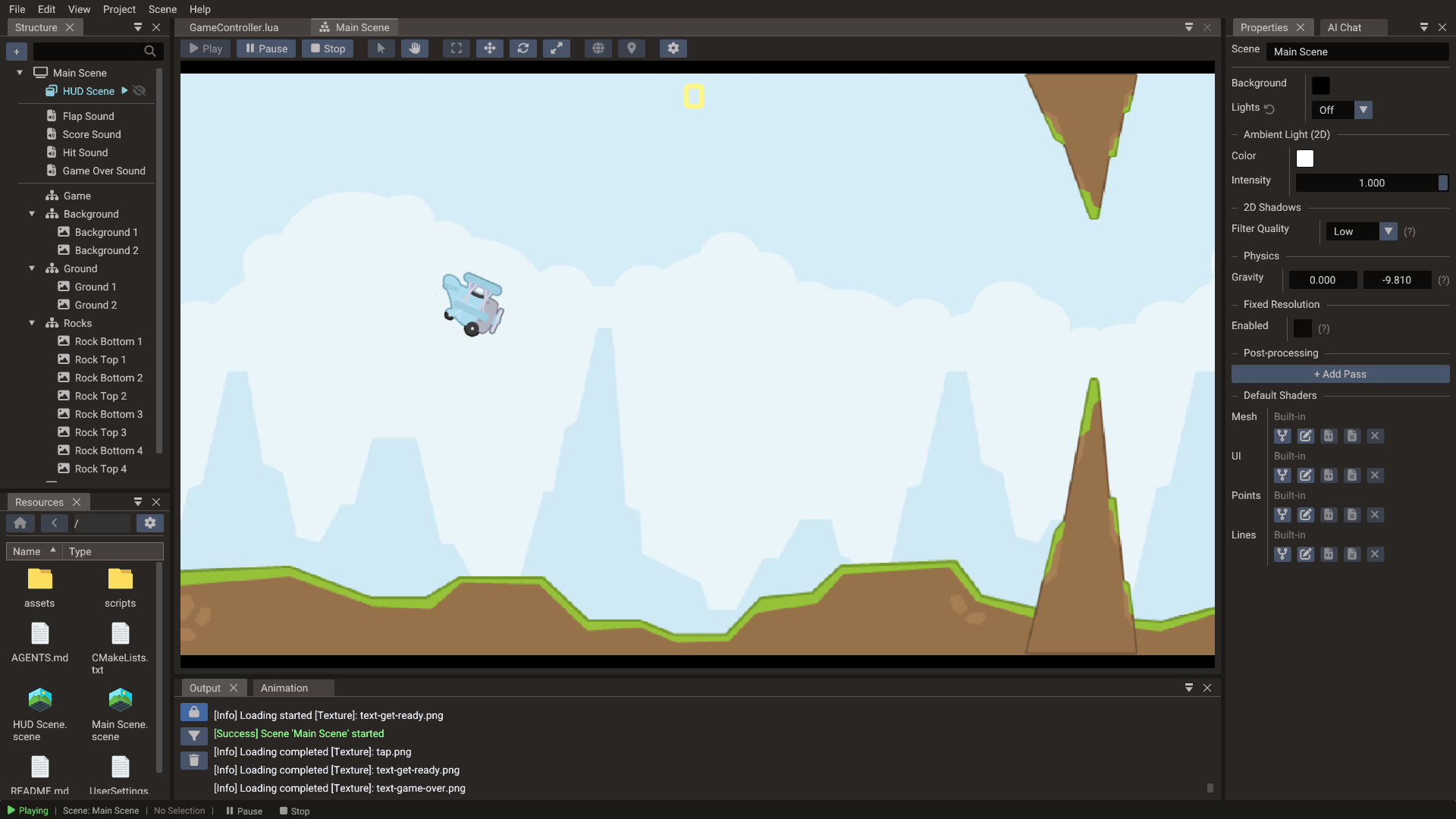
Tappy Plane Endless flyer · Play · Source |
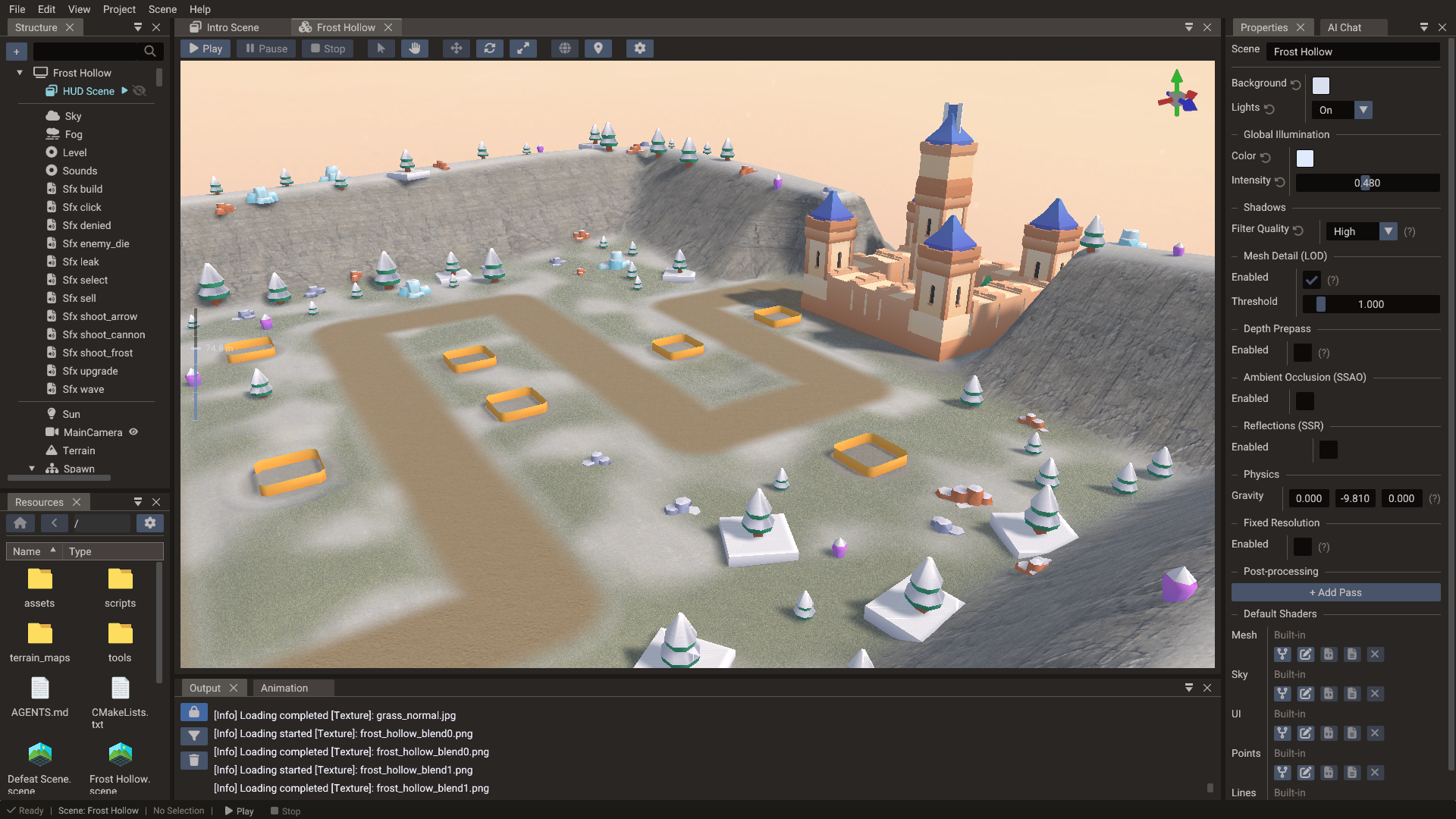
Bastion Vale 3D tower defence · Play · Source |
Screenshots
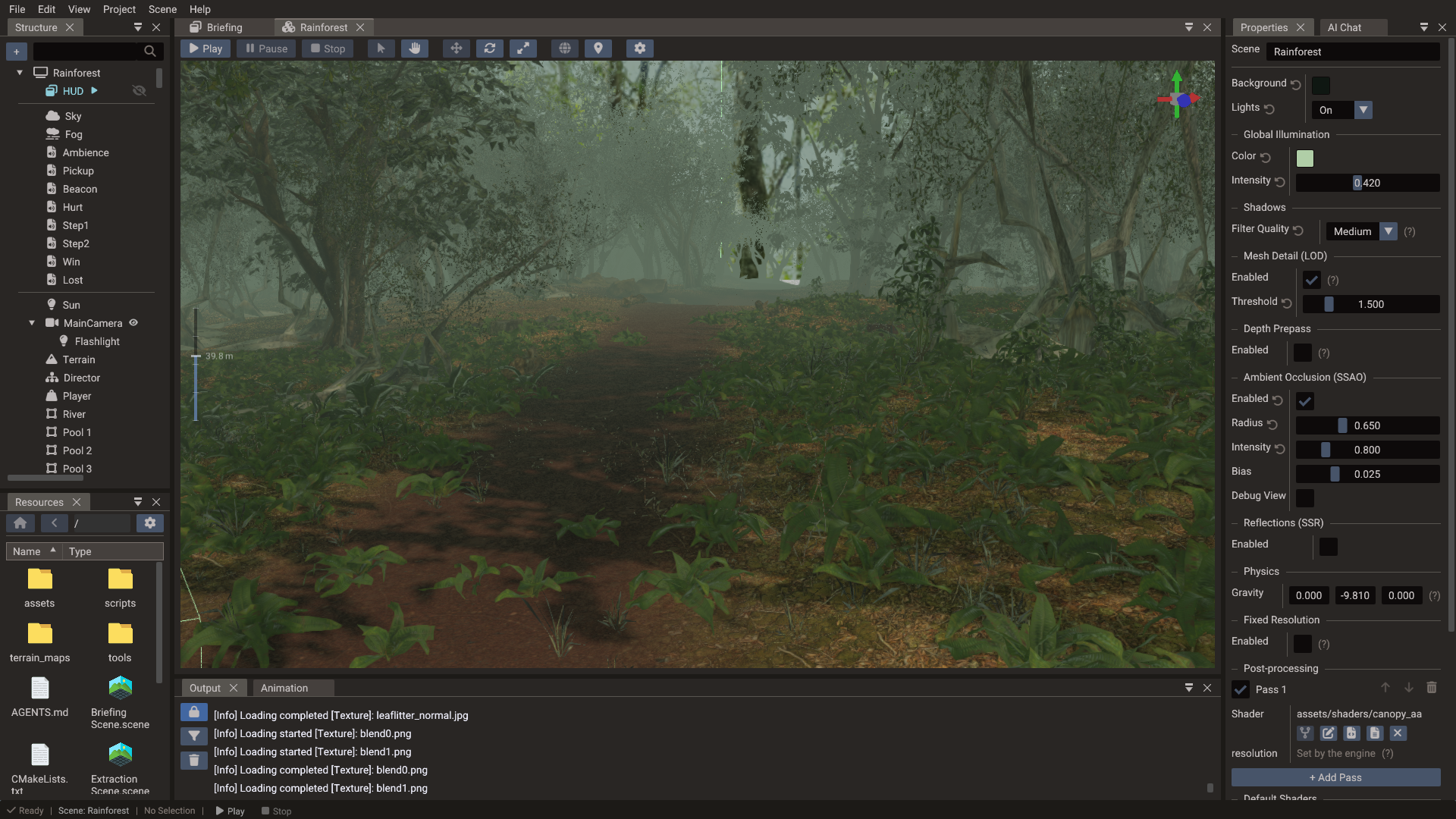
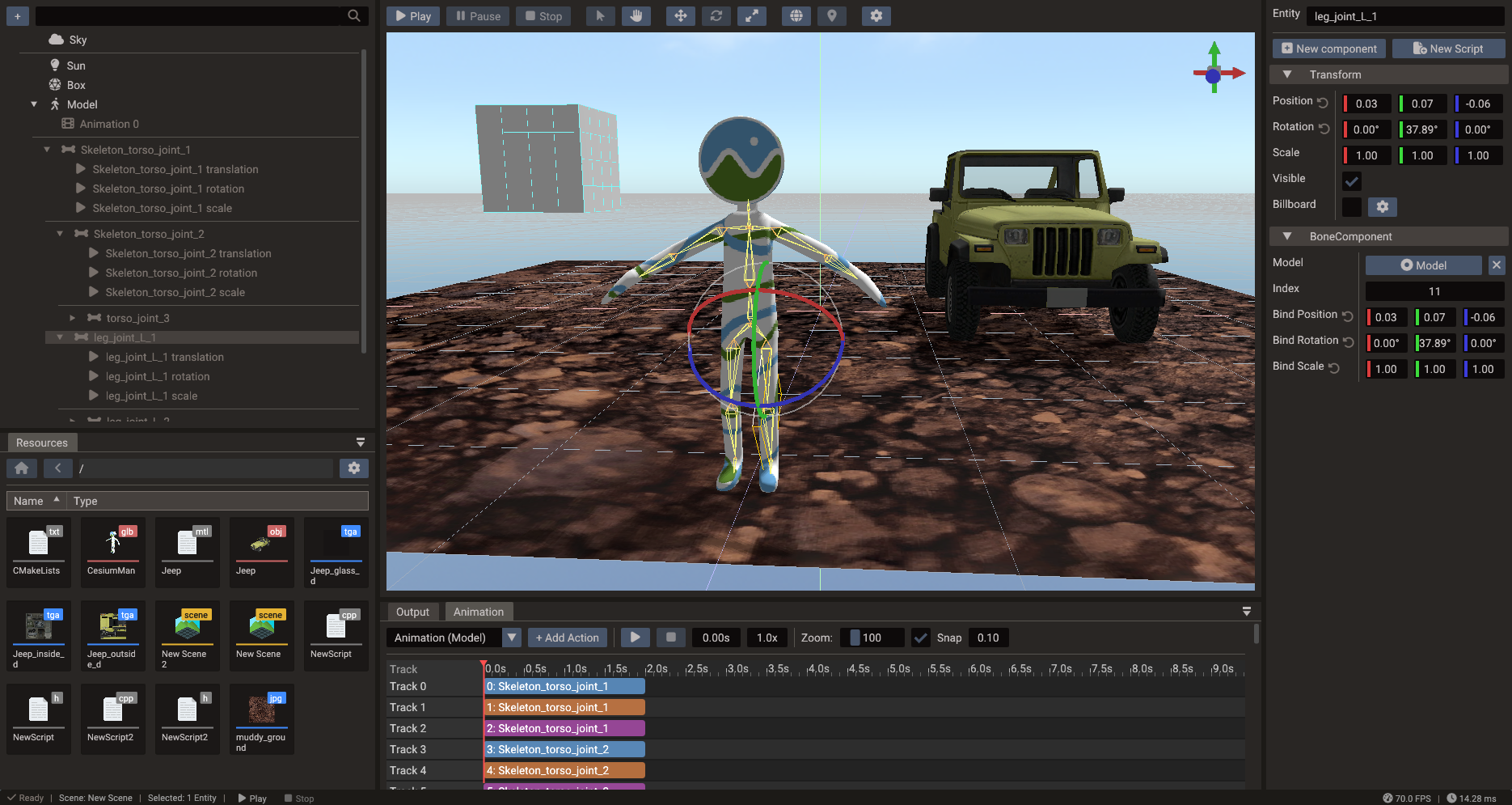
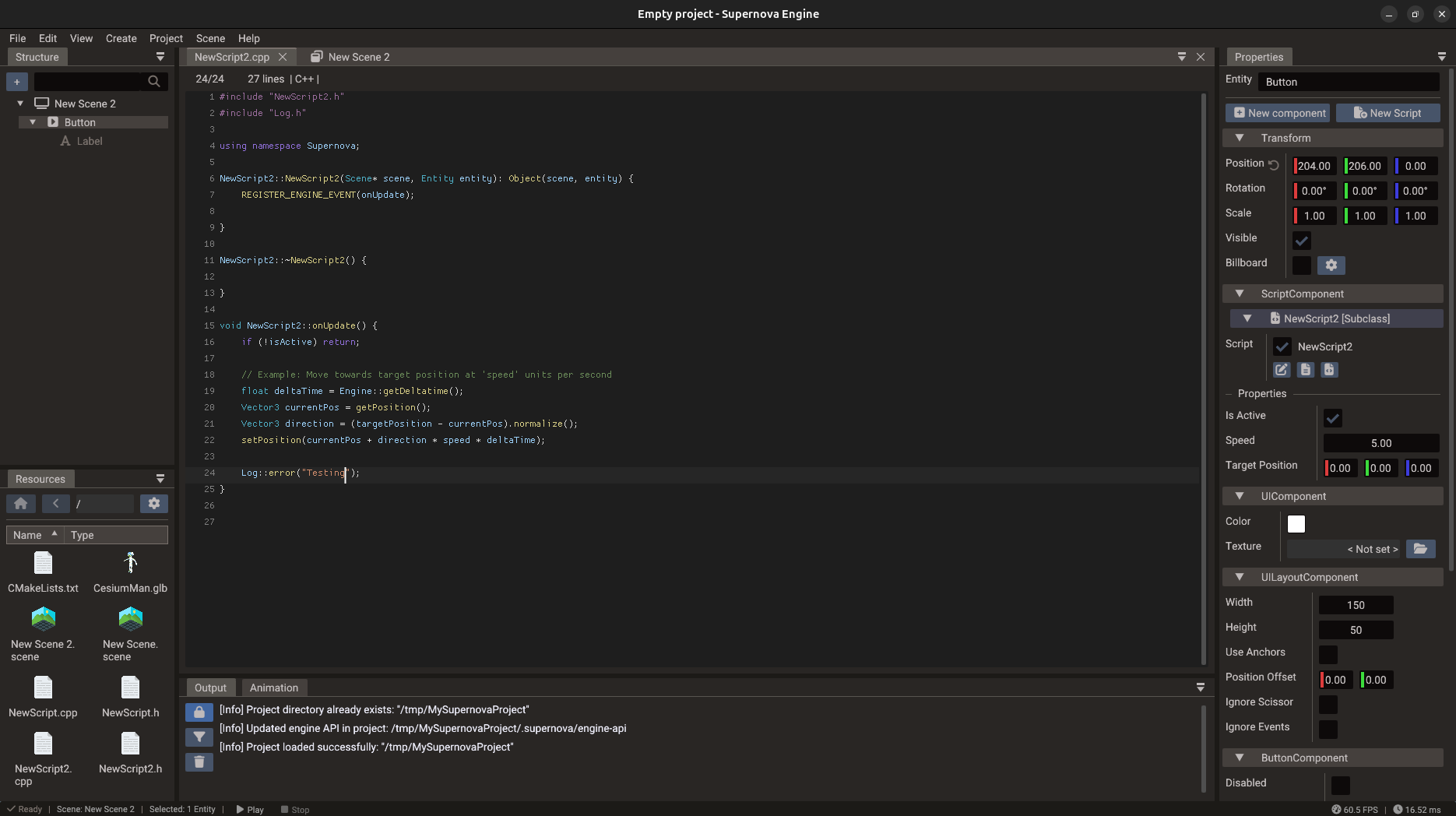
More in the gallery on the website.
Features
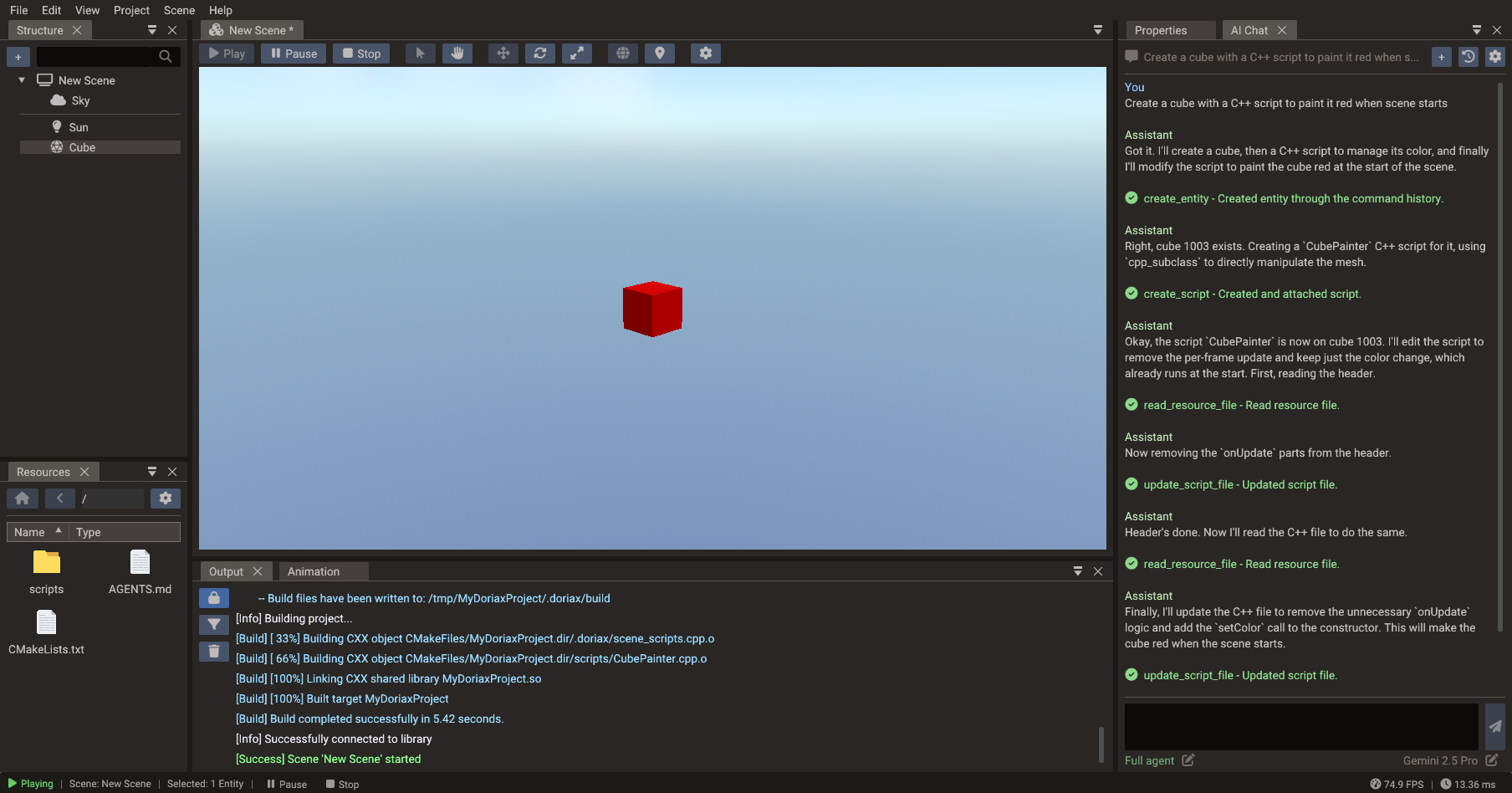
- Visual editor for 2D, 3D, and UI scenes, with a hierarchy, inspector, resource browser, and play mode
- Lua and C++ scripting on the same engine API, with completion in the built-in code editor
- ECS runtime shared by 2D and 3D
- Sprites, tilemaps, and polygons, with 2D lights, normal maps, and shadows
- glTF, OBJ, and FBX models with skeletal animation, morph targets, instancing, and LOD
- PBR rendering with cascaded shadows, image-based lighting, SSAO, SSR, fog, water, mirrors, and reflection probes
- Built-in shaders you can fork and edit, plus custom post-processing passes, recompiled live in the viewport
- Animation timeline with keyframes and bone editing, plus sprite-sheet animation, tweened actions, and blending
- Terrain you can sculpt and paint, rendered with clipmap LOD
- UI widgets with anchors and layout containers
- Particle systems, Box2D and Jolt physics, 3D audio, and multithreaded resource loading
- AdMob ads and in-app purchases on Android and iOS, plus SDKs for web game portals such as CrazyGames and Poki
- Optional AI assistant that can look through your project, create entities, write scripts, and run builds, doing only as much on its own as you allow
Exporting your game
Source Code export writes a standalone CMake project. Your scenes become generated C++ that calls the public engine API, your C++ scripts are compiled alongside them unchanged, and Lua scripts and assets are kept as runtime resources. The project also contains the platform backends, compiled shaders, and the engine source it needs, so you can open it, change anything (the engine included), and build it with the usual native toolchains, without the editor.
If you just want something to run, Desktop export builds a native executable for your computer, and Web export builds HTML and WebAssembly with Emscripten. The export guide explains what gets generated.
Platforms
| Area | Support |
|---|---|
| Editor | Windows, Linux, macOS |
| Export targets | Windows, Linux, macOS, Android, iOS, HTML5 |
| Graphics APIs | OpenGL, OpenGL ES, Vulkan, Metal, Direct3D 11 |
Which graphics APIs are available depends on the target platform.
Getting started
Download the editor from the website or the releases page, then follow Your First Project to create a scene, attach a script, and run it.
Use a tagged release for real projects. Builds from main have the newest changes, but they can also have regressions, unfinished work, or breaking changes.
The editor also runs from the command line to export projects and generate shaders, for example in CI. See Command-Line Tools.
Building from source
You need a C++17 compiler (MSVC, GCC, or Clang), CMake 3.27 or newer (the bundled shader compiler requires it), and Python 3. Clone the repository, then follow the steps for your platform:
git clone https://github.com/doriaxengine/doriax.git
cd doriax
Linux (Ubuntu 26.04)
Ubuntu 26.04 ships a recent enough CMake, so the official repositories are all you need:
sudo apt-get update
sudo apt-get install -y --no-install-recommends \
  build-essential cmake git ninja-build pkg-config python3 \
  libx11-dev libxcursor-dev libxi-dev libxrandr-dev \
  libgl1-mesa-dev libwayland-dev wayland-protocols \
  libdbus-1-dev libcurl4-openssl-dev

cmake -S . -B build -G Ninja -DCMAKE_BUILD_TYPE=Release
cmake --build build --target doriax-editor
./build/doriax-editor
To create a redistributable install tree under dist/:
cmake --install build --prefix dist
macOS
Install the Xcode Command Line Tools, CMake, and Ninja:
xcode-select --install
brew install cmake ninja

cmake -S . -B build -G Ninja -DCMAKE_BUILD_TYPE=Release
cmake --build build --target doriax-editor
open build/Doriax.app
To create a redistributable app under dist/bin/:
cmake --install build --prefix dist
Windows (Visual Studio)
Install Python 3 and Visual Studio 2022 or newer with the Desktop development with C++ workload and the C++ CMake tools for Windows component. Then, from a Developer PowerShell or Developer Command Prompt:
cmake -S . -B build -G "Visual Studio 17 2022" -A x64
cmake --build build --config Release --target doriax-editor doriax-editor-cmd
build\Release\doriax-editor.exe
For Visual Studio 2026, use the "Visual Studio 18 2026" generator. doriax-editor-cmd is the console version of the editor, used for command-line work. It is not part of the default build, which is why it is listed explicitly.
To install the editor, the console executable, the runtime library, and the engine files under dist/bin/:
cmake --install build --prefix dist --config Release
To play C++ scripts inside the editor, they have to be built with a toolchain compatible with the editor itself: for the official download, that means MSVC with the same architecture. Lua-only projects play without a C++ compiler, but exporting still needs build tools. See Building for Windows for details.
Windows (MSYS2 UCRT64)
Only needed if you want to build C++ scripts with GCC. The official download is built with MSVC, and MSVC and UCRT64 GCC binaries can't be mixed, so the editor, the engine, and your scripts all have to come from the same UCRT64 toolchain. There is no UCRT64 release package.
Install MSYS2 and update it with pacman -Syu (reopen the terminal and repeat if it asks). Then, in the MSYS2 UCRT64 terminal, from the repository directory:
pacman -S --needed git mingw-w64-ucrt-x86_64-toolchain \
  mingw-w64-ucrt-x86_64-cmake mingw-w64-ucrt-x86_64-ninja \
  mingw-w64-ucrt-x86_64-python

cmake -S . -B build-ucrt64 -G Ninja -DCMAKE_BUILD_TYPE=Release \
  -DCMAKE_C_COMPILER=gcc -DCMAKE_CXX_COMPILER=g++
cmake --build build-ucrt64 --target doriax-editor doriax-editor-cmd
./build-ucrt64/doriax-editor.exe
Start the editor from that terminal so it finds the compiler, mingw32-make, and the runtime DLLs, and select the UCRT64 GCC kit in Project Settings > Build. If an older project keeps its previous compiler setup, close the editor and delete only the project's .doriax/build folder.
This path is newer and less tested than the MSVC build. If C++ scripts fail to compile or load in Play, please open an issue.
Vulkan editor (optional)
The editor uses OpenGL on Windows and Linux and Metal on macOS. To build it with Vulkan on Windows or Linux, install the Vulkan SDK and add -DGRAPHIC_BACKEND=vulkan to the configure command. A separate build directory lets you keep both backends:
cmake -S . -B build-vulkan -G Ninja \
  -DCMAKE_BUILD_TYPE=Release \
  -DGRAPHIC_BACKEND=vulkan
cmake --build build-vulkan --target doriax-editor
On Windows, add the same flag to the Visual Studio configure command instead.
Follow the project
Doriax is in active development. The easiest way to keep up is to star or watch this repository (Watch > Custom > Releases notifies you of each new version). You can also join the Discord to ask questions and share what you're making, and follow along on YouTube and X.
If Doriax is useful to you, you can support its development through GitHub Sponsors or Patreon.
Contributing
Bug reports, ideas, and pull requests are welcome. For larger changes, open an issue or bring it up on Discord first so we can agree on the approach.
editor/: desktop editor, AI assistant, project tools, build, and exportengine/: runtime (ECS, rendering, platform layers, scripting) and project templatesshadercompiler/: shader compilation and cross-platform translationlibs/: bundled third-party libraries
Project history and development
Doriax started in 2015 as Supernova Engine, a code-only game engine. Public development began with the first commit in July 2016, and the full history is in this repository. Building complete games with code alone turned out to be impractical, so in 2024 I started a visual editor in a separate repository, then called supernova-editor.
Version 0.5.5 was the last release under the Supernova name, and 0.6 the first as Doriax. Some internal folders and older links still use the Supernova name while the transition finishes.
About the use of AI: the architecture, technical direction, and engineering decisions are mine. Over the past year I have used AI coding tools for well-defined tasks such as repetitive implementation, investigation, documentation, and review, and I review and adapt what they produce. This is separate from the AI assistant inside the editor, which is an optional feature you choose to turn on.
License
Doriax is released under the MIT License and can be used in personal and commercial projects. Bundled third-party libraries keep their own licenses.