

design.how
Skills and design systems for coding agents, from design.how.
Install
npx skills@latest add https://design.how
Or from GitHub, which installs the same six skills:
npx skills@latest add arla6ka/design.how
One skill, with build-design-system beside it for the shared glossary, taste file and scripts: npx skills@latest add arla6ka/design.how --skill build-design-system --skill ui-review. A design system's skill without its code: npx skills@latest add arla6ka/design.how/systems/quartz.
It works with any coding agent that reads skills. In Claude Code you can also run /plugin marketplace add arla6ka/design.how, then /plugin install design-system-skills@design-how. To install by hand, copy the folders in skills/ into your agent's skills folder, such as .agents/skills/.
Design systems
Each one installs with shadcn and brings its own skill, so your agent builds with its components and follows its rules.
Lime
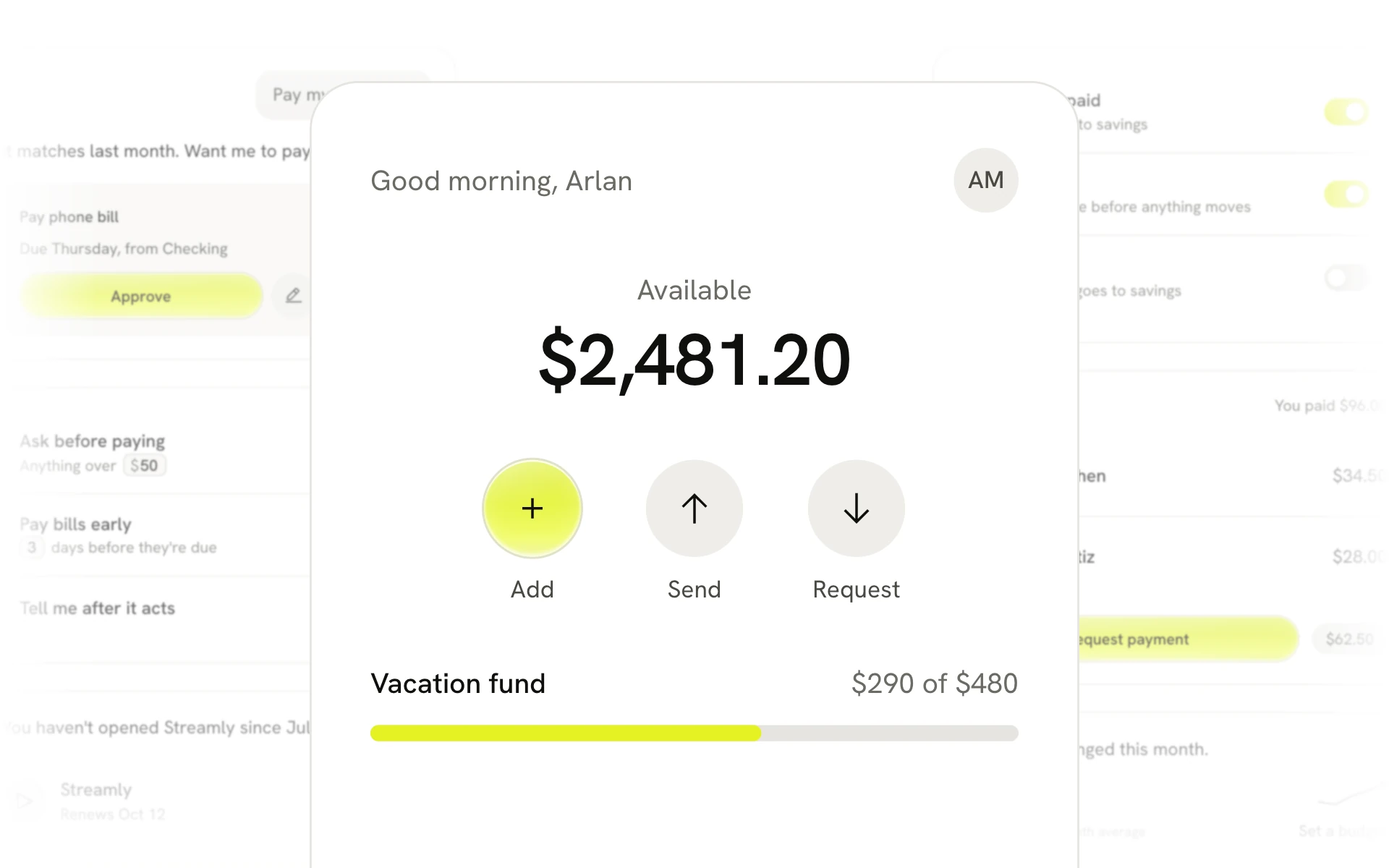
Warm and light, for consumer apps, with one glowing action.
npx shadcn@latest add https://design.how/r/lime/theme.json
Components and source and docs.
Quartz
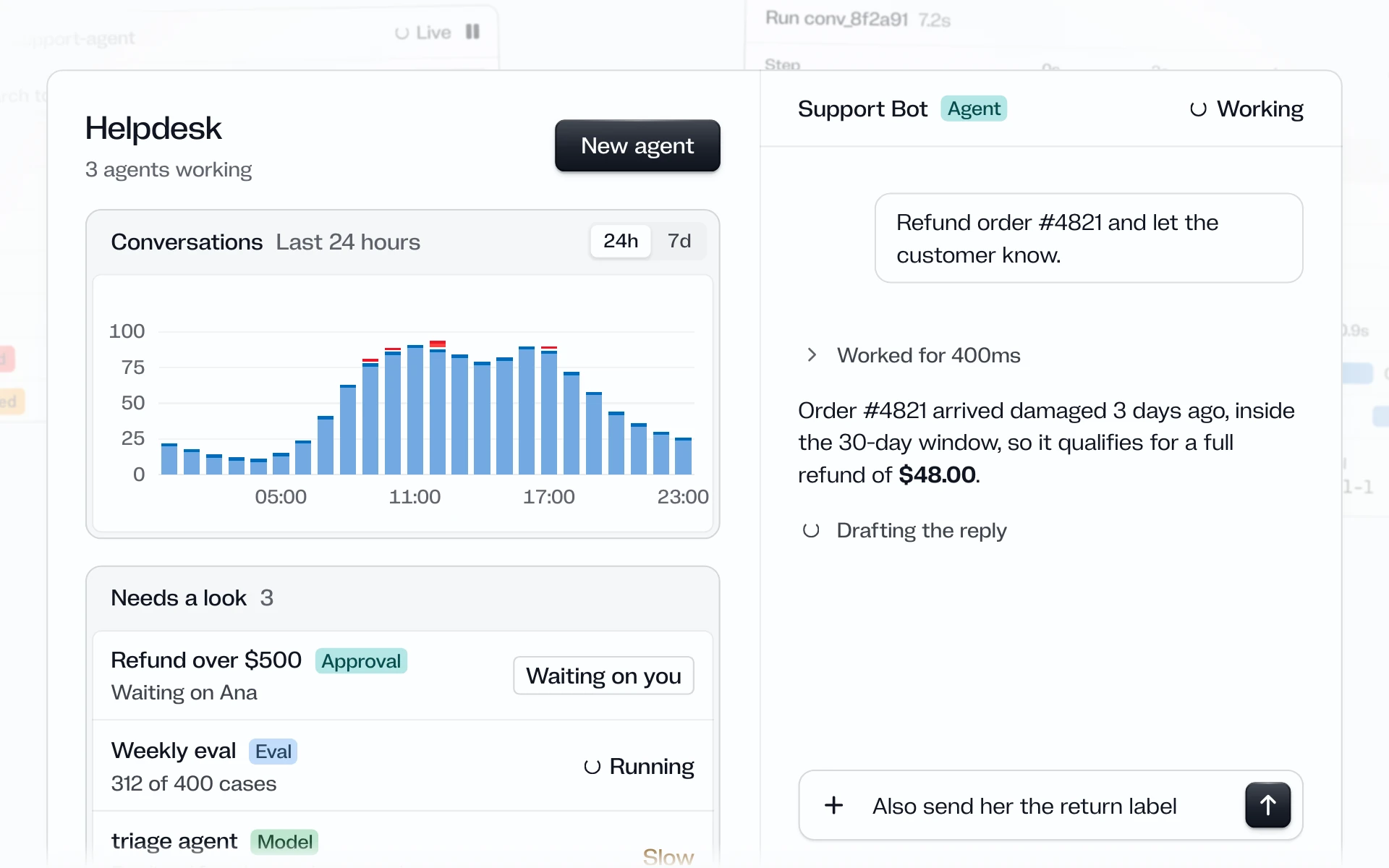
Cold and calm, for AI agents and developer tools, with colour only for what a thing is and what went wrong.
npx shadcn@latest add https://design.how/r/quartz/theme.json
Components and source and docs.
Skills
These turn the UI your app already ships into a design system your agent can use, add a check that catches new drift, and move every screen onto it when you ask.
- design-system-boss. Start here. Say what's wrong in plain words, and it reads the repo, picks a playbook and runs the other skills in order. It ends with the system, one flow moved onto it and a CI check, then offers the full migration with its size.
- build-design-system. Builds tokens, one canonical component per family, docs and checks from the app you have, and proves them on one real flow.
- migrate-design-system. Moves every screen onto the system with parallel workers, each checked against its before screenshot. Start with audit mode, which writes only its own notes under
.design-system/and commits nothing. - token-mapping. Maps hex codes and pixel values to your tokens by purpose, so an 8px radius never stands in for an 8px gap. It never edits.
- component-docs. Writes a component's docs from its code and two real uses in your product, with the rules right next to the examples.
- ui-review. Reviews a screen or flow, including the states a screenshot misses, and ranks what's actually broken.
Shared words are in glossary.md, and the default bans, widths and voice in taste.md. Both ship inside build-design-system, which the other skills build on, so install it next to any skill you add on its own. Replace the taste file with your own.
Ten scripts do what prose can't. build-design-system has check-system.mjs, oklch.mjs, capture.mjs, capture-guard.mjs, pixdiff.mjs and find-chromium.mjs. migrate-design-system has land.mjs, legacy.mjs, bodies-check.mjs and parity.mjs. Each has --help and --self-test, and the three that drive a browser need Playwright and a Chromium. node evals/run.mjs --lint checks the skills themselves, including that no word the glossary avoids creeps back, and --triggers asks a host which skill each prompt starts, or none. Each case in evals/incidents/ only proves its rule is written down in the skill it names, not that an agent follows it. --case <id> prints one to run by hand.
Why
Agents copy whatever is in the repo. If it has three buttons, forty grays and a token file half the code ignores, every new screen picks a different one. Each skill swaps a guess for a step it can prove: it screenshots every route before the first edit, maps values to tokens by what they do, and runs checks that fail when a screen drifts. Every commit goes to the run branch, a new one cut at the start or the one you name, and never to your default branch. Merging is your call.
MIT licensed.