

GoldenEye 007 XBLA PC Recomp
A native Windows PC version of GoldenEye 007 based on the unreleased Xbox 360/XBLA remaster, created through static recompilation with ReXGlue. It runs at up to 4K with 16:9 and 21:9 widescreen at a steady 60 FPS and switches between the original and enhanced graphics at the press of a key. Keyboard and mouse, Xbox controllers and online multiplayer through LAN and virtual LAN services are all supported.
You need your own copy of GoldenEye 007 XBLA. This project contains no original game executable, graphics, sound, music or other game data. The first time you start it, it reads the Xbox 360 GoldenEye 007 package you provide, checks that it is the supported version and imports the game data from it into the game's folder on your PC. This is different from the Bean build which had a fake build date only adding updated generic skydomes which did not match the level day/night and unlock rows which was common for most XBLA trial games.
Like the GoldenEye 007 XBLA PC Recomp and to support future projects, you can tip me on Ko-fi.

Requirements
- Windows 10 or 11, 64-bit
- A graphics card with DirectX 12 support
- Your own GoldenEye 007 Xbox Live Arcade package (the Xbox 360 game file for
Title ID
584108A9)
Install and play
- Download the latest release ZIP from the Releases page and extract the GoldenEye 007 folder to a location of your choice (not Program Files).
- Open GoldenEye 007.exe. The first time, the setup window opens.
- Browse package and select your game package or place the package file besides
GoldenEye 007.exeor in aGame Packagefolder next to it and will be found and imported automatically. - Tick any optional extras: start in fullscreen, desktop shortcut, 100% game completion.
- Play.

From then on opening GoldenEye 007.exe starts the game straight away; the
package is not needed again. Everything stays inside the extracted folder
(resources\assets for the imported game data, resources\userdata for user save data
and settings), so it can be moved or backed up as a whole.
Coming from an older release with Setup GoldenEye 007.exe and a Game
folder? Extract into or next to the old folder and setup imports straight
from the old install, saves and settings included.
Setup only reads your package and never changes it. It downloads nothing and neither setup nor the game contacts Xbox Live.
Features
- Native Windows PC build: no emulator, runs as a normal Windows program
- Up to 4K: windowed sizes from 1024×768 to 3840×2160, or fullscreen at your screen's resolution, rendered at twice the original resolution
- Widescreen: 16:9 and 21:9 (Screen Ratio in the game's options), with a
desk backdrop around the menus on wide screens
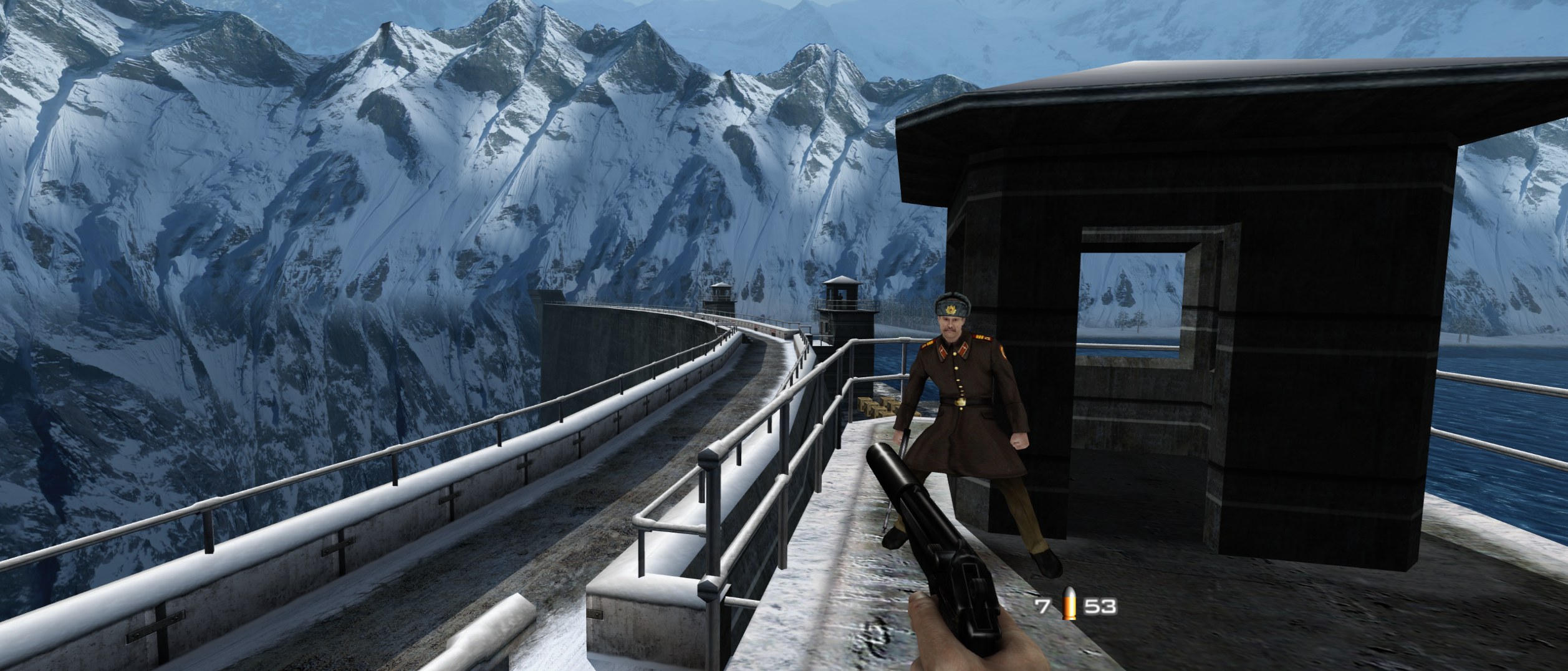
- Steady 60 FPS (the game's own rate), with tear-free V-Sync and an optional FPS / frame-time counter
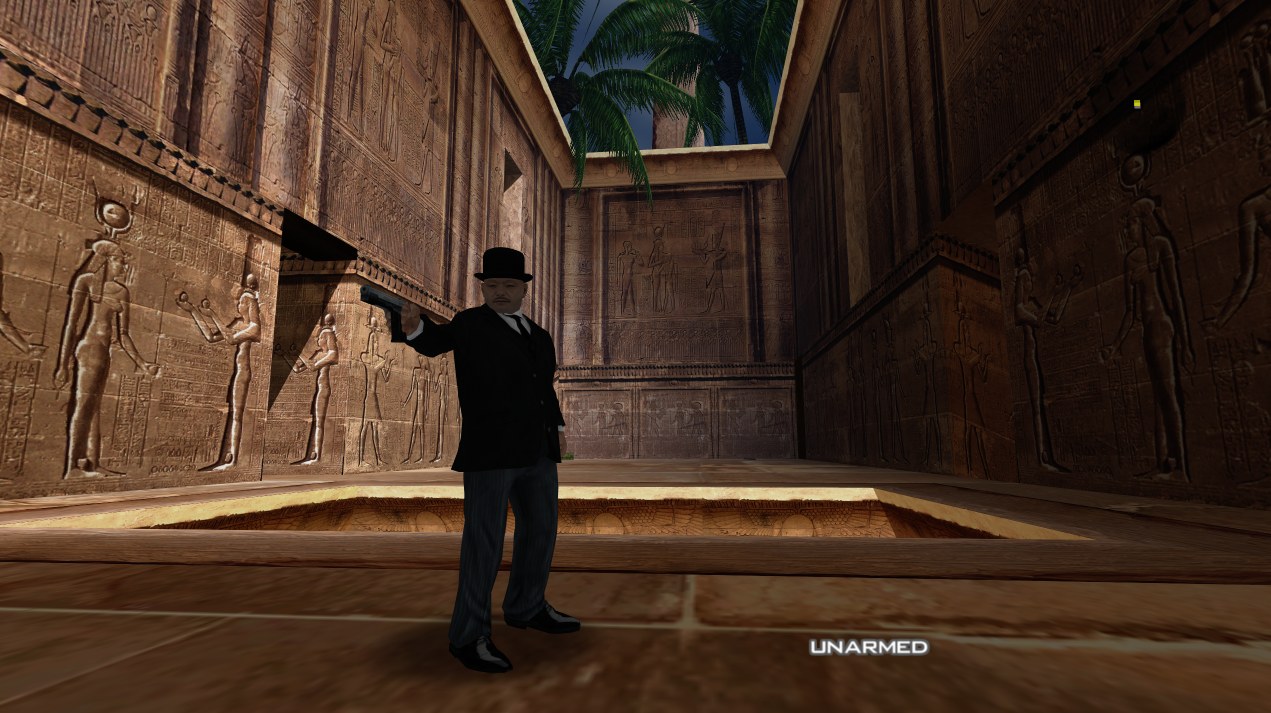
- Original and enhanced graphics: switch between the two at any time (F, or RB on a controller)
- Keyboard and mouse: mouse look, rebindable keys, mouse sensitivity, separate precise-aim sensitivity, invert look, mouse wheel zoom on the sniper rifle and the mouse in the menus and the pause watch
- Xbox controller support, working alongside keyboard and mouse
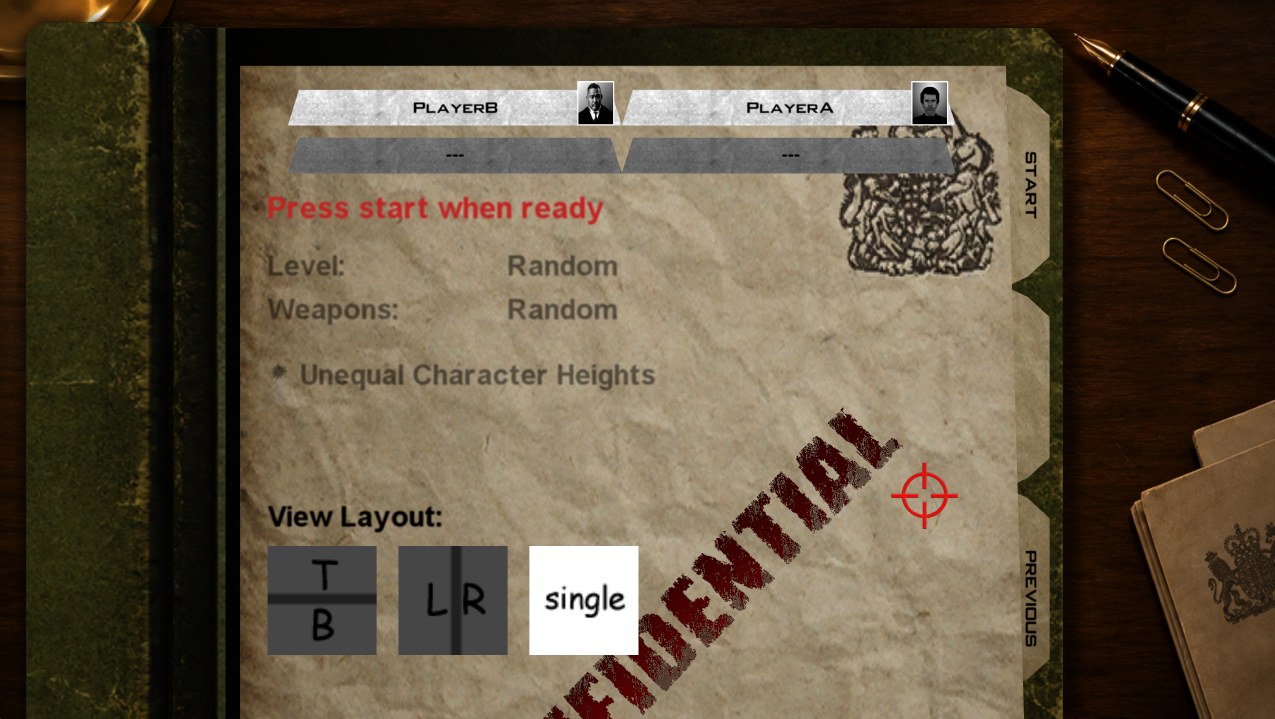
- LAN multiplayer (Multiplayer → LAN or Virtual LAN), and online
multiplayer through virtual LAN services such as Radmin VPN, ZeroTier,
Tailscale and Hamachi
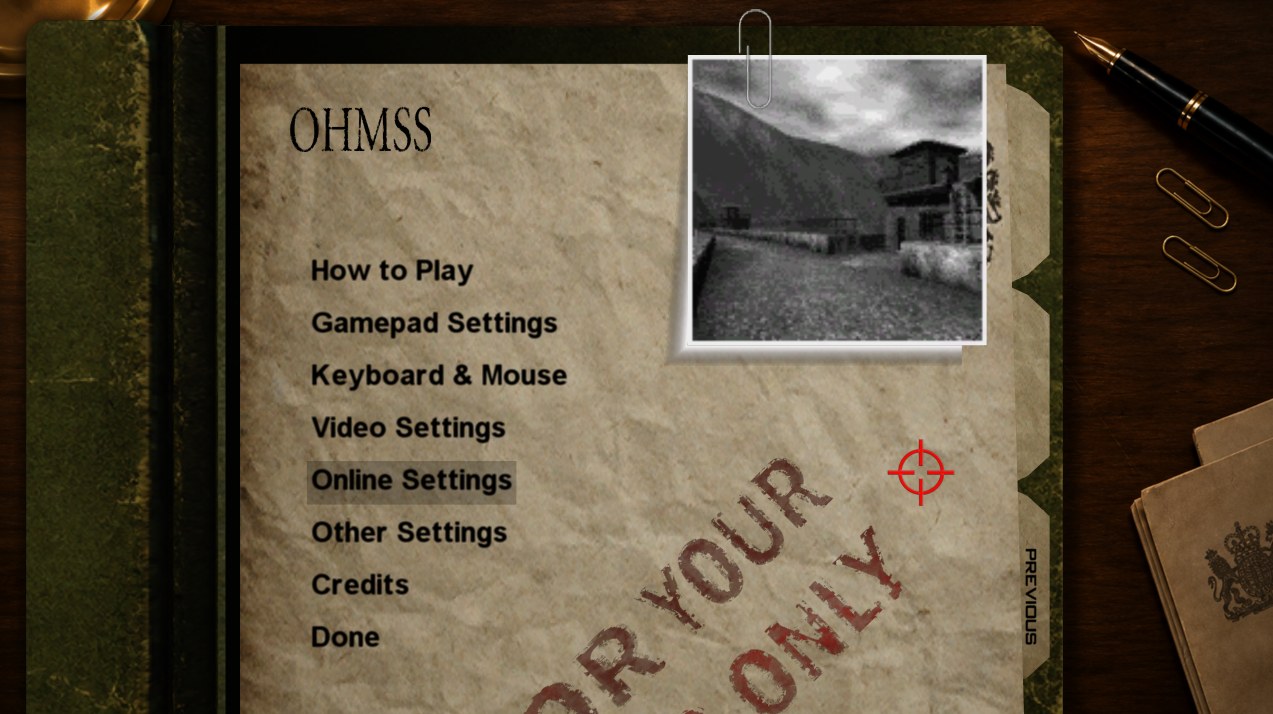
- Settings menu (Help & Options): Keyboard & Mouse, Video Settings
(display mode, window size, V-Sync, FPS counter, field of view,
anti-aliasing, texture filtering, graphics API, post-processing filter)
and Online Settings. Graphics API "Auto" uses Direct3D 12 on NVIDIA and
Vulkan on AMD and other GPUs (Direct3D 12 crashes on AMD with this game)
- Wider field of view (10 degrees wider by default, adjustable from the original up to +30)
- Optional 100% game completion in setup: every mission, difficulty, 007 mode and cheat unlocked
- Portable: one program to open, no installer, no administrator rights;
saves and settings stay in the game folder


Controls
| Key / button | Action |
|---|---|
| W, A, S, D | Move |
| Mouse | Look and aim; moves the crosshair in menus |
| Left click | Fire |
| Right click | Aim and precise aim; back in menus |
| E | Activate (A button); select in menus |
| Q | Cycle gadgets |
| R | Reload |
| Mouse wheel | Cycle weapons; zoom while aiming the sniper rifle |
| F | Toggle graphics (original / enhanced) |
| Ctrl | Crouch |
| Escape, Enter | Start: pause with the watch menu; Escape is back in menus |
| Tab | Objectives / scores |
| Arrow keys | D-pad |
Keys can be changed in Help & Options → Keyboard & Mouse, or on the watch's Keyboard Controls page during a mission. An Xbox controller works as on the console.
Fixes implemented so far
- Removed the beta text on the logo screen and the blur in original graphics mode.
- Dam intro camera fix.
- Level bug fix, guards spawning without weapons on Runway.
- Frigate's water now drawn correctly in enhanced graphics, including near the speedboat.
- Frigate, five invisible locked doors that blocked walkways are now normal doors that open both ways (multiplayer).
- Frigate, both small balconies can be walked onto and players can drop off the large ledge onto the deck below (multiplayer).
- Bunker: the entrance out to the snow is walled off again, so players can’t leave the map (multiplayer).
- Music fixed watch/pause theme, Mission Select music after a mission ends and the Control and Caverns elevator music which now resumes where it left off.
- Dead guards fade out increased from 1.5 seconds to 1 minute.
- Tank turret aiming with the mouse.
- Fixed two different characters both being called "Scientist" on character select.
- Fixed multiplayer characters icons "?" now show character models in character select.
- Fixed Bond and the Russian infantry guard showing two heads with old graphics.
- Removed Xbox-only messages that don't apply on PC.
- Removed Xbox LIVE-only menu entries and the player card's View Gamercard and Add To Friends List rows which led nowhere.
- Every player now hears the same music in LAN matches.
- Fixed the watch volume sliders' range and door sounds that went silent at a distance.
- Fixed LAN games not finding each other over virtual LAN adapters such as Radmin VPN and Hamachi, or on PCs with several network adapters.
- Fixed the automatic shotgun's muzzle flash showing all the time on guns held by players and lying on the floor.
- Fixed shotgun and automatic shotgun shots never reaching other players in multiplayer.
- Other Misc fixes.
Known limitations
- Windows only for now.
- Only the GoldenEye 007 Xbox Live Arcade package with Title ID
584108A9and the exact game program this port was recompiled from is supported; setup refuses other builds. - The game is not digitally signed, so Windows SmartScreen may warn the first time; choose More info → Run anyway. Windows also asks for network access the first time you host or join a LAN game.
- Issues remaining relating to the original build.
If something goes wrong include the newest files from
resources\runtime\logs when reporting it.
For Developers
Building from source. You need Git, CMake 3.25 or newer, Ninja, LLVM/Clang 18
or newer (installed in C:\Program Files\LLVM), Python 3, Visual Studio 2022
or newer with the C++ workload (Windows SDK and the Visual C++ runtime that
releases ship) and Windows PowerShell, plus your own GoldenEye 007 package.
ReXGlue is the rexglue-sdk submodule, pinned to upstream v0.10.0. This
project's changes to it, including the GoldenEye Recomp ReXGlue fork, are kept
in patches/rexglue.patch, which CMake applies automatically. ReXGlue's
dependencies are nested deeply, so enable long paths when cloning:
git -c core.longpaths=true clone --recurse-submodules --shallow-submodules https://github.com/CaiusCodes/GoldenEye-007-XBLA-PC-Recomp.git
Extract your package into game/, generate the recompiled code from your own
default.xex, then build the game:
.\tools\Extract-STFS.ps1 -Path <your package> -OutputDir game
cmake --preset win-amd64-release
cmake --build --preset win-amd64-release --target ge_codegen
cmake --preset win-amd64-release
cmake --build --preset win-amd64-release
The ge_codegen step builds ReXGlue's code generator and translates
game/default.xex into C++ in generated/; the second configure picks that
code up. Later builds rerun the generator by themselves when its inputs
change. The generated code is derived from the game, so it is never committed
(only the SDK boilerplate generated/rexglue.cmake is); ge_config.toml
holds the function addresses and hooks the generator uses.
The game is built to out/build/win-amd64-release/GoldenEye 007.exe. To run it
from there, link your extracted package in as its assets folder:
New-Item -ItemType Junction -Path "out\build\win-amd64-release\assets" -Target game
ReXGlue's developer hotkeys (F3 debug overlay, backtick console, F4 settings
overlay, F7 achievements overlay) are off. Set developer_hotkeys = true in
ge.toml to bring them back; ge_debug_menu = true enables the game's hidden
debug menu (press F9 in a mission, or set another key with ge_debug_menu_key,
for example ge_debug_menu_key = "F10").
.\tools\Make-Release.ps1 (or Make Release.bat) builds the release ZIP,
out\release\GoldenEye-007-XBLA-PC-Recomp-v<version>.zip. It holds one
GoldenEye 007 folder with the launcher (GoldenEye 007.exe, built from
packaging/launcher by packaging/Build-Launcher.ps1), README, licences and
resources\runtime (the game and its DLLs), and never any game data. The
version comes from the VERSION file.
Licence and credits
This project is built on the work of others:
- GoldenEye Recomp by
SunJaycy, the original ReXGlue recompilation of GoldenEye 007 this port is
based on (The Unlicense), and his
ReXGlue fork
(BSD 3-Clause), whose runtime fixes are part of
patches/rexglue.patch. - GoldenEye Recomp Watch Music Fix by mrfox-1 and contributors: music, tank, body-fading, Frigate water and menu fixes (MIT, see LICENSE-community-fixes-MIT.txt).
- The BeanTools Community Edition GoldenEye XBLA fixes, which GoldenEye Recomp carries over as code and changed values.
- ReXGlue by Tom Clay and contributors (BSD 3-Clause), which includes code derived from Xenia.
This project's own code is released under The Unlicense, like GoldenEye
Recomp (see LICENSE, which also lists what it does not cover).
The STFS package reader (packaging/launcher/stfs.cpp and
tools/Extract-STFS.ps1) is derived from
Velocity and is GPL-3.0, so the
launcher it is compiled into (GoldenEye 007.exe in the release root) is
distributed under the GPL-3.0; the game itself is a separate program. ReXGlue and
its third-party libraries keep their own licences; see
packaging/licenses.
GoldenEye 007, James Bond, Xbox and Xbox 360 are trademarks or property of their respective owners. This is an unofficial fan project, not affiliated with or endorsed by them.