

NeoTS2
A new, open, 64-bit engine for The Sims 2.
NeoTS2 runs The Sims 2 on a modern, open codebase. It reads the game's own files from your installation (neighborhoods, lots, objects, Sims, scripts, 3D assets and the user interface) and rebuilds the game on top of them: the simulation that drives objects and Sims, the houses and neighborhoods in 3D, and the game's screens.
You need your own copy of The Sims 2 (the Ultimate Collection or the base game with its packs). NeoTS2 contains none of the game's files and never will.
Why
The Sims 2 engine is twenty years old: a 32-bit, fixed-function program tied to old hardware and closed to deeper modding. NeoTS2 aims to keep everything that makes the game what it is while giving it:
- a native 64-bit (x64) engine that uses modern graphics APIs (Direct3D 12 today) and the memory a modern PC has;
- an engine you can read and change;
- modern graphics as an option: the classic look by default, with room for improved lighting, shadows and effects as mods;
- modding without limits: new behavior, new rendering, new tools, built on code rather than workarounds.
The classic look is rebuilt from how the original game works, not approximated: where the game computes something (terrain paint, lighting, camera framing), NeoTS2 does the same computation.
What works today
NeoTS2 is in early development. It isn't playable yet, but you can already look around:
- Main menu: the game's neighborhood chooser, built from its own UI scripts, fonts and images, with the neighborhood videos, previews, buttons and tooltips.
- Neighborhoods: the terrain with the game's paints, lighting and shadows, and its reflective water, seen through the game's neighborhood camera.
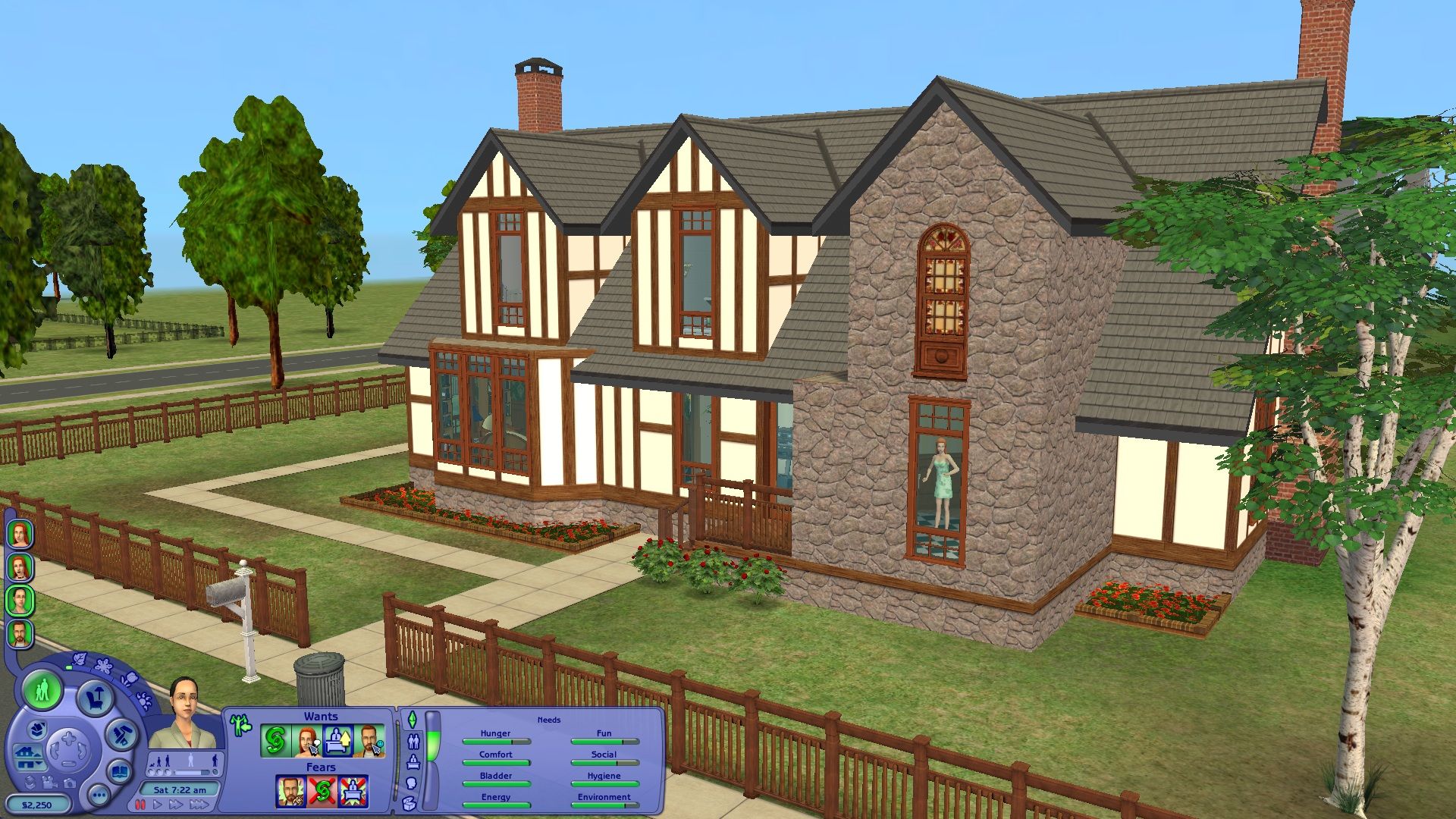
- Lots: a saved lot in 3D: walls with doors and windows, floors, roofs, fences and objects, with walls up, cutaway or down.
- Game files: the game's packages and most of its resource formats: objects, string tables, behavior scripts, 3D models and textures, saved neighborhoods, families, lots and Sims.
- Simulation: object behavior (SimAntics, and the Lua scripts the expansions use) running against a saved lot, with a growing set of the game's primitives.
| Main menu | Neighborhood |
|---|---|
 |
 |
| Lot | Sims |
 |
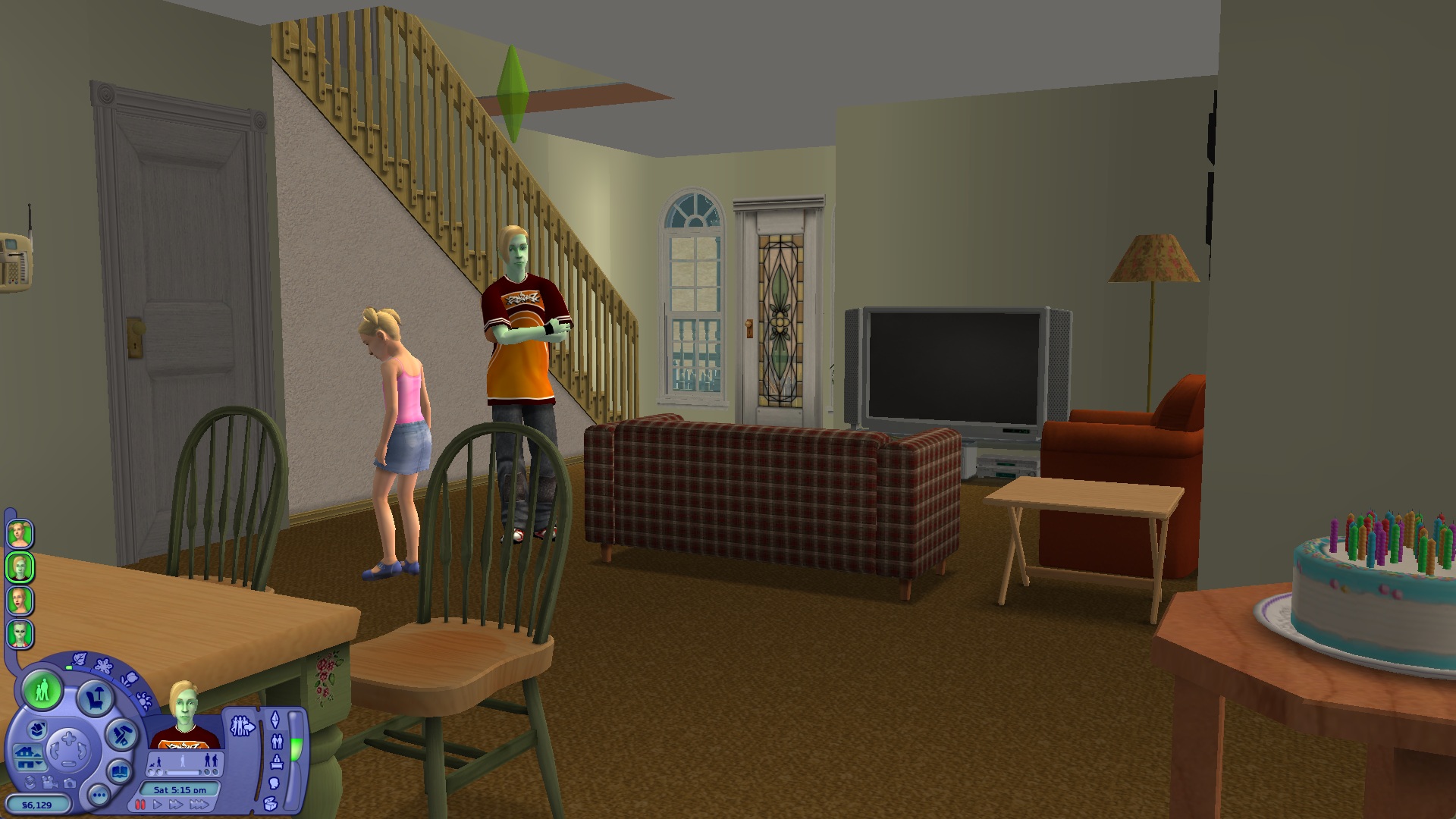 |
Screenshots of NeoTS2 running on the game's own files.
Tools and libraries
| What | Used for |
|---|---|
| C++20, CMake 3.20+ | the language and the build |
| Visual Studio 2022 (MSVC), x64 | the compiler on Windows; NeoTS2 is built and tested as 64-bit |
| SDL 3 | the window, input and GPU access (Direct3D 12) |
| DXC, from the Windows SDK | compiling the HLSL shaders |
| FreeType 2.13 | drawing the game's fonts |
| stb_image 2.30 (included) | reading PNG, JPEG and BMP images |
| Lua 5.0.3 (included) | the scripting language the game's expansions use |
Building
You need CMake 3.20+, Visual Studio 2022 with the C++ workload and the Windows SDK, the SDL 3 development package for Visual Studio, and FreeType 2.13 built with CMake. Then:
cmake -S . -B build -A x64 -DSDL3_DIR=<SDL3>/cmake -Dfreetype_DIR=<FreeType install>/lib/cmake/freetype
cmake --build build --config Release
Without SDL 3 or DXC, the libraries, tools and tests still build; the neots2 app is skipped.
Running
neots2 "<The Sims 2 install folder>" --menu --user "<your Sims 2 user folder>"
neots2 "<The Sims 2 install folder>" "<user folder>/Neighborhoods/N001"
neots2 "<The Sims 2 install folder>" "<user folder>/Neighborhoods/N001/Lots/N001_Lot1.package"
The first opens the main menu, the second a neighborhood, the third a lot. In 3D views: hold down and drag with the middle mouse button to turn, with the right button or WASD to move, and use the wheel to zoom; on lots, Page Up/Down change storey, 1/2/3 show walls up, cutaway or down, and R turns roofs on and off.
For example, with the Ultimate Collection installed through Origin or the EA app, open a Command Prompt in the folder you built into and run:
cd build\Release
neots2.exe "C:\Program Files (x86)\Origin Games\The Sims 2 Ultimate Collection" --menu
--user can be left out when your user folder is the usual one, in Documents\EA Games\The Sims™ 2
Ultimate Collection. If the game is installed elsewhere, use the folder that holds its "Double
Deluxe", "Fun with Pets" and other pack folders.
Crash reports
If NeoTS2 crashes, it saves a report in the logs folder next to it (or in
%LOCALAPPDATA%\NeoTS2\logs). Nothing is sent unless you click Send a report.
A report has two files: crash.txt (what went wrong) and neots2.dmp (a snapshot of the program
when it crashed). In crash.txt your user folder is shown as %USERPROFILE%; the dump may still
contain folder names from your computer.
Send a report uploads only those two files to BugSplat, which keeps them for a month. We use them only to fix crashes. You can also open a GitHub issue and attach them yourself (GitHub issues are public).
How NeoTS2 is made
Much of the code is written together with AI (Claude), and I direct the work. Formats and behavior come from studying the game itself, but only the cases we've tested are verified, and some details are still open. If you use NeoTS2 as a reference for the game's file formats, check anything important against the game yourself.
Credits
Thanks to The Sims 2 community: SimPE was used as a reference (none of its code is used). The AI has likely picked up general knowledge, like file formats and where things are stored, from public community work such as OpenTS2. None of OpenTS2's code is used.
The app icon is hand-drawn by me.
Contributing
Please read CONTRIBUTING.md first. In short:
- no game files, and nothing exported from them;
- no code taken from the game or from projects whose license doesn't allow it.
Disclaimer
NeoTS2 is an independent fan project. It is not affiliated with, endorsed by or connected to Electronic Arts or Maxis. The Sims is a trademark of Electronic Arts Inc.
Portions of this software are copyright © 2024 The FreeType Project (www.freetype.org). All rights reserved.
License
NeoTS2 is free to use, change, copy and share, and to build on: fork it, make mods and tools for it, use its code in your own projects. Mods, add-ons, content and tools made for NeoTS2 are yours, and you may sell them. The one thing you may not do is sell NeoTS2 itself, or a product or service that is essentially NeoTS2.